
nicolapple - Minecraft Skins & Skin History
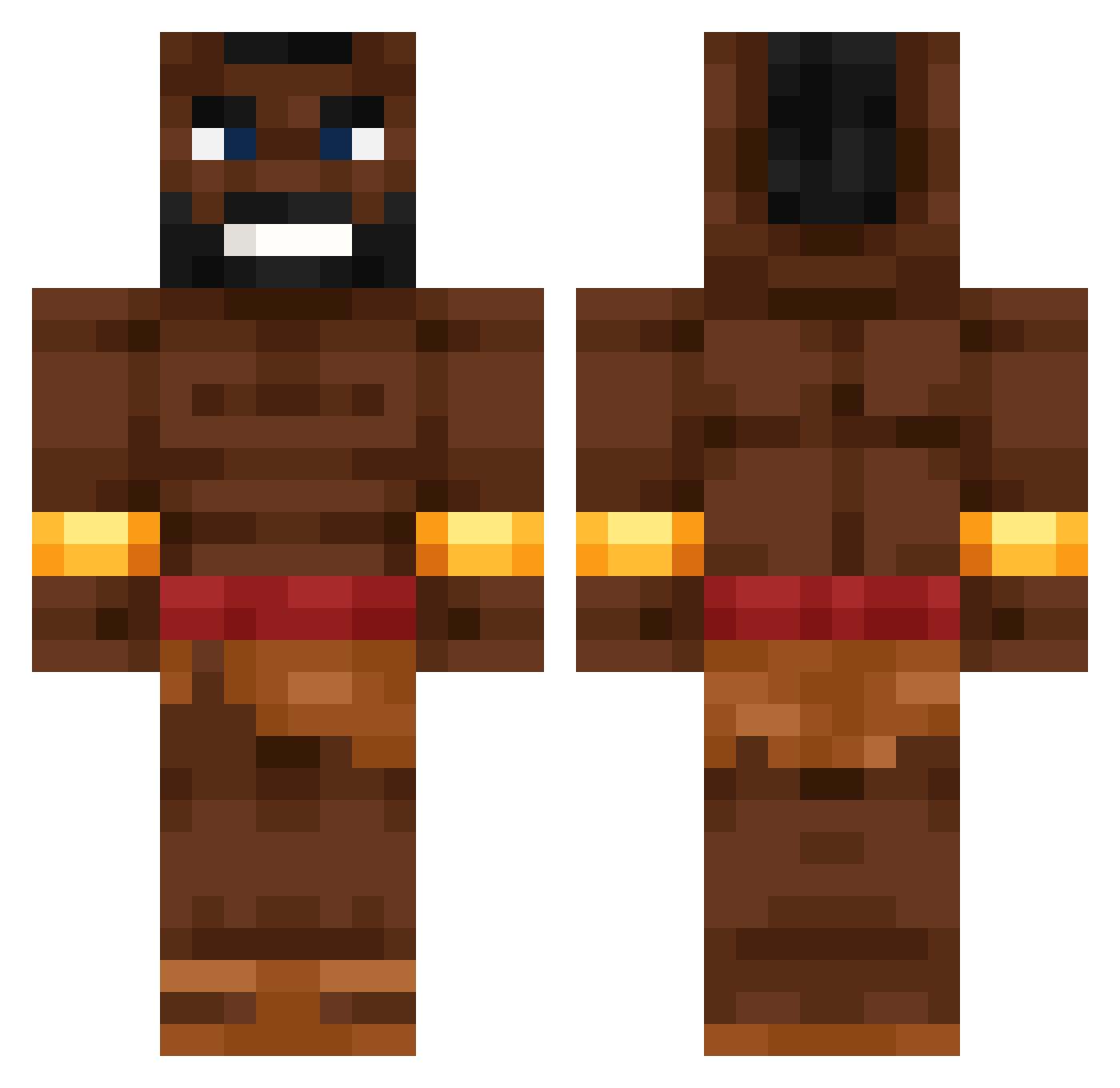
Current Minecraft skin of the player nicolapple, loaded from the official Mojang API. Rotate the 3D model with your mouse or finger, then download the skin as a PNG file and use it in Minecraft: Bedrock Edition or Java Edition for free. When nicolapple changes their skin, this page updates automatically and the old skin stays in the history below.
Other players with this skin (536)
nicolapple was the 341st player we have seen with this skin, first spotted on 25.09.2026. The same skin was seen on these players. Open a nickname to see their current skin and skin history.
 HughLoad _Fx1 StarvinMarvin98 Riricover Rumba_Glocke Anacoinda MikkoPappa Galaxy9193 cjholden09 aufgefangt_ Arow_927 That1kid00 rusty_dt MedvosS crazypopskull IG_MrDiablo CR7ELVRETO onli007 HogRider0420 Mr_Dimka yuki3678 Ar4m_676 Toaster_TT corduva Pixelfresser979 kdobi09 AdrianDstroid Y0YA Deknahihi zalchan88 Luigi4459 Der_AdamG JOIX3213 SAWARLDO 09XD SanderBB11 HOGRIDER2213_ Henyo22 Arthuan Clabey bnma gh1slain SpoconyOlek Olafinos RealRobBob rdrd_l SacrisNemo BurntBready trainintheroom vector10_ iloveblacks99 Chikenbreast55 TaurusGamer1975 LightHeart11034 Slap7t TuaMamma69420 ssinuss Naysty_ starryuwu emirovic
More Actor Minecraft skins
How to install the nicolapple skin
- Press the Download button above to save the skin as a PNG file.
- Minecraft: Bedrock Edition (PE): open the Dressing Room from the main menu (or tap your character → Edit Character), go to Classic Skins → Owned, press the + (new skin) button, choose the downloaded PNG and pick the Classic (Steve) model. Works on PC and mobile; consoles cannot import custom skins.
- Minecraft: Java Edition: open the Minecraft Launcher, go to the Skins tab, click New Skin, load the PNG, pick the Classic (Steve) model and press Save & Use. You can also upload it at minecraft.net → Profile → Change Skin.
The skin does not show up after import - what should I do?
Restart Minecraft and open the Dressing Room again - imported skins sometimes appear only after a restart. Also make sure you selected the imported skin and picked the Classic (Steve) model.
Which model should I choose, Classic or Slim?
This skin is designed for the Classic (Steve) model. If you pick the wrong model, the arms of the skin will look stretched or squeezed.
Is the skin of nicolapple free to download?
Yes. Press Download, save the PNG file and use it in Minecraft: Bedrock Edition or Java Edition - no payment or registration needed. The skin also works on multiplayer servers and Realms.
More skins
Looking for more? Go back to all Minecraft skins and check the top skins of the week, month and all time, or find any player's skin by nickname.