
nickperusse - Minecraft Skins & Skin History
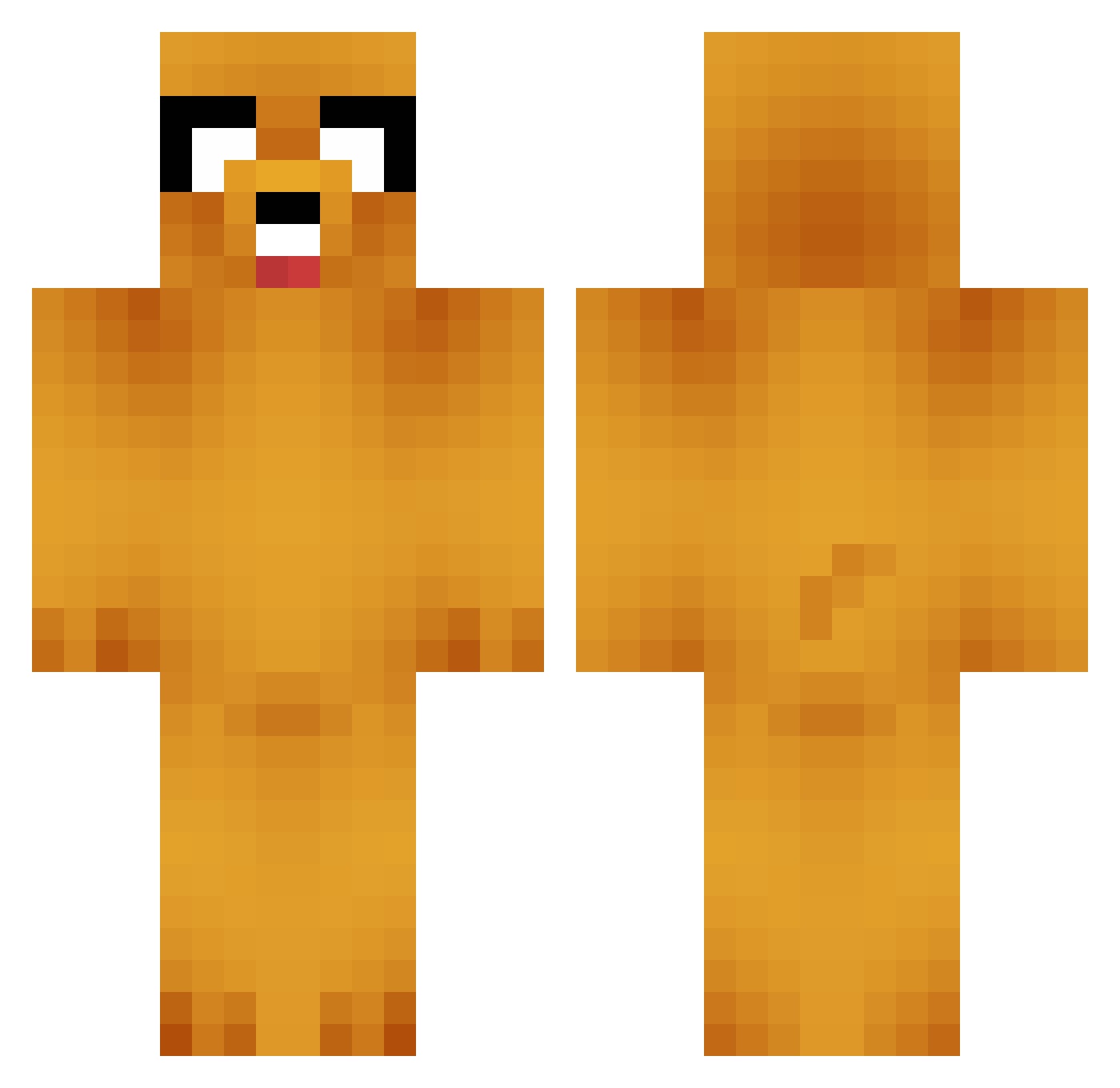
Current Minecraft skin of the player nickperusse, loaded from the official Mojang API. Rotate the 3D model with your mouse or finger, then download the skin as a PNG file and use it in Minecraft: Bedrock Edition or Java Edition for free. When nickperusse changes their skin, this page updates automatically and the old skin stays in the history below.
Other players with this skin (664)
nickperusse was the 287th player we have seen with this skin, first spotted on 05.09.2026. The same skin was seen on these players. Open a nickname to see their current skin and skin history.
 Adonisia Trizzba Antukura RYOONGG KingCephalopod syllo97 IgerSene Plumati bautini9 polpogeloso ZooweeMama33 ONvely Authiien Dubeko Temeraire5541 sasha23 LLAMAEJ NUNU225 Paloche SauceLIM death_gull DDGangri XjojoX3518 Shin3969 molewart ByunHm YourBahdTheo Mandussi Moa_9 dr_miami69 Simply_Ham Beannrt Yeahtonik JwDrums chickon_slayer Jack40070 frijlto bezobrazn1y HelloGopher Venden ILikeToSlide RastaShifu cotton_97 jkwan918 WoollenAtol GGGZZB __bevin RipOmer Arf3ur Squampis Viper333asd bwzdarr SenpaiPrime Ahchou IFARTEDLOL NIHRO TheFlyingOR3O KAPJOON Slimes_Lv HansRanda
More Jake Minecraft skins
How to install the nickperusse skin
- Press the Download button above to save the skin as a PNG file.
- Minecraft: Bedrock Edition (PE): open the Dressing Room from the main menu (or tap your character → Edit Character), go to Classic Skins → Owned, press the + (new skin) button, choose the downloaded PNG and pick the Classic (Steve) model. Works on PC and mobile; consoles cannot import custom skins.
- Minecraft: Java Edition: open the Minecraft Launcher, go to the Skins tab, click New Skin, load the PNG, pick the Classic (Steve) model and press Save & Use. You can also upload it at minecraft.net → Profile → Change Skin.
The skin does not show up after import - what should I do?
Restart Minecraft and open the Dressing Room again - imported skins sometimes appear only after a restart. Also make sure you selected the imported skin and picked the Classic (Steve) model.
Which model should I choose, Classic or Slim?
This skin is designed for the Classic (Steve) model. If you pick the wrong model, the arms of the skin will look stretched or squeezed.
Is the skin of nickperusse free to download?
Yes. Press Download, save the PNG file and use it in Minecraft: Bedrock Edition or Java Edition - no payment or registration needed. The skin also works on multiplayer servers and Realms.
More skins
Looking for more? Go back to all Minecraft skins and check the top skins of the week, month and all time, or find any player's skin by nickname.