
nelxoon - Minecraft Skins & Skin History
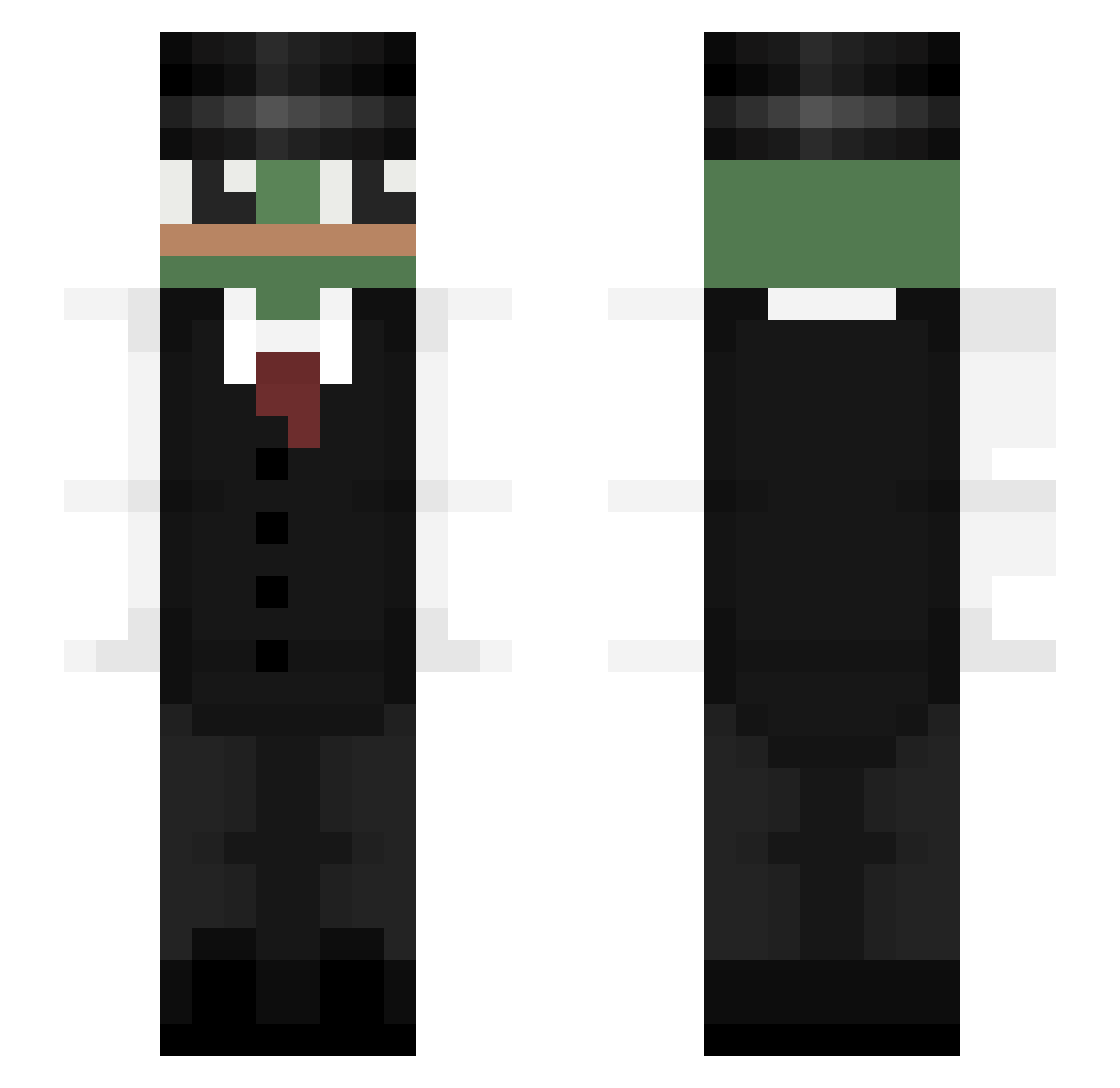
Current Minecraft skin of the player nelxoon, loaded from the official Mojang API. Rotate the 3D model with your mouse or finger, then download the skin as a PNG file and use it in Minecraft: Bedrock Edition or Java Edition for free. When nelxoon changes their skin, this page updates automatically and the old skin stays in the history below.
Other players with this skin (323)
nelxoon was the 204th player we have seen with this skin, first spotted on 26.09.2026. The same skin was seen on these players. Open a nickname to see their current skin and skin history.
 TehTrig Beastmode674 IB_R_O V1ppen Gutekk dahllp SundriedFrog Enthui Villah JuanWizard Zajiikz RuaLove2 DyzioOOO Laotan15 Nyanguru MadsTheMudkip RAKUTOSAN Cozarooni FAMaxo Suprien untds8 Pik4ro ckdgns6420 noname_br Ozquitinov DQ_37 ClainGHG wet_omelettes ZeBigNat RogueCruiser _ichijiku_ Spiner1303 Navyyyyy _douwi_ kiminjik1204 b_nning ItsLuuh Al3xx77 Maafk simon823456 PepeLePew11 fulgur56 dalord0 Lellyx KingOfSW parkjoonbeom Rokkstarr _Drone_ AGuyWithOneLung leolabricot SMOTHhh iAstrxo MiniB00UNTY krovocic9 Klagust Jacuboo waltherpires PepeArgento24 pkyeon lynx1llya
More Pepe Minecraft skins
How to install the nelxoon skin
- Press the Download button above to save the skin as a PNG file.
- Minecraft: Bedrock Edition (PE): open the Dressing Room from the main menu (or tap your character → Edit Character), go to Classic Skins → Owned, press the + (new skin) button, choose the downloaded PNG and pick the Slim (Alex) model. Works on PC and mobile; consoles cannot import custom skins.
- Minecraft: Java Edition: open the Minecraft Launcher, go to the Skins tab, click New Skin, load the PNG, pick the Slim (Alex) model and press Save & Use. You can also upload it at minecraft.net → Profile → Change Skin.
The skin does not show up after import - what should I do?
Restart Minecraft and open the Dressing Room again - imported skins sometimes appear only after a restart. Also make sure you selected the imported skin and picked the Slim (Alex) model.
Which model should I choose, Classic or Slim?
This skin is designed for the Slim (Alex) model. If you pick the wrong model, the arms of the skin will look stretched or squeezed.
Is the skin of nelxoon free to download?
Yes. Press Download, save the PNG file and use it in Minecraft: Bedrock Edition or Java Edition - no payment or registration needed. The skin also works on multiplayer servers and Realms.
More skins
Looking for more? Go back to all Minecraft skins and check the top skins of the week, month and all time, or find any player's skin by nickname.