
nebtheneb - Minecraft Skins & Skin History
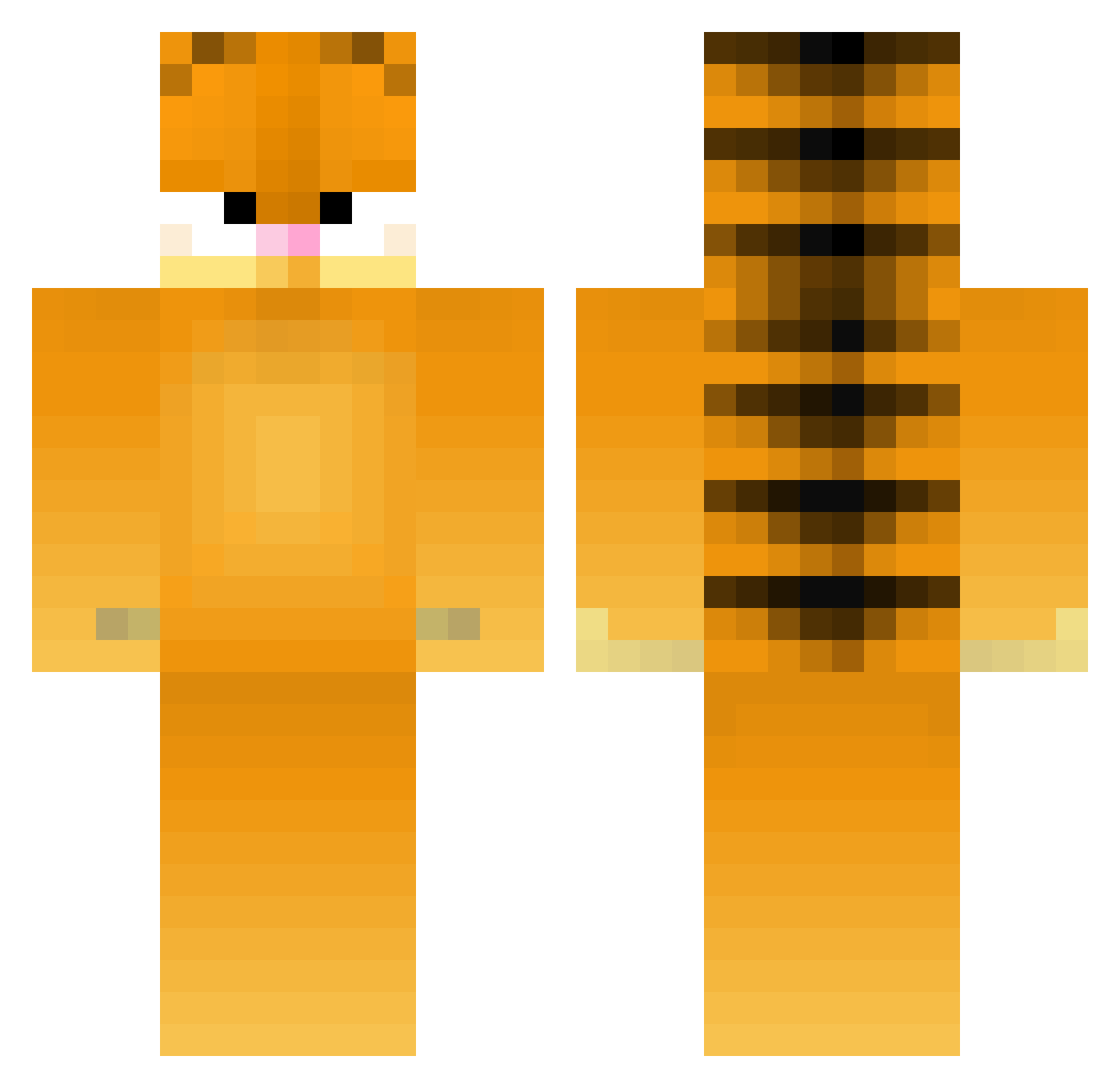
Current Minecraft skin of the player nebtheneb, loaded from the official Mojang API. Rotate the 3D model with your mouse or finger, then download the skin as a PNG file and use it in Minecraft: Bedrock Edition or Java Edition for free. When nebtheneb changes their skin, this page updates automatically and the old skin stays in the history below.
Other players with this skin (179)
nebtheneb was the 91st player we have seen with this skin, first spotted on 22.09.2026. The same skin was seen on these players. Open a nickname to see their current skin and skin history.
 ProfDrBatu K0olKAt67 Beacuse MiloszG2012 b3dw6rs missgimp joge45643 LaPopa13 AdmiralAhegao Entsaftung kenivm SponGe007 littlexiaozi Ovxn wahaha9912 Gbishere1903 HOZY725 _Otsuki wookbak Thr33than irstaxrefund By3dpick rmartin_11 smg4HD HiccupKenobi NINE_OvO Alanmbrito_ chudleyy SadCowboyG Myung2 judester575 Hozzy_y Maximusroman47 blorpusdurk Camsuwu Aaron20040205 Wildawggg Nebuuu STNE7 BigTastyMcRib MeteorHerdK Smithy_9999 El_Shaq Kingkoopa146 SerkanKenzo BigTastyBaconMC uknowluv Toimah Abugush kim_93 Tacoboss375 PeterPoepvlek JDawg68 hubahubahuba derlenny420 AloneCheeroky Cosmo9012 BorosLegionnaire PURPLEDREADS tacomayhem27
More Garfield Minecraft skins
How to install the nebtheneb skin
- Press the Download button above to save the skin as a PNG file.
- Minecraft: Bedrock Edition (PE): open the Dressing Room from the main menu (or tap your character → Edit Character), go to Classic Skins → Owned, press the + (new skin) button, choose the downloaded PNG and pick the Classic (Steve) model. Works on PC and mobile; consoles cannot import custom skins.
- Minecraft: Java Edition: open the Minecraft Launcher, go to the Skins tab, click New Skin, load the PNG, pick the Classic (Steve) model and press Save & Use. You can also upload it at minecraft.net → Profile → Change Skin.
The skin does not show up after import - what should I do?
Restart Minecraft and open the Dressing Room again - imported skins sometimes appear only after a restart. Also make sure you selected the imported skin and picked the Classic (Steve) model.
Which model should I choose, Classic or Slim?
This skin is designed for the Classic (Steve) model. If you pick the wrong model, the arms of the skin will look stretched or squeezed.
Is the skin of nebtheneb free to download?
Yes. Press Download, save the PNG file and use it in Minecraft: Bedrock Edition or Java Edition - no payment or registration needed. The skin also works on multiplayer servers and Realms.
More skins
Looking for more? Go back to all Minecraft skins and check the top skins of the week, month and all time, or find any player's skin by nickname.