
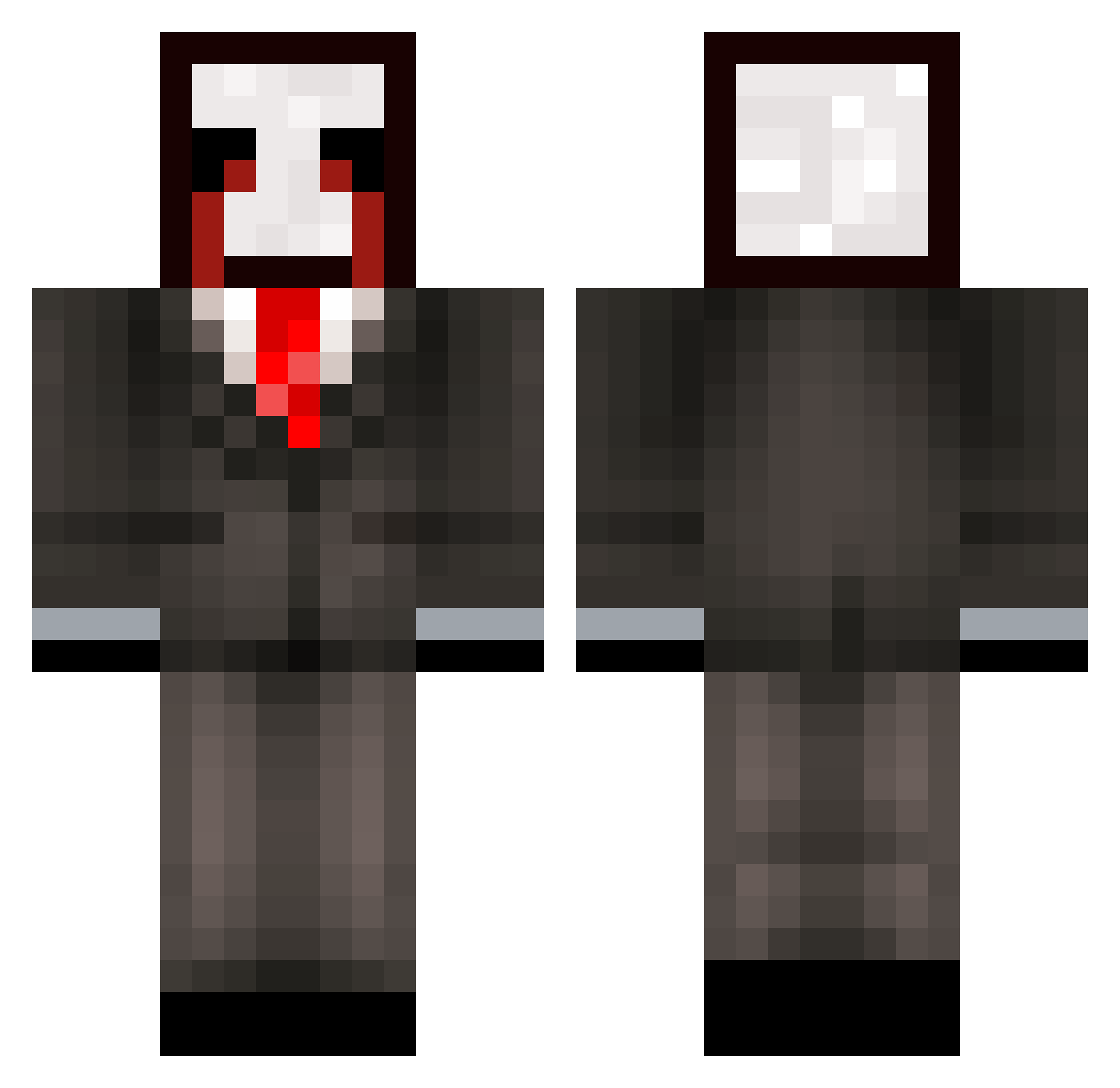
Current Minecraft skin of the player ndersch_rowdy889, loaded from the official Mojang API. Rotate the 3D model with your mouse or finger, then download the skin as a PNG file and use it in Minecraft: Bedrock Edition or Java Edition for free. When ndersch_rowdy889 changes their skin, this page updates automatically and the old skin stays in the history below.
Other players with this skin (276)
ndersch_rowdy889 was the 101st player we have seen with this skin, first spotted on 24.08.2026. The same skin was seen on these players. Open a nickname to see their current skin and skin history.
 zz_CQobm_01_12 LinhfyIoU1202 LinhMOTJS1128 LinhMbwpN0215 ravekMKIGuih y4irresponsible0 star_b5hMQ_06_17 LinhIqrog1230 LinhSky66rUwU wg_jE1H8_12_23 kz1_msmc_wg0 LinhvBMPV0118 eliaselias1234 ptaltsiAqcm 6cv_shadow_zz5 PASIRkz4u0vqmsbd 67f_msmc_q3v 768_msmc_y4p rave5dlcXiKx LinhClawlyrUwU zzxgp_ApnrFmSg MineralWasser999 _iYaHyA dql_msmc_1fp rave2afTPb1O flaw0lessperson Emerade644 LinhKCPHo0115 G0LDALTS_lFvFFA WicigoShawty rsf_msmc_xeb fracted Hamoudi7 IsaaK_21 20w_msmc_hwy FelixDLC LinhMEhyU0126 Revition wpf_63YSr_09_04 tzi_0gD4R_09_09 i7c_msmc_eyj XOLEP_Ice_ib7 bqq_msmc_gyo rro92colorless55 Jokerkid1324 de_motionless744 sacmaliklar nieszkanarrow866 Bengak LinhpeHzX0107 Sv2_Bold_u5b Hastrill LShadeyifUwU Honrrry_ Z4chud kikin_VQeIw_12 267_msmc_yi5 AltVerse_ubx_AV u38_msmc_gid xthonkismhIzrt
More Slenderman Minecraft skins
How to install the ndersch_rowdy889 skin
- Press the Download button above to save the skin as a PNG file.
- Minecraft: Bedrock Edition (PE): open the Dressing Room from the main menu (or tap your character → Edit Character), go to Classic Skins → Owned, press the + (new skin) button, choose the downloaded PNG and pick the Classic (Steve) model. Works on PC and mobile; consoles cannot import custom skins.
- Minecraft: Java Edition: open the Minecraft Launcher, go to the Skins tab, click New Skin, load the PNG, pick the Classic (Steve) model and press Save & Use. You can also upload it at minecraft.net → Profile → Change Skin.
The skin does not show up after import - what should I do?
Restart Minecraft and open the Dressing Room again - imported skins sometimes appear only after a restart. Also make sure you selected the imported skin and picked the Classic (Steve) model.
Which model should I choose, Classic or Slim?
This skin is designed for the Classic (Steve) model. If you pick the wrong model, the arms of the skin will look stretched or squeezed.
Is the skin of ndersch_rowdy889 free to download?
Yes. Press Download, save the PNG file and use it in Minecraft: Bedrock Edition or Java Edition - no payment or registration needed. The skin also works on multiplayer servers and Realms.
More skins
Looking for more? Go back to all Minecraft skins and check the top skins of the week, month and all time, or find any player's skin by nickname.