
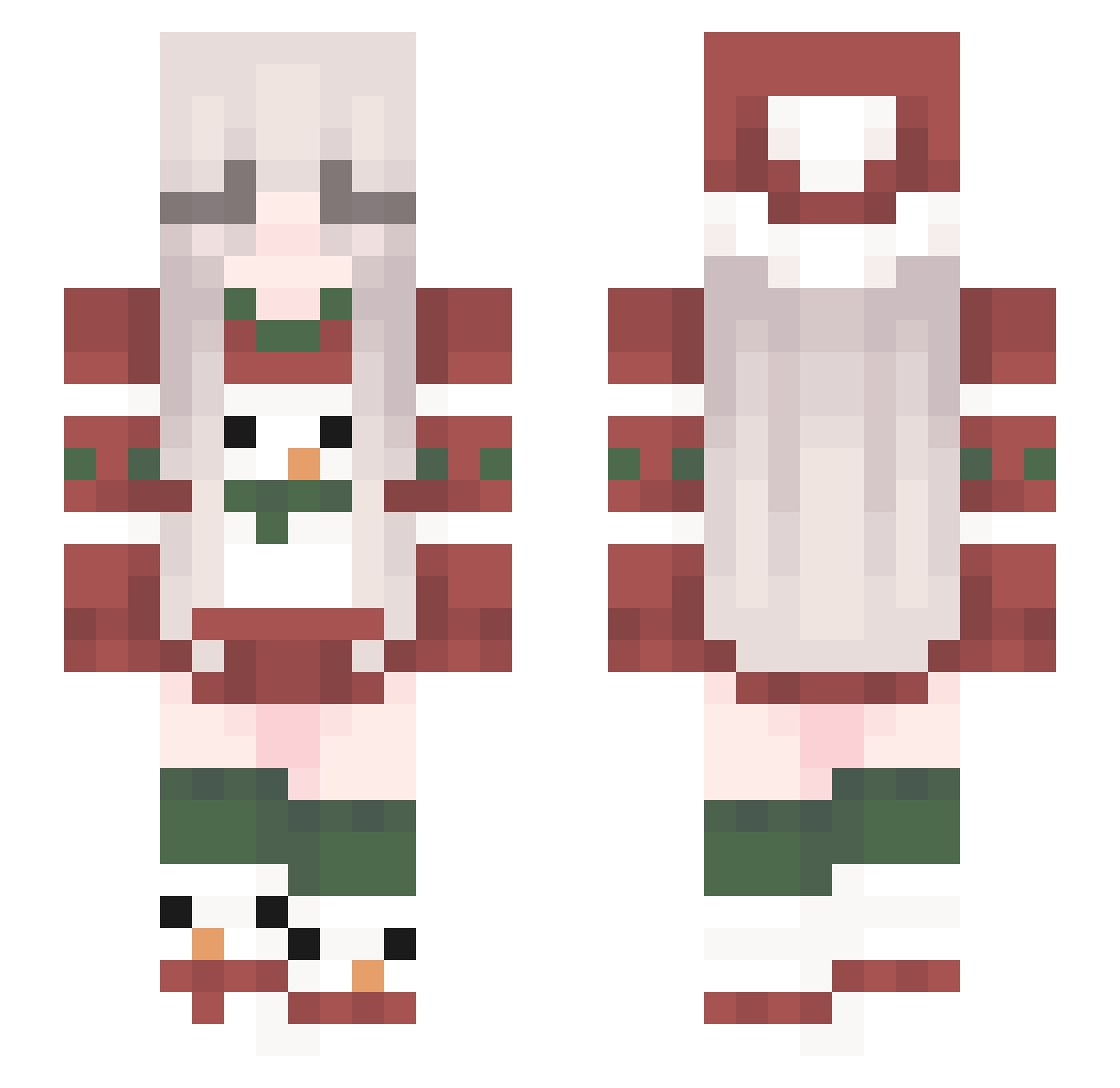
Current Minecraft skin of the player nat4lisa, loaded from the official Mojang API. Rotate the 3D model with your mouse or finger, then download the skin as a PNG file and use it in Minecraft: Bedrock Edition or Java Edition for free. When nat4lisa changes their skin, this page updates automatically and the old skin stays in the history below.
Other players with this skin (85)
nat4lisa was the 52nd player we have seen with this skin, first spotted on 18.09.2026. The same skin was seen on these players. Open a nickname to see their current skin and skin history.
 Zvezdopad ALVI2501 Reattain Irukania gracievw quitelly AKMI_ TOXIC_baguette Poundwise vinnylu Serzania pepe_pear maddieemc KittyKat94 HiddenCrown Hinula46 Vokloviik Sweets_PvP dawciq_ puffman PithoPoine onepeeveepeeone RedGem19 Suzan07 p_p1313467 momoking200 je_iris Mauzi143 lsapp22 YuiElina PaperBlok prettyloser2008 Luraprincess little_kyomi MCyens HarperSea mr_block_the3 Mayers12 GoySrroy Titizzel Zenkardo mclookee KevinCremins Vikiko08 zosixolix Snapd_ Olli1516 LittleRittel Kefevzo KotenAiram _Nightin sindix BlitherPigeon22 Johkal Narsla RandK _Raxj voltwocake deNq_ runa__217
More Snowman Minecraft skins
How to install the nat4lisa skin
- Press the Download button above to save the skin as a PNG file.
- Minecraft: Bedrock Edition (PE): open the Dressing Room from the main menu (or tap your character → Edit Character), go to Classic Skins → Owned, press the + (new skin) button, choose the downloaded PNG and pick the Slim (Alex) model. Works on PC and mobile; consoles cannot import custom skins.
- Minecraft: Java Edition: open the Minecraft Launcher, go to the Skins tab, click New Skin, load the PNG, pick the Slim (Alex) model and press Save & Use. You can also upload it at minecraft.net → Profile → Change Skin.
The skin does not show up after import - what should I do?
Restart Minecraft and open the Dressing Room again - imported skins sometimes appear only after a restart. Also make sure you selected the imported skin and picked the Slim (Alex) model.
Which model should I choose, Classic or Slim?
This skin is designed for the Slim (Alex) model. If you pick the wrong model, the arms of the skin will look stretched or squeezed.
Is the skin of nat4lisa free to download?
Yes. Press Download, save the PNG file and use it in Minecraft: Bedrock Edition or Java Edition - no payment or registration needed. The skin also works on multiplayer servers and Realms.
More skins
Looking for more? Go back to all Minecraft skins and check the top skins of the week, month and all time, or find any player's skin by nickname.