
naheehshanoj - Minecraft Skins & Skin History
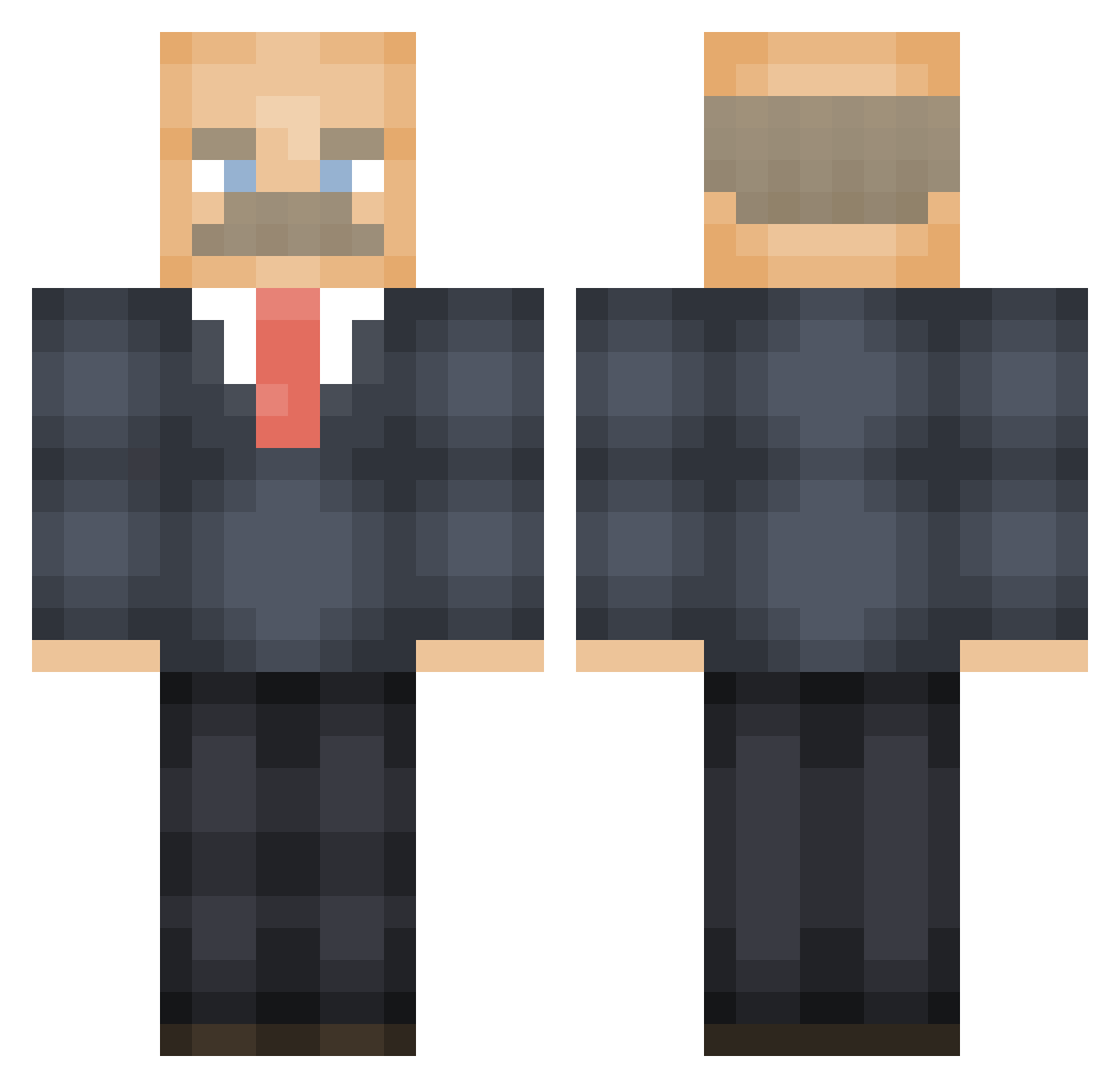
Current Minecraft skin of the player naheehshanoj, loaded from the official Mojang API. Rotate the 3D model with your mouse or finger, then download the skin as a PNG file and use it in Minecraft: Bedrock Edition or Java Edition for free. When naheehshanoj changes their skin, this page updates automatically and the old skin stays in the history below.
Other players with this skin (474)
naheehshanoj was the 67th player we have seen with this skin, first spotted on 08.08.2026. The same skin was seen on these players. Open a nickname to see their current skin and skin history.
 Cerotete jandje Talljan melkmyudders TheJonnyDazzles orrre Wyld_Myke Vz3032 GabiruWolford Baylinz TheVillain761 clutches_ leepaz Tanah7 lleylley Clubbedd MoJiisan jonas0365 ronjohnsurfer AMeepMeep s_t_e_v_e_2005 RNGMonger Saffffffffa mason4122 Ikew_ ofricc Eggloon Thor68 MormonSally Nephrot fillup_ Cobbertine29 Nikolad1765 Valveilla craftyAGM DJBSanders ImSeiba xander2kk Conseiller Elstarz_ Schmorg69 Anonymous_Apollo G33Z3 RUFUSEX Carlovyvary Marklarlite mrjohn2008 dee_aye_go SirThiccns Ture_p Savitarxz warcat6 jjjusticeg an9maly bigphatandjuicy OwenMona MuumiPuikko_ emit_puos japebue HeftigeSjaak
More Vladimir Lenin Minecraft skins
See all 38 Vladimir Lenin skins
How to install the naheehshanoj skin
- Press the Download button above to save the skin as a PNG file.
- Minecraft: Bedrock Edition (PE): open the Dressing Room from the main menu (or tap your character → Edit Character), go to Classic Skins → Owned, press the + (new skin) button, choose the downloaded PNG and pick the Classic (Steve) model. Works on PC and mobile; consoles cannot import custom skins.
- Minecraft: Java Edition: open the Minecraft Launcher, go to the Skins tab, click New Skin, load the PNG, pick the Classic (Steve) model and press Save & Use. You can also upload it at minecraft.net → Profile → Change Skin.
The skin does not show up after import - what should I do?
Restart Minecraft and open the Dressing Room again - imported skins sometimes appear only after a restart. Also make sure you selected the imported skin and picked the Classic (Steve) model.
Which model should I choose, Classic or Slim?
This skin is designed for the Classic (Steve) model. If you pick the wrong model, the arms of the skin will look stretched or squeezed.
Is the skin of naheehshanoj free to download?
Yes. Press Download, save the PNG file and use it in Minecraft: Bedrock Edition or Java Edition - no payment or registration needed. The skin also works on multiplayer servers and Realms.
More skins
Looking for more? Go back to all Minecraft skins and check the top skins of the week, month and all time, or find any player's skin by nickname.