
n1kakita - Minecraft Skins & Skin History
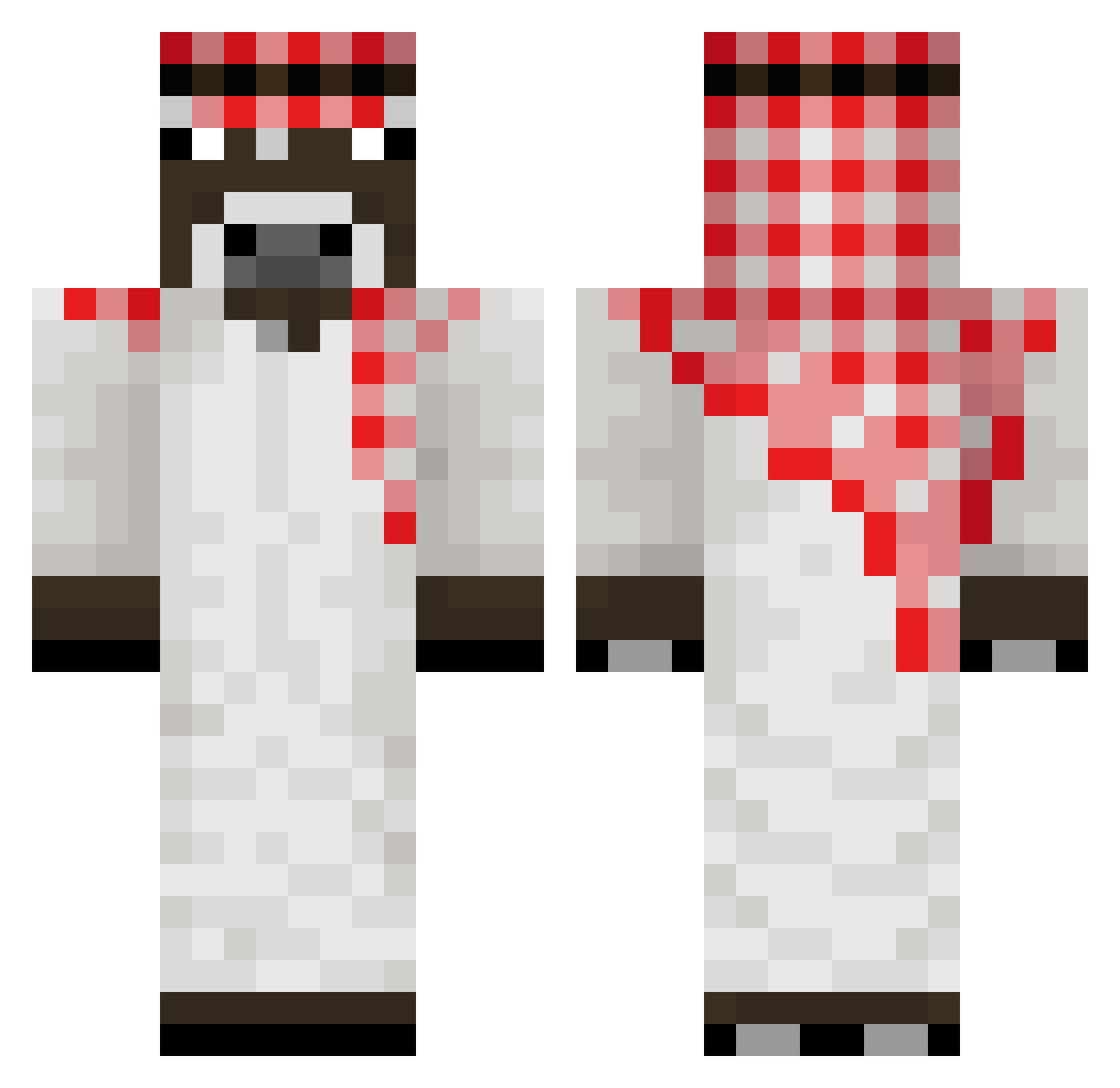
Current Minecraft skin of the player n1kakita, loaded from the official Mojang API. Rotate the 3D model with your mouse or finger, then download the skin as a PNG file and use it in Minecraft: Bedrock Edition or Java Edition for free. When n1kakita changes their skin, this page updates automatically and the old skin stays in the history below.
Other players with this skin (176)
n1kakita was the 20th player we have seen with this skin, first spotted on 05.08.2026. The same skin was seen on these players. Open a nickname to see their current skin and skin history.
 Paulin_Pinho01 doudoumosse Lokai_ 9anakinskywalker _KEPSON_ Etoile1225 Monteiro2104 _HorusLupercal_ xBehelit Maxptn Arceo92 Maksor__ oliver2012321 Niashik emreoturak2012 Sdarling ragesibsYT Arkfox2 jeyenn1 LayzenEnY cecygaby PenkovXd_19 Wundel zSuey joyne76 Oscyfv alocers alexMatss bong08 yashuoth OsitodeGom_ Genox188 Xylisz matyproky Zuberr21 Filds42 Hagym Bartholomule123 ekmkd _jopasti_ jm4ck MaszToWodka GonNava22 Aldar mokky22 Kotorey alim3431 pplman Kasztani1 HaydarAlco alexislapupu ibrxggs TruthPerson Nathan95D Ramirezzzzzzzz jotamalandro HACHICA 44455666777 xXRUDASZCZOTAXx NenyPlay
More Donkey Minecraft skins
How to install the n1kakita skin
- Press the Download button above to save the skin as a PNG file.
- Minecraft: Bedrock Edition (PE): open the Dressing Room from the main menu (or tap your character → Edit Character), go to Classic Skins → Owned, press the + (new skin) button, choose the downloaded PNG and pick the Classic (Steve) model. Works on PC and mobile; consoles cannot import custom skins.
- Minecraft: Java Edition: open the Minecraft Launcher, go to the Skins tab, click New Skin, load the PNG, pick the Classic (Steve) model and press Save & Use. You can also upload it at minecraft.net → Profile → Change Skin.
The skin does not show up after import - what should I do?
Restart Minecraft and open the Dressing Room again - imported skins sometimes appear only after a restart. Also make sure you selected the imported skin and picked the Classic (Steve) model.
Which model should I choose, Classic or Slim?
This skin is designed for the Classic (Steve) model. If you pick the wrong model, the arms of the skin will look stretched or squeezed.
Is the skin of n1kakita free to download?
Yes. Press Download, save the PNG file and use it in Minecraft: Bedrock Edition or Java Edition - no payment or registration needed. The skin also works on multiplayer servers and Realms.
More skins
Looking for more? Go back to all Minecraft skins and check the top skins of the week, month and all time, or find any player's skin by nickname.