
mz_4 - Minecraft Skins & Skin History
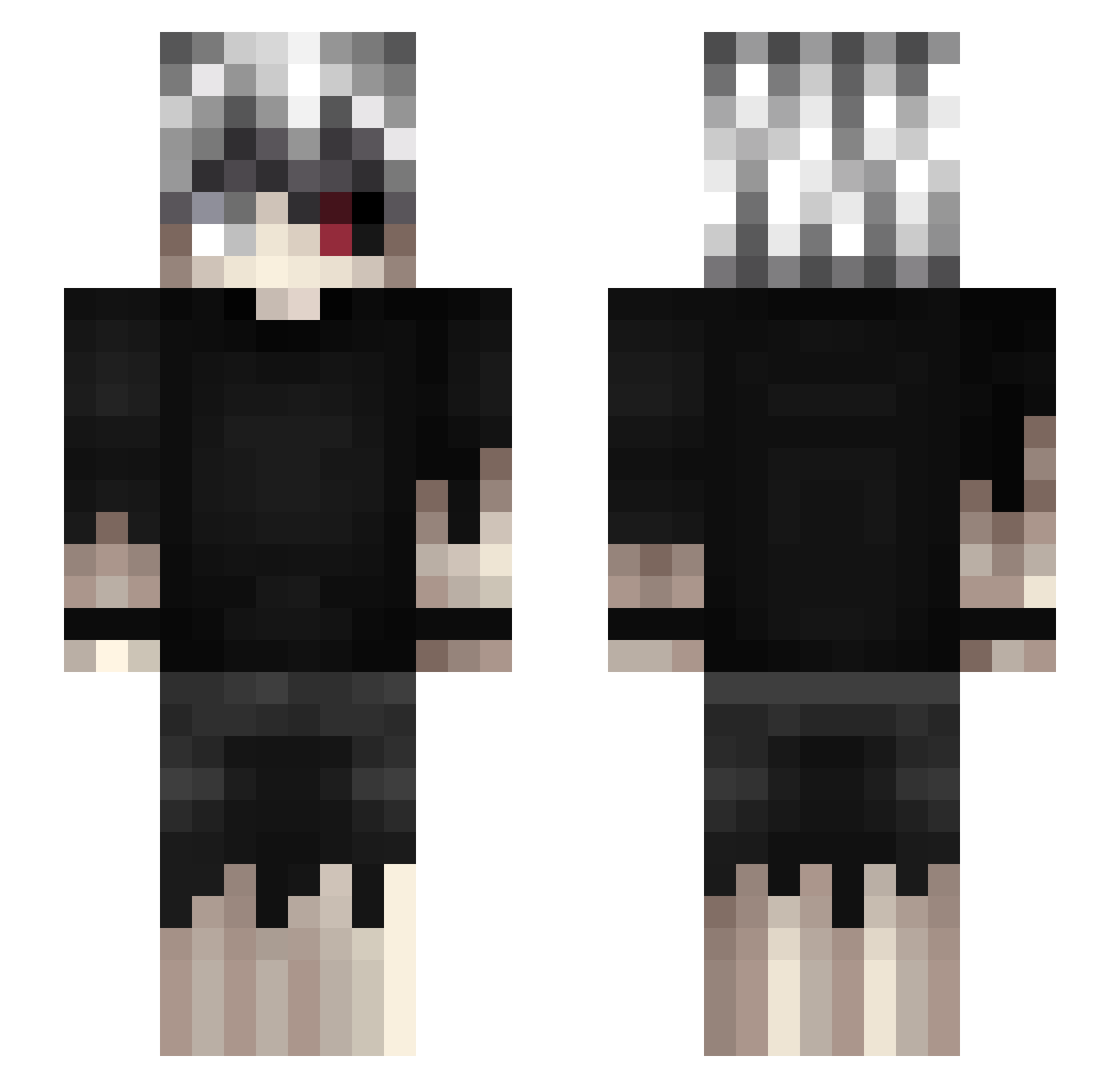
Current Minecraft skin of the player mz_4, loaded from the official Mojang API. Rotate the 3D model with your mouse or finger, then download the skin as a PNG file and use it in Minecraft: Bedrock Edition or Java Edition for free. When mz_4 changes their skin, this page updates automatically and the old skin stays in the history below.
Other players with this skin (574)
mz_4 was the 500th player we have seen with this skin, first spotted on 06.11.2026. The same skin was seen on these players. Open a nickname to see their current skin and skin history.
 games3nse IlIPiIlI XDNagumo AoSRdead Fangscythe Lies9 101tiredboi SulePlay erasethepain disnotjason SGMC27 erleon13 oem_Gunda Grzxla g0ldLs Heans33 konsoyi AhmetSalih Ro1mus Dovante AbdzM chiu_qwq Caladin_98 Kopm63 canwelastforever AlistairZ3ro HouVex Cremysi SmieszneZulePL YoungGhoule k1ritoo0 Kyur3nn HalilMertcan GermanCLS Fichox mLuKiTaSiD kanqtq Qu1Fee zazabieru KOYAHONDA BlizZzaR_ Juken5 xp34nutx SrN0bre Te3Blitz cvolde warmbeatsYT Aceyae AB55_ dragon10607 trihsten Shibataro1029 Pircovic97 Soapmars HazardThunder CarlosFarofa Vinces8910 Pajowis rezkk Tu_ne
More Kaneki Ken Minecraft skins
How to install the mz_4 skin
- Press the Download button above to save the skin as a PNG file.
- Minecraft: Bedrock Edition (PE): open the Dressing Room from the main menu (or tap your character → Edit Character), go to Classic Skins → Owned, press the + (new skin) button, choose the downloaded PNG and pick the Slim (Alex) model. Works on PC and mobile; consoles cannot import custom skins.
- Minecraft: Java Edition: open the Minecraft Launcher, go to the Skins tab, click New Skin, load the PNG, pick the Slim (Alex) model and press Save & Use. You can also upload it at minecraft.net → Profile → Change Skin.
The skin does not show up after import - what should I do?
Restart Minecraft and open the Dressing Room again - imported skins sometimes appear only after a restart. Also make sure you selected the imported skin and picked the Slim (Alex) model.
Which model should I choose, Classic or Slim?
This skin is designed for the Slim (Alex) model. If you pick the wrong model, the arms of the skin will look stretched or squeezed.
Is the skin of mz_4 free to download?
Yes. Press Download, save the PNG file and use it in Minecraft: Bedrock Edition or Java Edition - no payment or registration needed. The skin also works on multiplayer servers and Realms.
More skins
Looking for more? Go back to all Minecraft skins and check the top skins of the week, month and all time, or find any player's skin by nickname.