
myloveisafool - Minecraft Skins & Skin History
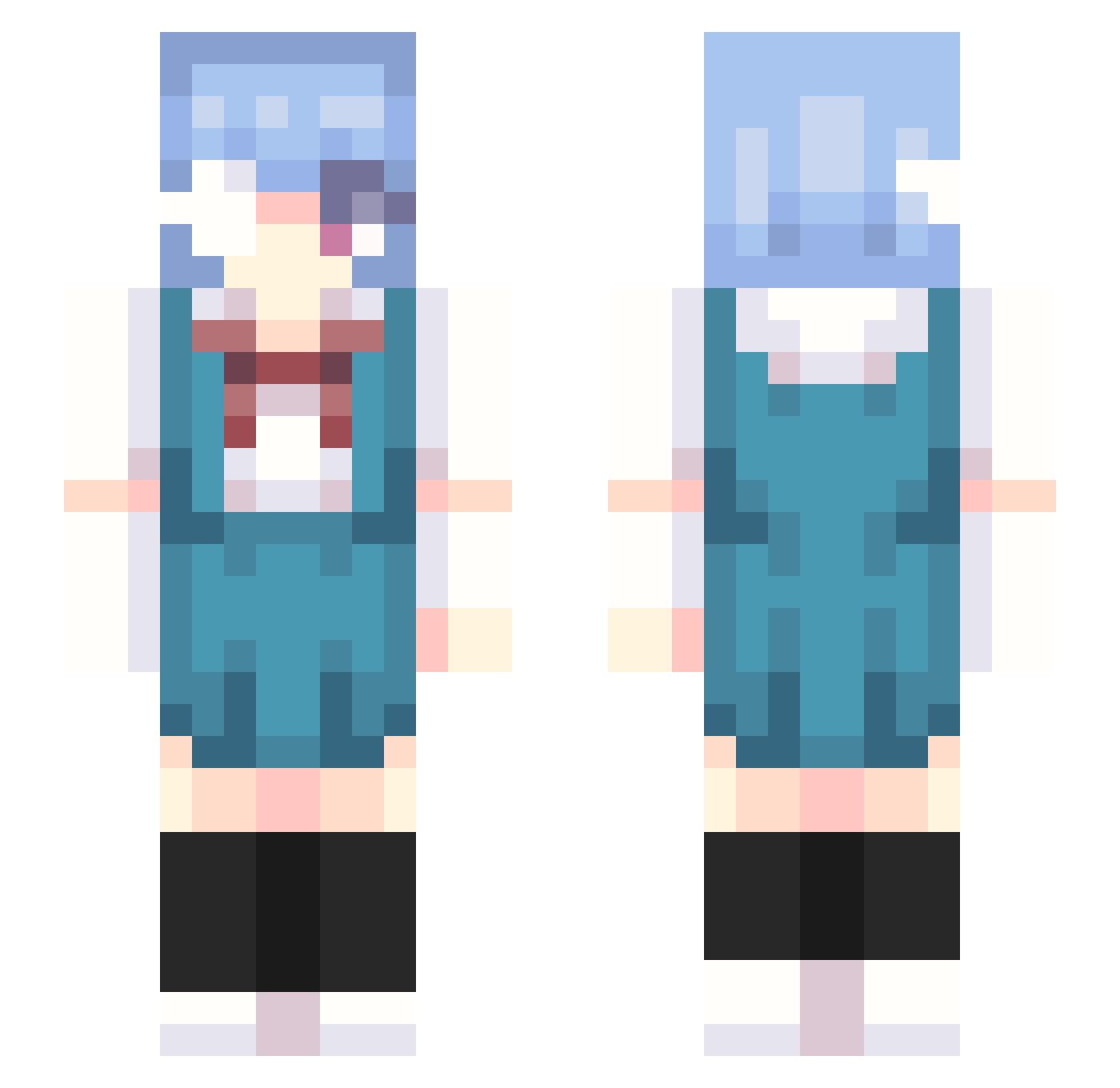
Current Minecraft skin of the player myloveisafool, loaded from the official Mojang API. Rotate the 3D model with your mouse or finger, then download the skin as a PNG file and use it in Minecraft: Bedrock Edition or Java Edition for free. When myloveisafool changes their skin, this page updates automatically and the old skin stays in the history below.
Other players with this skin (302)
myloveisafool was the 199th player we have seen with this skin, first spotted on 05.10.2026. The same skin was seen on these players. Open a nickname to see their current skin and skin history.
 NatsukidesuXD Dale_Wilson dejolt FinalFantasyXI maecakes torv3 Zenttei emty714 DeCastillon cClairo jodeukgi Baneul77 ZvvaRick Aksitawa Jeimeta SpicyCvmSock Yvaine8381 l__emma__l RuloCapirulo puppyboywife Ne_SaNYA banxixi tytromato Minti_sheep SOTA1127 Fargoth2000 Chrisowo saokom4mi aiko_kunna ERI_Ayanami sylvieiee KaruIG Lutrinae20 halflifefan69 Diemilio3 Reid_en bamapes DaisyZoldyck A_MonY 69ken_je_ramen sega101 maayko argedc0 jegong2 Darkblue147 SanBok to4dpole flambunky Binp101 yQuehago noborges pear_fruit Frigofritos choquiis watanaberi ssoxong G474 Slothinator42 M_baibai miyuushi
More Rei Ayanami Minecraft skins
How to install the myloveisafool skin
- Press the Download button above to save the skin as a PNG file.
- Minecraft: Bedrock Edition (PE): open the Dressing Room from the main menu (or tap your character → Edit Character), go to Classic Skins → Owned, press the + (new skin) button, choose the downloaded PNG and pick the Slim (Alex) model. Works on PC and mobile; consoles cannot import custom skins.
- Minecraft: Java Edition: open the Minecraft Launcher, go to the Skins tab, click New Skin, load the PNG, pick the Slim (Alex) model and press Save & Use. You can also upload it at minecraft.net → Profile → Change Skin.
The skin does not show up after import - what should I do?
Restart Minecraft and open the Dressing Room again - imported skins sometimes appear only after a restart. Also make sure you selected the imported skin and picked the Slim (Alex) model.
Which model should I choose, Classic or Slim?
This skin is designed for the Slim (Alex) model. If you pick the wrong model, the arms of the skin will look stretched or squeezed.
Is the skin of myloveisafool free to download?
Yes. Press Download, save the PNG file and use it in Minecraft: Bedrock Edition or Java Edition - no payment or registration needed. The skin also works on multiplayer servers and Realms.
More skins
Looking for more? Go back to all Minecraft skins and check the top skins of the week, month and all time, or find any player's skin by nickname.