
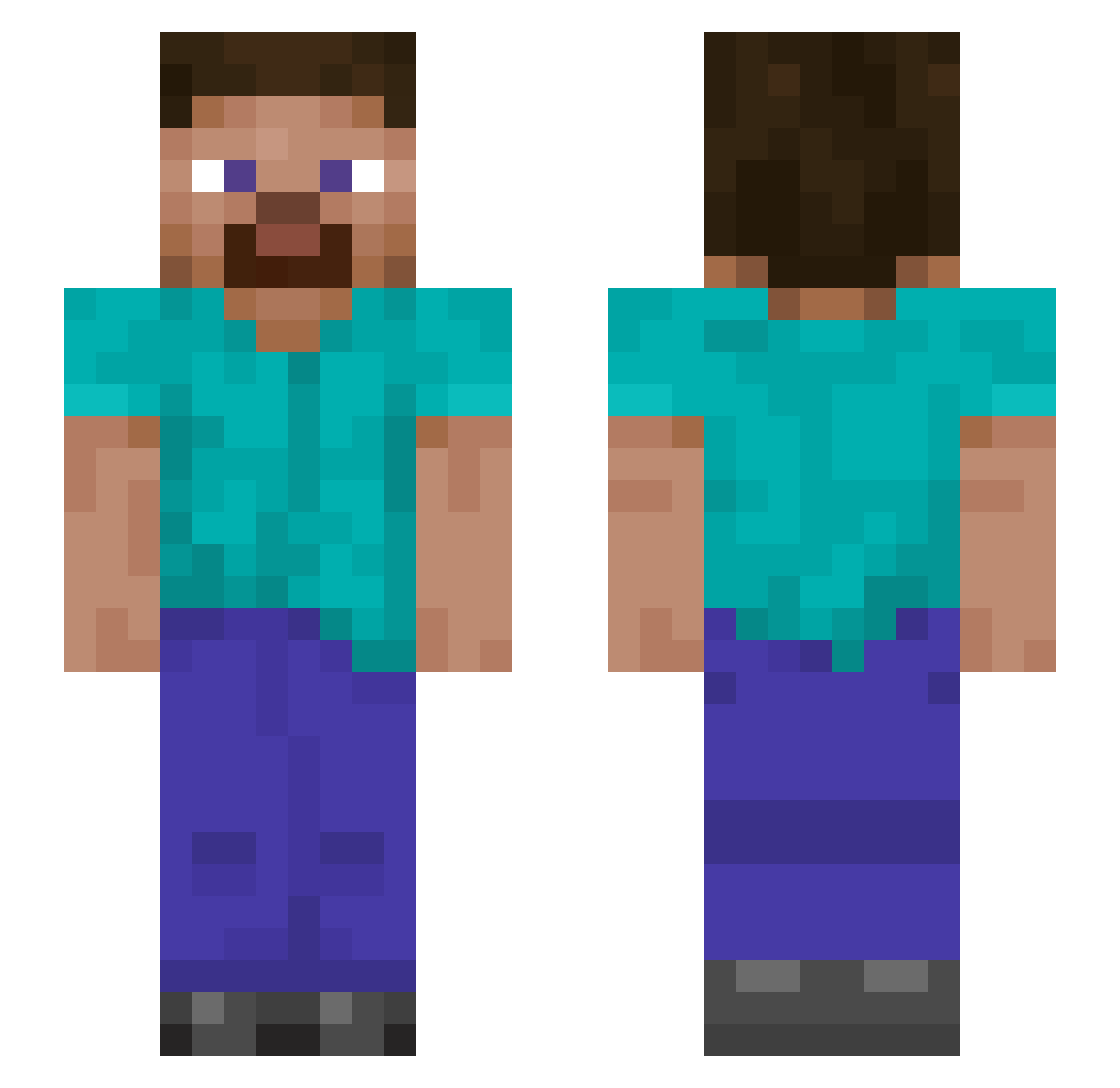
Current Minecraft skin of the player myler144, loaded from the official Mojang API. Rotate the 3D model with your mouse or finger, then download the skin as a PNG file and use it in Minecraft: Bedrock Edition or Java Edition for free. When myler144 changes their skin, this page updates automatically and the old skin stays in the history below.
Other players with this skin (832)
myler144 was the 677th player we have seen with this skin, first spotted on 01.10.2026. The same skin was seen on these players. Open a nickname to see their current skin and skin history.
 LavenderGumes KMmichael SweetNDSourSauce DaBigCheeseSlice AcidTripp420 acornthegreat Floridaman0121 DaddyBrent Powerwulf1 enraa42 gabriel2111 RedXII41269 Gabrielrfw damooseman jack_ma Maxicek17 tongo929 AlexMubarakshin JogaAnto Scalper6 ChillingTrak Nick2Spaz renshihao Higher777 cooper2723 WizardOfOz2002 baustelacc Pro_Gamer89 Dragonzld DeVorst BobbyBoss98 Cengizhan112 LoLoImal C0rbinator Numbuh1Uno Ashelighter Szymen44 djAlan CaptianBDA RobosaurusX GodHnman siddharthazz ojh99 CashPlayr fergs12 dwsads AnyLobster BlueDevil1914 Spacerider021 Accue dlxys creamccat Trash_men bigbootygobbler Aporeiter ThaPr0 Seibugg TKBuel 22ge BananaWood1
How to install the myler144 skin
- Press the Download button above to save the skin as a PNG file.
- Minecraft: Bedrock Edition (PE): open the Dressing Room from the main menu (or tap your character → Edit Character), go to Classic Skins → Owned, press the + (new skin) button, choose the downloaded PNG and pick the Slim (Alex) model. Works on PC and mobile; consoles cannot import custom skins.
- Minecraft: Java Edition: open the Minecraft Launcher, go to the Skins tab, click New Skin, load the PNG, pick the Slim (Alex) model and press Save & Use. You can also upload it at minecraft.net → Profile → Change Skin.
The skin does not show up after import - what should I do?
Restart Minecraft and open the Dressing Room again - imported skins sometimes appear only after a restart. Also make sure you selected the imported skin and picked the Slim (Alex) model.
Which model should I choose, Classic or Slim?
This skin is designed for the Slim (Alex) model. If you pick the wrong model, the arms of the skin will look stretched or squeezed.
Is the skin of myler144 free to download?
Yes. Press Download, save the PNG file and use it in Minecraft: Bedrock Edition or Java Edition - no payment or registration needed. The skin also works on multiplayer servers and Realms.
More skins
Looking for more? Go back to all Minecraft skins and check the top skins of the week, month and all time, or find any player's skin by nickname.