
muyuboy - Minecraft Skins & Skin History
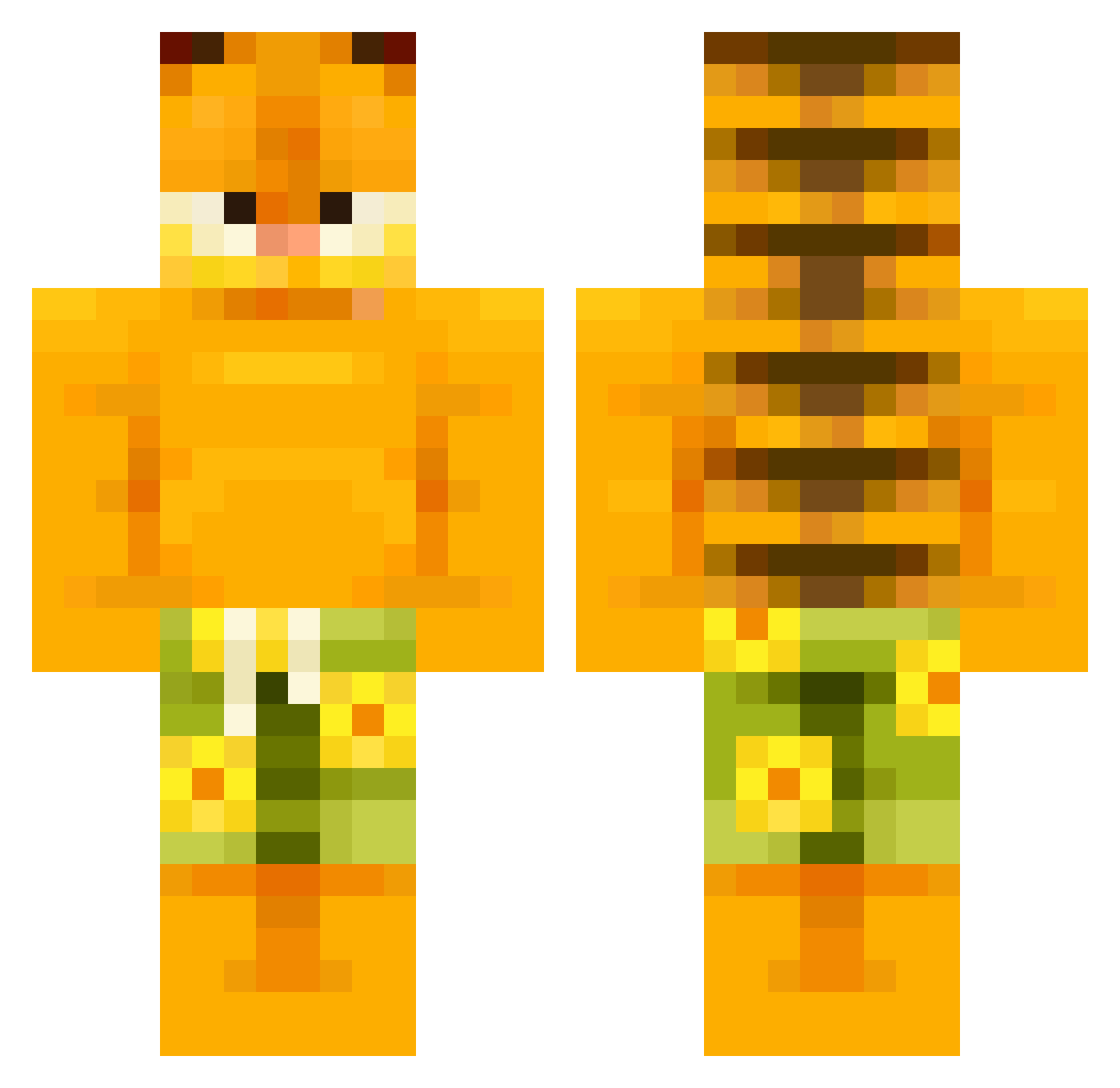
Current Minecraft skin of the player muyuboy, loaded from the official Mojang API. Rotate the 3D model with your mouse or finger, then download the skin as a PNG file and use it in Minecraft: Bedrock Edition or Java Edition for free. When muyuboy changes their skin, this page updates automatically and the old skin stays in the history below.
Other players with this skin (506)
muyuboy was the 123rd player we have seen with this skin, first spotted on 16.08.2026. The same skin was seen on these players. Open a nickname to see their current skin and skin history.
 ardei09 BigFishiez MamasMilkyz SwiggyZiggy MilkyWayx Grizzlyfish12 Kess seto_9 Bluekrait07 Ompalompa10 LolsOfBobby thecookiewithlat Bxelkiller Plueno Antegraf Trendy8752 cappucceetles bKonto CrazyDenise outbreak284 TheJavaBrew beanya loodlesss BHC_7966 alehdz333 RyanSJ01 Cataclops HotMildDurt
 Rugycat jezzaj123 abaaba11212 MEKKUNG0 Xbadou feetluver123
 Raulem99 qweerzy markination __Garfield___ Queweeer kkyaden CheetoBandit
 minka__kun xuzr Myrx_2k26 GrilloEnder jdawg2875 OldFaceMagenta aaroooon8 godzilla783 SaltIsMe oilbottl ICEPICEKING RyanT4255 raouf7405 Thad_Thunderdong Pudliszk0 sanise superduperfrog DrDevious_ Beefo6970
More Garfield Minecraft skins
How to install the muyuboy skin
- Press the Download button above to save the skin as a PNG file.
- Minecraft: Bedrock Edition (PE): open the Dressing Room from the main menu (or tap your character → Edit Character), go to Classic Skins → Owned, press the + (new skin) button, choose the downloaded PNG and pick the Classic (Steve) model. Works on PC and mobile; consoles cannot import custom skins.
- Minecraft: Java Edition: open the Minecraft Launcher, go to the Skins tab, click New Skin, load the PNG, pick the Classic (Steve) model and press Save & Use. You can also upload it at minecraft.net → Profile → Change Skin.
The skin does not show up after import - what should I do?
Restart Minecraft and open the Dressing Room again - imported skins sometimes appear only after a restart. Also make sure you selected the imported skin and picked the Classic (Steve) model.
Which model should I choose, Classic or Slim?
This skin is designed for the Classic (Steve) model. If you pick the wrong model, the arms of the skin will look stretched or squeezed.
Is the skin of muyuboy free to download?
Yes. Press Download, save the PNG file and use it in Minecraft: Bedrock Edition or Java Edition - no payment or registration needed. The skin also works on multiplayer servers and Realms.
More skins
Looking for more? Go back to all Minecraft skins and check the top skins of the week, month and all time, or find any player's skin by nickname.