
multiverse8 - Minecraft Skins & Skin History
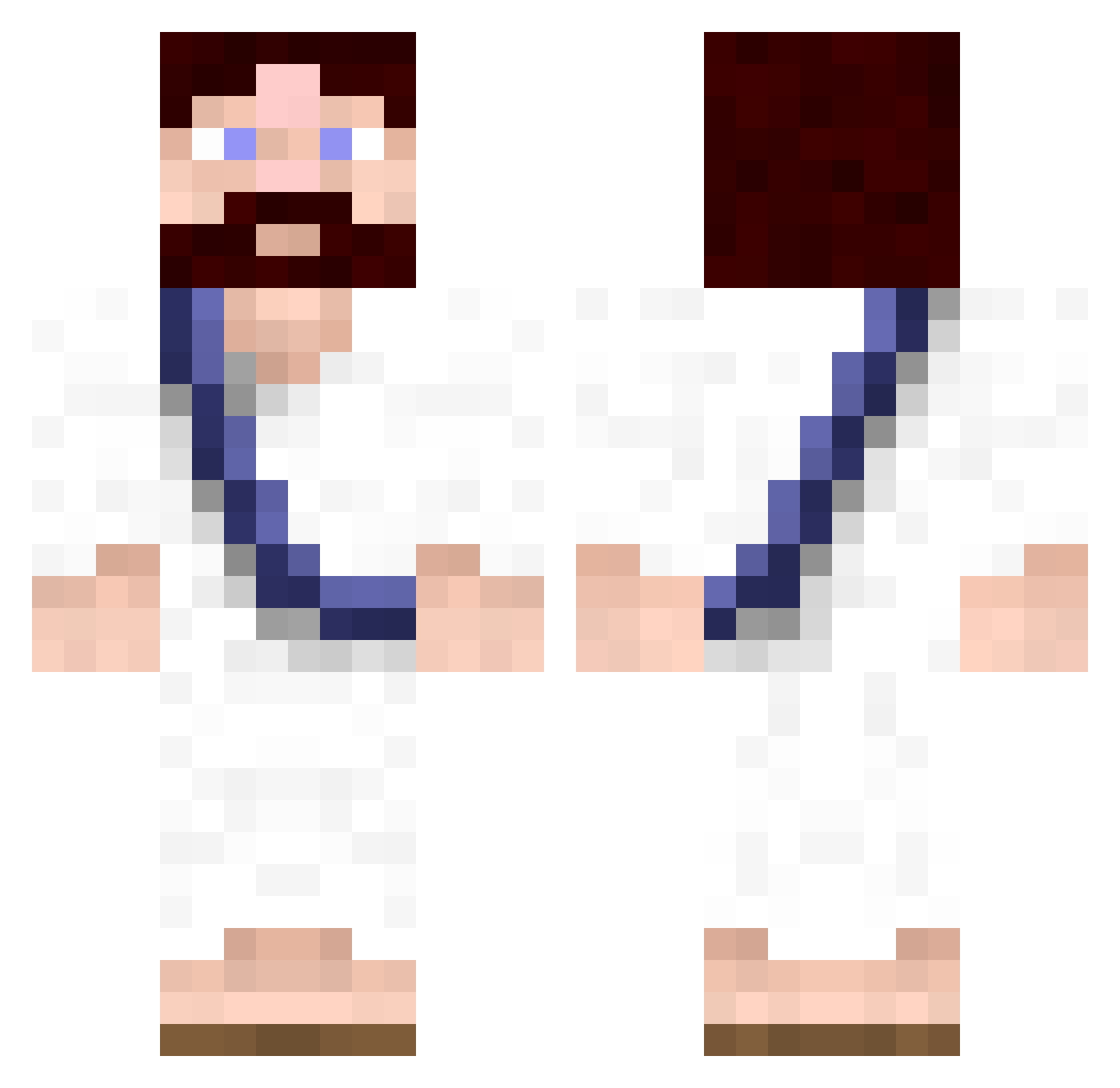
Current Minecraft skin of the player multiverse8, loaded from the official Mojang API. Rotate the 3D model with your mouse or finger, then download the skin as a PNG file and use it in Minecraft: Bedrock Edition or Java Edition for free. When multiverse8 changes their skin, this page updates automatically and the old skin stays in the history below.
Other players with this skin (727)
multiverse8 was the 682nd player we have seen with this skin, first spotted on 10.11.2026. The same skin was seen on these players. Open a nickname to see their current skin and skin history.
 Stewart_Smith dzona18 locke1 lilmanluke1 Gent91 ChairmanMao Icy_Messiahh StephenSmith LikeAJesus fredk013 Aeovon sm0til Leprechaun_jojo Teknopakana VibrateMeGranny WIKI_NEVI MattJoss JesusChrist_ TimkaUSSR Foebie NiTrixX x_MaxiKing_x bhhenry Spooner788 tomekmaciak Vokradice HotCheetoBurrito MYShiiro sum1 BlueNectar _HanniUwU_ spazik FireMagePl 2oony Eodum leonbirk lincoln6ecko wolf07320 mswls Stonhage Billybobjoesteve Kaneblade07 bramblepan Shootmister Nolaqz JuSer_KAZUKI airtroop28 souty dogk1ller Kopfsalat XlHodorlX GlVEN GarethBaIe BroccoliBruiser6 Rafinx bondmaster111 Molestroid a_gebai AutismDisorder KoutarouAmon
More Bible Minecraft skins
How to install the multiverse8 skin
- Press the Download button above to save the skin as a PNG file.
- Minecraft: Bedrock Edition (PE): open the Dressing Room from the main menu (or tap your character → Edit Character), go to Classic Skins → Owned, press the + (new skin) button, choose the downloaded PNG and pick the Classic (Steve) model. Works on PC and mobile; consoles cannot import custom skins.
- Minecraft: Java Edition: open the Minecraft Launcher, go to the Skins tab, click New Skin, load the PNG, pick the Classic (Steve) model and press Save & Use. You can also upload it at minecraft.net → Profile → Change Skin.
The skin does not show up after import - what should I do?
Restart Minecraft and open the Dressing Room again - imported skins sometimes appear only after a restart. Also make sure you selected the imported skin and picked the Classic (Steve) model.
Which model should I choose, Classic or Slim?
This skin is designed for the Classic (Steve) model. If you pick the wrong model, the arms of the skin will look stretched or squeezed.
Is the skin of multiverse8 free to download?
Yes. Press Download, save the PNG file and use it in Minecraft: Bedrock Edition or Java Edition - no payment or registration needed. The skin also works on multiplayer servers and Realms.
More skins
Looking for more? Go back to all Minecraft skins and check the top skins of the week, month and all time, or find any player's skin by nickname.