
mudidong - Minecraft Skins & Skin History
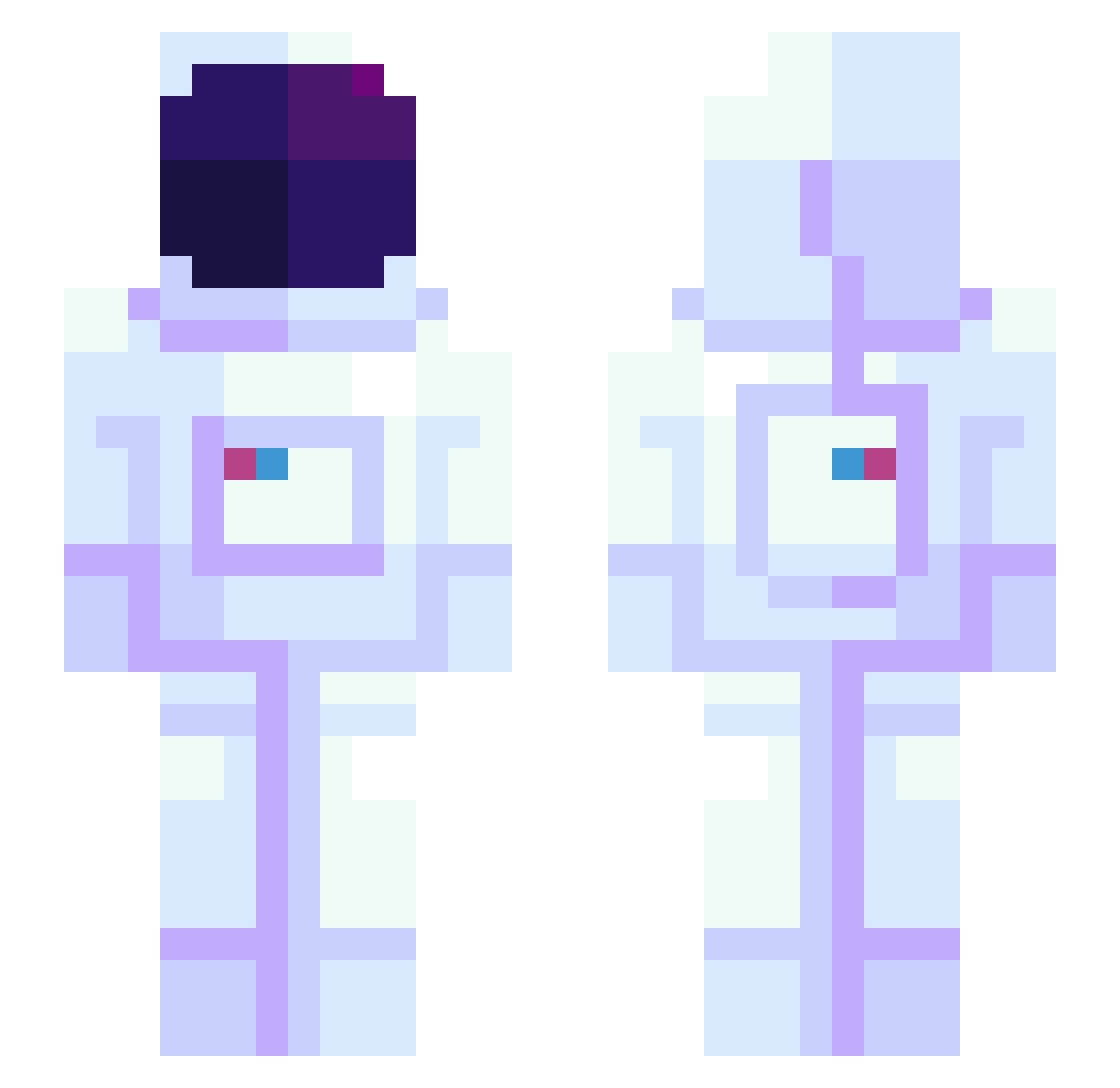
Current Minecraft skin of the player mudidong, loaded from the official Mojang API. Rotate the 3D model with your mouse or finger, then download the skin as a PNG file and use it in Minecraft: Bedrock Edition or Java Edition for free. When mudidong changes their skin, this page updates automatically and the old skin stays in the history below.
Other players with this skin (944)
mudidong was the 837th player we have seen with this skin, first spotted on 22.10.2026. The same skin was seen on these players. Open a nickname to see their current skin and skin history.
 _bomas_ Wyneko WheezyLT Rogue_Planent hanzco bbarns4 JungleKhan alpatoff Moon_Unit1 Bellphegor ohburyme Soninetynine Bytekeey Sinnistter PilotFighter11 AlbertBio ItzMaateuziN fl4shyeu ohheyitsantonio Rudbecki sKooKle Ralel younu1022 MaiVall sungbum1021 drick97 f1nd1ng TanTanTechMan Travv_ BrendanV2004 ceruleanhills artzaok Dom_the_cool5 KLQY Nerglefyre Skoefnoen KillrFirefly b_spark SlaveCat Bonk3rZ_ Egg_Bing Danolloo JoniSLV sponk2 _Gabbl_ Dirty_Dan101 REALjyp DeoxysEX GoDSMR SpyNugget Theodotus_ TaintSmasherac SHabAm28 ElApicultor Alliza 9EXO No_000 FishDck24 naedenjj lobodanoite_PvP
More Astronaut Minecraft skins
How to install the mudidong skin
- Press the Download button above to save the skin as a PNG file.
- Minecraft: Bedrock Edition (PE): open the Dressing Room from the main menu (or tap your character → Edit Character), go to Classic Skins → Owned, press the + (new skin) button, choose the downloaded PNG and pick the Slim (Alex) model. Works on PC and mobile; consoles cannot import custom skins.
- Minecraft: Java Edition: open the Minecraft Launcher, go to the Skins tab, click New Skin, load the PNG, pick the Slim (Alex) model and press Save & Use. You can also upload it at minecraft.net → Profile → Change Skin.
The skin does not show up after import - what should I do?
Restart Minecraft and open the Dressing Room again - imported skins sometimes appear only after a restart. Also make sure you selected the imported skin and picked the Slim (Alex) model.
Which model should I choose, Classic or Slim?
This skin is designed for the Slim (Alex) model. If you pick the wrong model, the arms of the skin will look stretched or squeezed.
Is the skin of mudidong free to download?
Yes. Press Download, save the PNG file and use it in Minecraft: Bedrock Edition or Java Edition - no payment or registration needed. The skin also works on multiplayer servers and Realms.
More skins
Looking for more? Go back to all Minecraft skins and check the top skins of the week, month and all time, or find any player's skin by nickname.