
muddypuddles73 - Minecraft Skins & Skin History
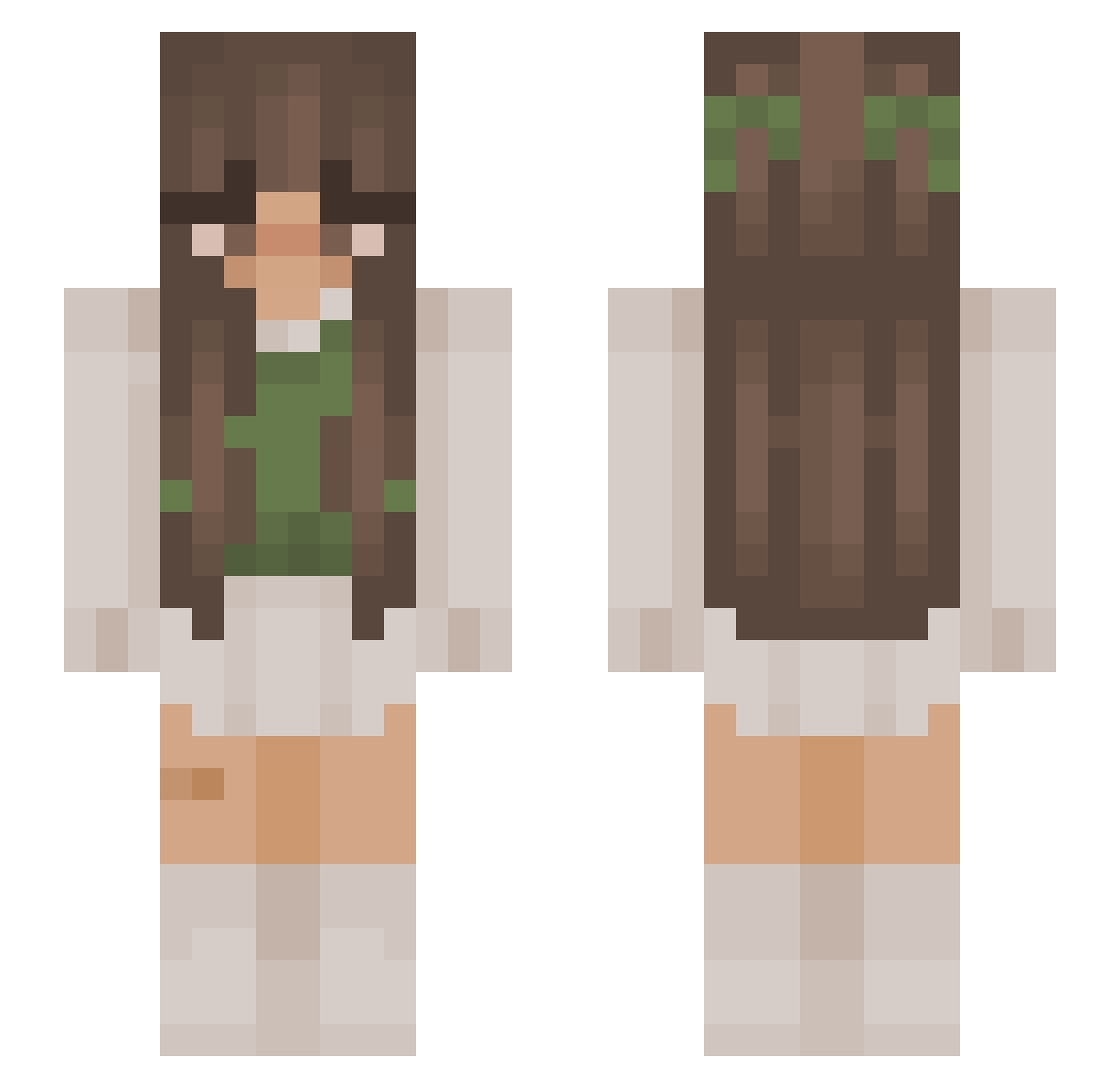
Current Minecraft skin of the player muddypuddles73, loaded from the official Mojang API. Rotate the 3D model with your mouse or finger, then download the skin as a PNG file and use it in Minecraft: Bedrock Edition or Java Edition for free. When muddypuddles73 changes their skin, this page updates automatically and the old skin stays in the history below.
Other players with this skin (878)
muddypuddles73 was the 227th player we have seen with this skin, first spotted on 16.08.2026. The same skin was seen on these players. Open a nickname to see their current skin and skin history.
 Faireisms Nashy2001 Starlight0914 Aimeeetje Its_Roe Nire008 whimsynini JGAMO21 IsaGnome123 devpatelsuperfan Chrisgalaxywolf JessieBear1 SSR_Sona DLDaisy ajimm Mii_yuu7 Livy1212 Malayra Daandelion_ Juliavisio DeathBarbiex darycharae kaicider Diemxnds Kaydi14 maiysee n0cvn Muckbaby2000 cairo__ IMoshii1 vinovore dsch__ puddingx19 shrub1016 michaela0ang Cazuna KateHollows Lully80 EwItsJess AkaPurpleRiot Akuma_Yoru slliitt Glitter_12 _ge_men Andzia__ DalmiVenus18 island3505 sanaasdk CleverRiley9 breezlepop HorseAileen5 Newthiia lizxxrose Yasmy21 Supercookie1067 Miss_Sunset mvdelina k4yl4_00 angeInev freshhhavocado
More Cottagecore Minecraft skins
See all 5814 Cottagecore skins
How to install the muddypuddles73 skin
- Press the Download button above to save the skin as a PNG file.
- Minecraft: Bedrock Edition (PE): open the Dressing Room from the main menu (or tap your character → Edit Character), go to Classic Skins → Owned, press the + (new skin) button, choose the downloaded PNG and pick the Slim (Alex) model. Works on PC and mobile; consoles cannot import custom skins.
- Minecraft: Java Edition: open the Minecraft Launcher, go to the Skins tab, click New Skin, load the PNG, pick the Slim (Alex) model and press Save & Use. You can also upload it at minecraft.net → Profile → Change Skin.
The skin does not show up after import - what should I do?
Restart Minecraft and open the Dressing Room again - imported skins sometimes appear only after a restart. Also make sure you selected the imported skin and picked the Slim (Alex) model.
Which model should I choose, Classic or Slim?
This skin is designed for the Slim (Alex) model. If you pick the wrong model, the arms of the skin will look stretched or squeezed.
Is the skin of muddypuddles73 free to download?
Yes. Press Download, save the PNG file and use it in Minecraft: Bedrock Edition or Java Edition - no payment or registration needed. The skin also works on multiplayer servers and Realms.
More skins
Looking for more? Go back to all Minecraft skins and check the top skins of the week, month and all time, or find any player's skin by nickname.