
mrpoup - Minecraft Skins & Skin History
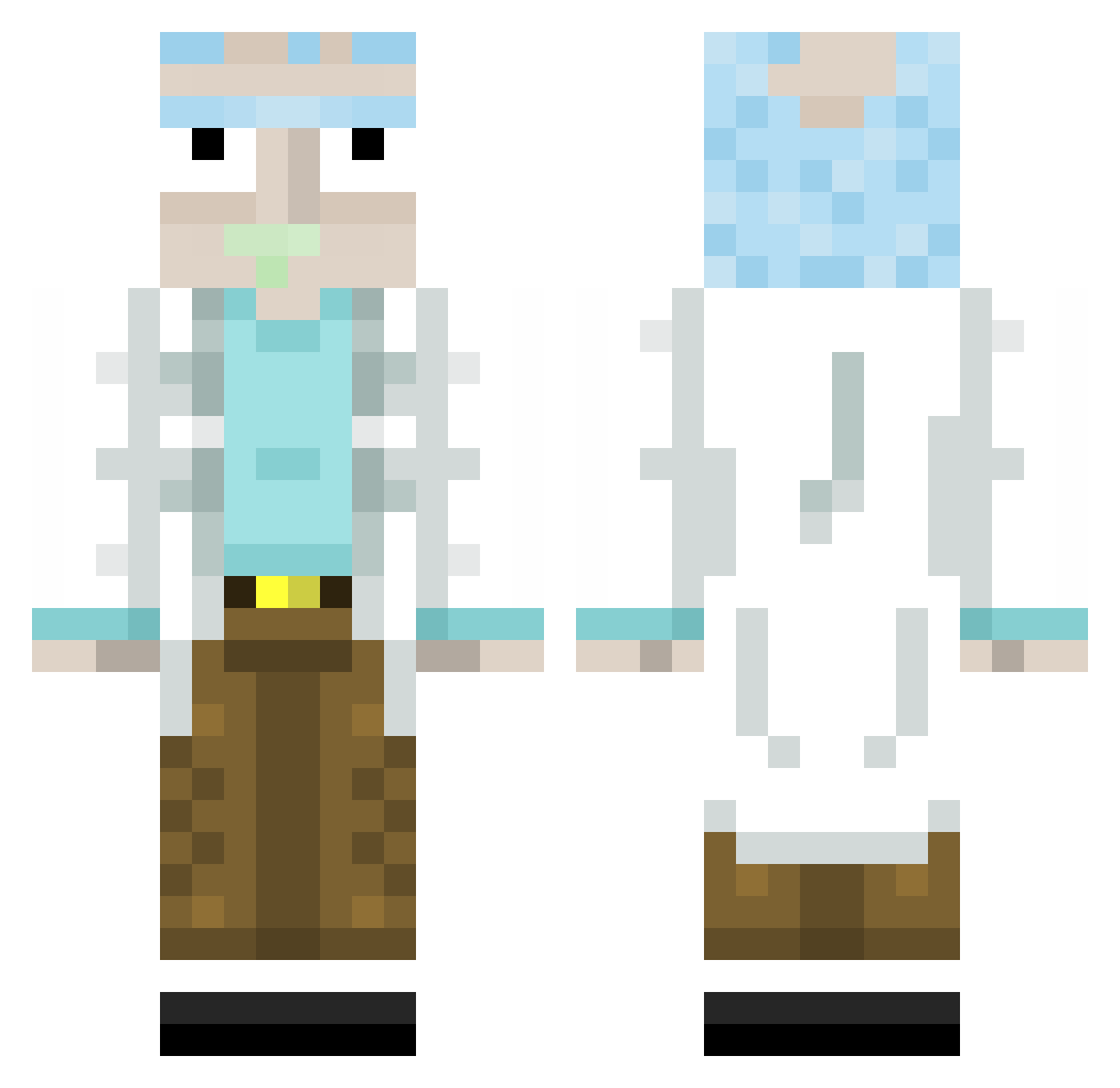
Current Minecraft skin of the player mrpoup, loaded from the official Mojang API. Rotate the 3D model with your mouse or finger, then download the skin as a PNG file and use it in Minecraft: Bedrock Edition or Java Edition for free. When mrpoup changes their skin, this page updates automatically and the old skin stays in the history below.
Other players with this skin (313)
mrpoup was the 235th player we have seen with this skin, first spotted on 09.10.2026. The same skin was seen on these players. Open a nickname to see their current skin and skin history.
 Dr_Meth_PhD Cyrilpcht Kvnter 2miDal Sarmentiii mopsmcfly Padook121 Buczak17 Thaboss_56 AttackerVideoACR chocopie19 diriquai101 bass_5100 EnzoPerez Golmatking MrEkay54 DINGZHEN1145145 Koneksja LocusSux Elcarlo22 Ziouzioux Collisions_TV Mrbigandtall martinvs 1337eclipse clousgospell LightSKR dewakis master969696 TORRALBA smirkstudios Nibie lordneron95 PuczykN Pepe01 Saasugar BangBang68 Loki7875 LordBrada Bazicraft02 KarlDieKlammer Matteo090903 NonCookie doll6r Ahkahi NotGiac Itzzmlosz Lonk_123 Danton02 kitkatasscrack zuru_gamer _Gurru_ BEJ96 Dabwo1f JuanJimz Talesrts2 LukasFDM jack_summer gunthrix iimshaxs
More Rick Sanchez Minecraft skins
See all 214 Rick Sanchez skins
How to install the mrpoup skin
- Press the Download button above to save the skin as a PNG file.
- Minecraft: Bedrock Edition (PE): open the Dressing Room from the main menu (or tap your character → Edit Character), go to Classic Skins → Owned, press the + (new skin) button, choose the downloaded PNG and pick the Classic (Steve) model. Works on PC and mobile; consoles cannot import custom skins.
- Minecraft: Java Edition: open the Minecraft Launcher, go to the Skins tab, click New Skin, load the PNG, pick the Classic (Steve) model and press Save & Use. You can also upload it at minecraft.net → Profile → Change Skin.
The skin does not show up after import - what should I do?
Restart Minecraft and open the Dressing Room again - imported skins sometimes appear only after a restart. Also make sure you selected the imported skin and picked the Classic (Steve) model.
Which model should I choose, Classic or Slim?
This skin is designed for the Classic (Steve) model. If you pick the wrong model, the arms of the skin will look stretched or squeezed.
Is the skin of mrpoup free to download?
Yes. Press Download, save the PNG file and use it in Minecraft: Bedrock Edition or Java Edition - no payment or registration needed. The skin also works on multiplayer servers and Realms.
More skins
Looking for more? Go back to all Minecraft skins and check the top skins of the week, month and all time, or find any player's skin by nickname.