
mrSNEAKEE - Minecraft Skins & Skin History
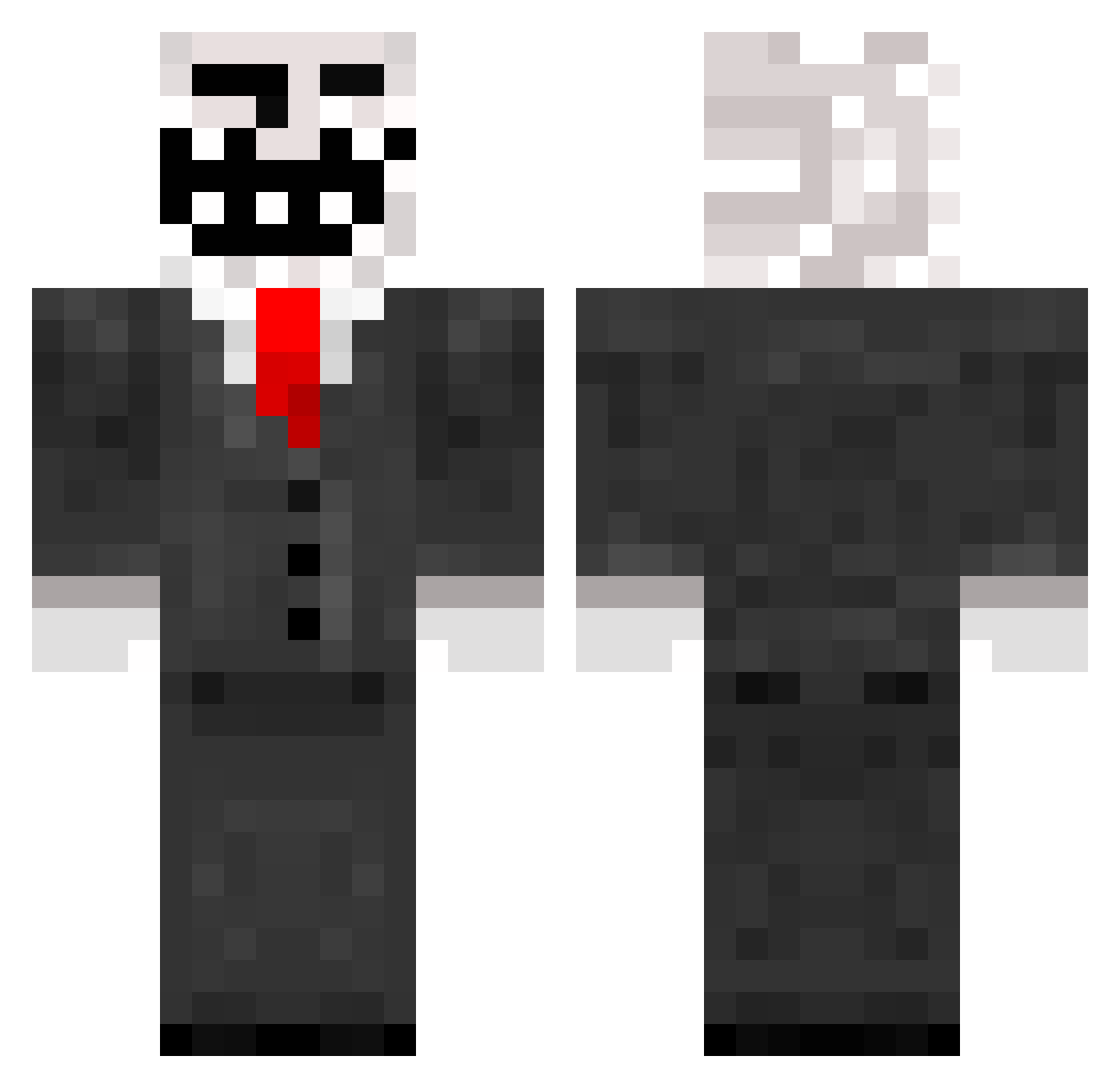
Current Minecraft skin of the player mrSNEAKEE, loaded from the official Mojang API. Rotate the 3D model with your mouse or finger, then download the skin as a PNG file and use it in Minecraft: Bedrock Edition or Java Edition for free. When mrSNEAKEE changes their skin, this page updates automatically and the old skin stays in the history below.
Other players with this skin (788)
mrSNEAKEE was the 257th player we have seen with this skin, first spotted on 28.08.2026. The same skin was seen on these players. Open a nickname to see their current skin and skin history.
 MRCoolCreeper5 Colonel_Senders Muzz69 MATTstercheef Shlonik mrcheesepuffs909 MrDeckey T_Dog345 mITCH_iS_cOOL354 MythixKasH ddevilan YourOwnUncle nmoses1224 MrTrolIer japetzkin syl0r Lord_Troll Trn99 wellonera Trollasaurusrex allenm931 Twitortle NOTIVO benjibanana44 unknownzero3 elementdragon14 AanetiKalma7337 CharlietheNinja unicorndust69 ungedrummt mrkreepper Hisra ProCalum LarryDaPickle mrsporty11 quenquen21 h4x0r1337 Leon2751 littlechuck93 M4xyC03 Tifounette33450 melonhead360 Jamie_w96 snappish cardiganhooligan 64slaya paposanmc westie9713 Mocksrules Dante_0347 thenickker sebway6 mcguiness1996 tomfail10 Oliwia_Princess Sharkie11436 Rapids2 darkcraft7 _Habaner0 chrischris54321
More Trollface Minecraft skins
How to install the mrSNEAKEE skin
- Press the Download button above to save the skin as a PNG file.
- Minecraft: Bedrock Edition (PE): open the Dressing Room from the main menu (or tap your character → Edit Character), go to Classic Skins → Owned, press the + (new skin) button, choose the downloaded PNG and pick the Classic (Steve) model. Works on PC and mobile; consoles cannot import custom skins.
- Minecraft: Java Edition: open the Minecraft Launcher, go to the Skins tab, click New Skin, load the PNG, pick the Classic (Steve) model and press Save & Use. You can also upload it at minecraft.net → Profile → Change Skin.
The skin does not show up after import - what should I do?
Restart Minecraft and open the Dressing Room again - imported skins sometimes appear only after a restart. Also make sure you selected the imported skin and picked the Classic (Steve) model.
Which model should I choose, Classic or Slim?
This skin is designed for the Classic (Steve) model. If you pick the wrong model, the arms of the skin will look stretched or squeezed.
Is the skin of mrSNEAKEE free to download?
Yes. Press Download, save the PNG file and use it in Minecraft: Bedrock Edition or Java Edition - no payment or registration needed. The skin also works on multiplayer servers and Realms.
More skins
Looking for more? Go back to all Minecraft skins and check the top skins of the week, month and all time, or find any player's skin by nickname.