
morirovisk - Minecraft Skins & Skin History
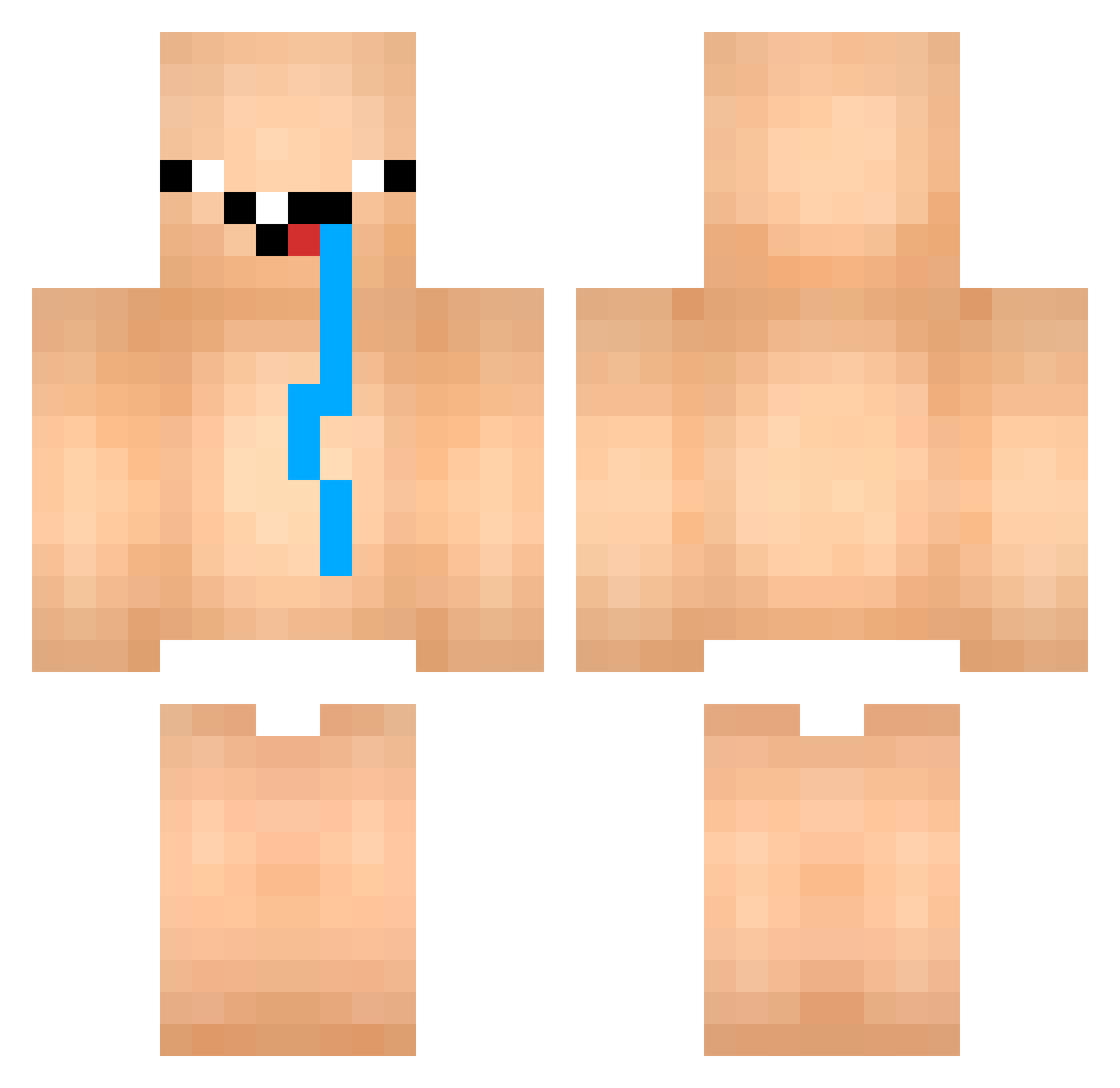
Current Minecraft skin of the player morirovisk, loaded from the official Mojang API. Rotate the 3D model with your mouse or finger, then download the skin as a PNG file and use it in Minecraft: Bedrock Edition or Java Edition for free. When morirovisk changes their skin, this page updates automatically and the old skin stays in the history below.
Other players with this skin (75)
morirovisk was the 55th player we have seen with this skin, first spotted on 02.10.2026. The same skin was seen on these players. Open a nickname to see their current skin and skin history.
 CRAZY_BOY2005 RevisionBaby opinaa DaddyJenks Lunoe bergvik95 Lucas0510 CreamyPeeNut joe_pisskepoe COLONELSANDRS MarenaJunior THEPLAYERONE KDtheeGreat xinfandel Abdoueee_ Fr0z3Nn Spektrem Mii_Minii Snuffalupagous 940416 tomasjanek XuanMaiLonTo Ulexis hiokio game_maker44 Bakewell_1976 Algeriens Abortiion EmirCANAPY awBlackPink Aaron4Mayor DmanxGamer appelfap kaiposan GodClyde xAceaku CUBIX_MORTAL Heool TOOSO Craftmaster37 ArtemNery xX_ProPvPNOOB_Xx myilayda_TR Xrustik TT_MC LDKing oJOKIo Mr3bti ByAmer_ BabaYT Ooga 7saska7 Jackbobinator HonorIron Phoom42334 Mader007 garltros AlaskaGG _idiot_ thecoolkiller06
More Drooling Minecraft skins
How to install the morirovisk skin
- Press the Download button above to save the skin as a PNG file.
- Minecraft: Bedrock Edition (PE): open the Dressing Room from the main menu (or tap your character → Edit Character), go to Classic Skins → Owned, press the + (new skin) button, choose the downloaded PNG and pick the Classic (Steve) model. Works on PC and mobile; consoles cannot import custom skins.
- Minecraft: Java Edition: open the Minecraft Launcher, go to the Skins tab, click New Skin, load the PNG, pick the Classic (Steve) model and press Save & Use. You can also upload it at minecraft.net → Profile → Change Skin.
The skin does not show up after import - what should I do?
Restart Minecraft and open the Dressing Room again - imported skins sometimes appear only after a restart. Also make sure you selected the imported skin and picked the Classic (Steve) model.
Which model should I choose, Classic or Slim?
This skin is designed for the Classic (Steve) model. If you pick the wrong model, the arms of the skin will look stretched or squeezed.
Is the skin of morirovisk free to download?
Yes. Press Download, save the PNG file and use it in Minecraft: Bedrock Edition or Java Edition - no payment or registration needed. The skin also works on multiplayer servers and Realms.
More skins
Looking for more? Go back to all Minecraft skins and check the top skins of the week, month and all time, or find any player's skin by nickname.