
moozdzn - Minecraft Skins & Skin History
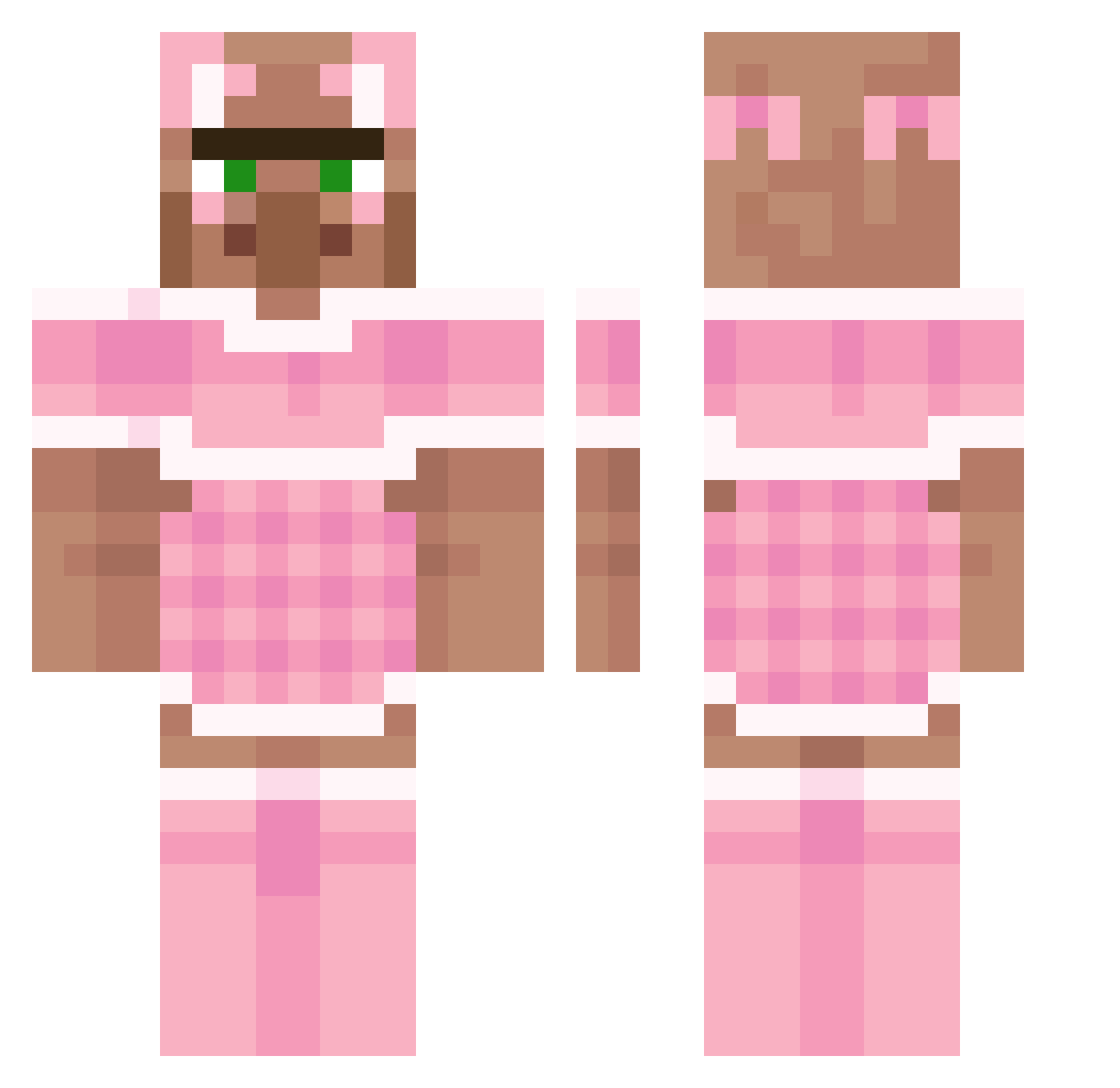
Current Minecraft skin of the player moozdzn, loaded from the official Mojang API. Rotate the 3D model with your mouse or finger, then download the skin as a PNG file and use it in Minecraft: Bedrock Edition or Java Edition for free. When moozdzn changes their skin, this page updates automatically and the old skin stays in the history below.
Other players with this skin (241)
moozdzn was the 206th player we have seen with this skin, first spotted on 26.10.2026. The same skin was seen on these players. Open a nickname to see their current skin and skin history.
 yangay ssumiso AndreThunder Sponkys unlusted Californiabeach dottokomu039 AshCaash siphonwuca NellyNells5 Tiggef Ajsh franceskaa william1011 rnosko chemtrail4real Leszczukleszczu PovertySlayer picardythirdd taliasanta123 Eravi CallMeBubblez Fatorma Edidididididi Ngeon kim_geon_hwi Clairiebearie11 SamuraiT0XIC0 Habibiblockzberg RADISH_1 Exguze Zachmore2 OverRunning strenghtraining DayBreak07 super_llamaa smlb911 DaggerRabico_ s08y LucOfTheDevil Sopphire girlygirl320 sharishaxd Ameno2000 Spydekk dvejj NameDisplayed BareRolig Heo_seom_boo DobbyDev ev1e eulophor bigballshanna prdylka PeePaw5717 Emerb _mrufka_ yungadisz247 thebeanqueen_ Cord_und_Beeko
More Villager Minecraft skins
How to install the moozdzn skin
- Press the Download button above to save the skin as a PNG file.
- Minecraft: Bedrock Edition (PE): open the Dressing Room from the main menu (or tap your character → Edit Character), go to Classic Skins → Owned, press the + (new skin) button, choose the downloaded PNG and pick the Classic (Steve) model. Works on PC and mobile; consoles cannot import custom skins.
- Minecraft: Java Edition: open the Minecraft Launcher, go to the Skins tab, click New Skin, load the PNG, pick the Classic (Steve) model and press Save & Use. You can also upload it at minecraft.net → Profile → Change Skin.
The skin does not show up after import - what should I do?
Restart Minecraft and open the Dressing Room again - imported skins sometimes appear only after a restart. Also make sure you selected the imported skin and picked the Classic (Steve) model.
Which model should I choose, Classic or Slim?
This skin is designed for the Classic (Steve) model. If you pick the wrong model, the arms of the skin will look stretched or squeezed.
Is the skin of moozdzn free to download?
Yes. Press Download, save the PNG file and use it in Minecraft: Bedrock Edition or Java Edition - no payment or registration needed. The skin also works on multiplayer servers and Realms.
More skins
Looking for more? Go back to all Minecraft skins and check the top skins of the week, month and all time, or find any player's skin by nickname.