
mooorel - Minecraft Skins & Skin History
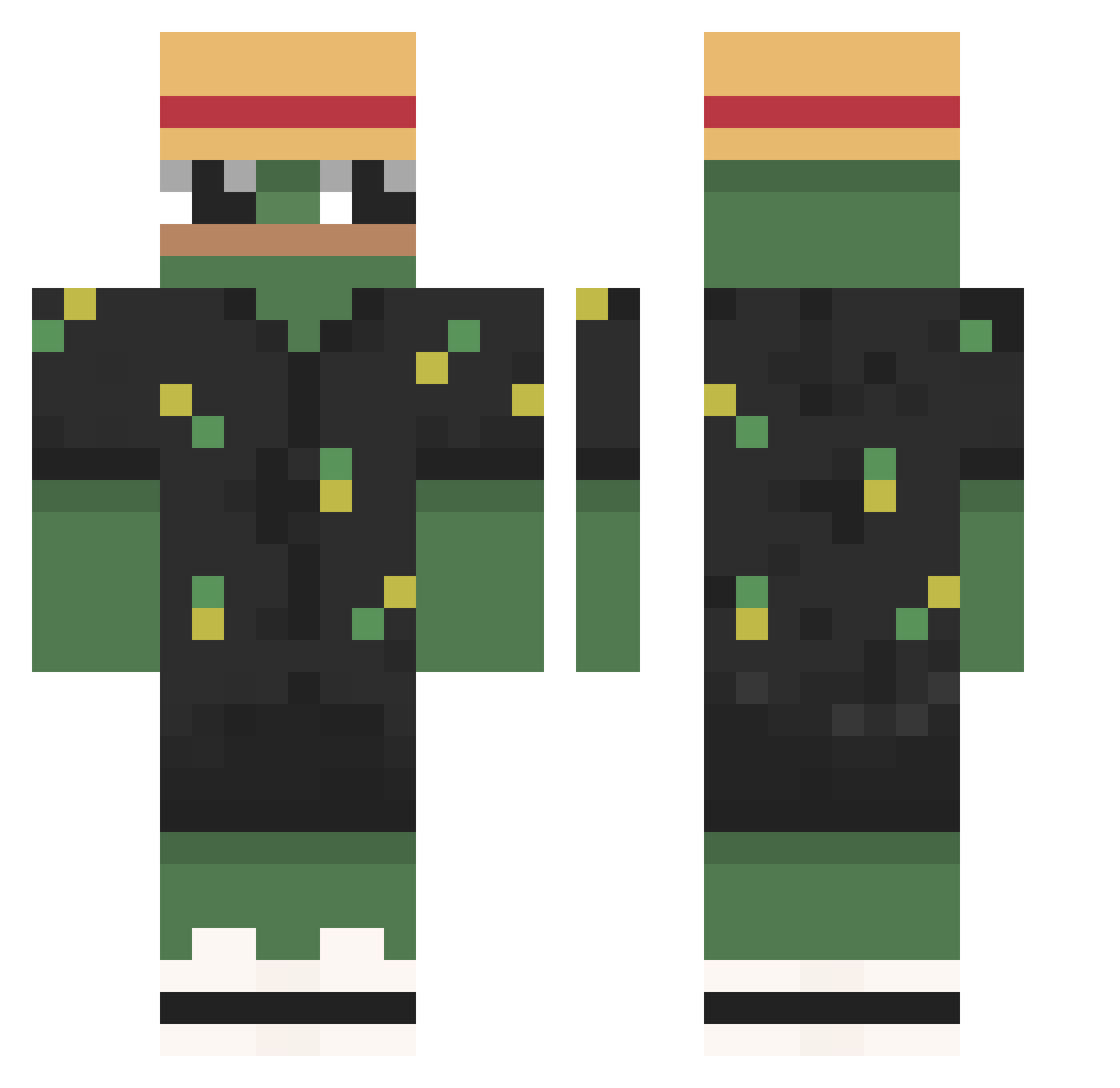
Current Minecraft skin of the player mooorel, loaded from the official Mojang API. Rotate the 3D model with your mouse or finger, then download the skin as a PNG file and use it in Minecraft: Bedrock Edition or Java Edition for free. When mooorel changes their skin, this page updates automatically and the old skin stays in the history below.
Other players with this skin (789)
mooorel was the 732nd player we have seen with this skin, first spotted on 25.10.2026. The same skin was seen on these players. Open a nickname to see their current skin and skin history.
 jong__hwan__ Rollmatratze fuere PsYcho77 daarkaangel jay0323 xjasin Camrixx nexssus FlawlessDerBre Tu_Mateusz Andy_Dee MungChungE iAdvanture Houchx Kukkish Tanjiro0 unxasss Dudas007 xqnGaby Si777 _Zarcastic_ JazzyDolphin569 fytteen NervousFish8165 RobBHood dogmany Harrisguy2112 tutoroots KH4BIB69 Fluffapple997 B4ksiu SensoryGorgon fanben23 KuuLee Moon7007 bhochi Aelium Nezkan20 San297 MonkeCris Mr__Chester Raynokss Capitex ppakgu7142 WaffleShinobi DRACORIX sepeidaduro myopig kakakopter 5PAYASRRIDOO Toxicmax 35mm_ 1_Bacon_1 Kasparas335 Crusting00 zHypexSW themarch1 SnellePeer Livai_en_TN
More Pepe Minecraft skins
How to install the mooorel skin
- Press the Download button above to save the skin as a PNG file.
- Minecraft: Bedrock Edition (PE): open the Dressing Room from the main menu (or tap your character → Edit Character), go to Classic Skins → Owned, press the + (new skin) button, choose the downloaded PNG and pick the Classic (Steve) model. Works on PC and mobile; consoles cannot import custom skins.
- Minecraft: Java Edition: open the Minecraft Launcher, go to the Skins tab, click New Skin, load the PNG, pick the Classic (Steve) model and press Save & Use. You can also upload it at minecraft.net → Profile → Change Skin.
The skin does not show up after import - what should I do?
Restart Minecraft and open the Dressing Room again - imported skins sometimes appear only after a restart. Also make sure you selected the imported skin and picked the Classic (Steve) model.
Which model should I choose, Classic or Slim?
This skin is designed for the Classic (Steve) model. If you pick the wrong model, the arms of the skin will look stretched or squeezed.
Is the skin of mooorel free to download?
Yes. Press Download, save the PNG file and use it in Minecraft: Bedrock Edition or Java Edition - no payment or registration needed. The skin also works on multiplayer servers and Realms.
More skins
Looking for more? Go back to all Minecraft skins and check the top skins of the week, month and all time, or find any player's skin by nickname.