
monkebanana123 - Minecraft Skins & Skin History
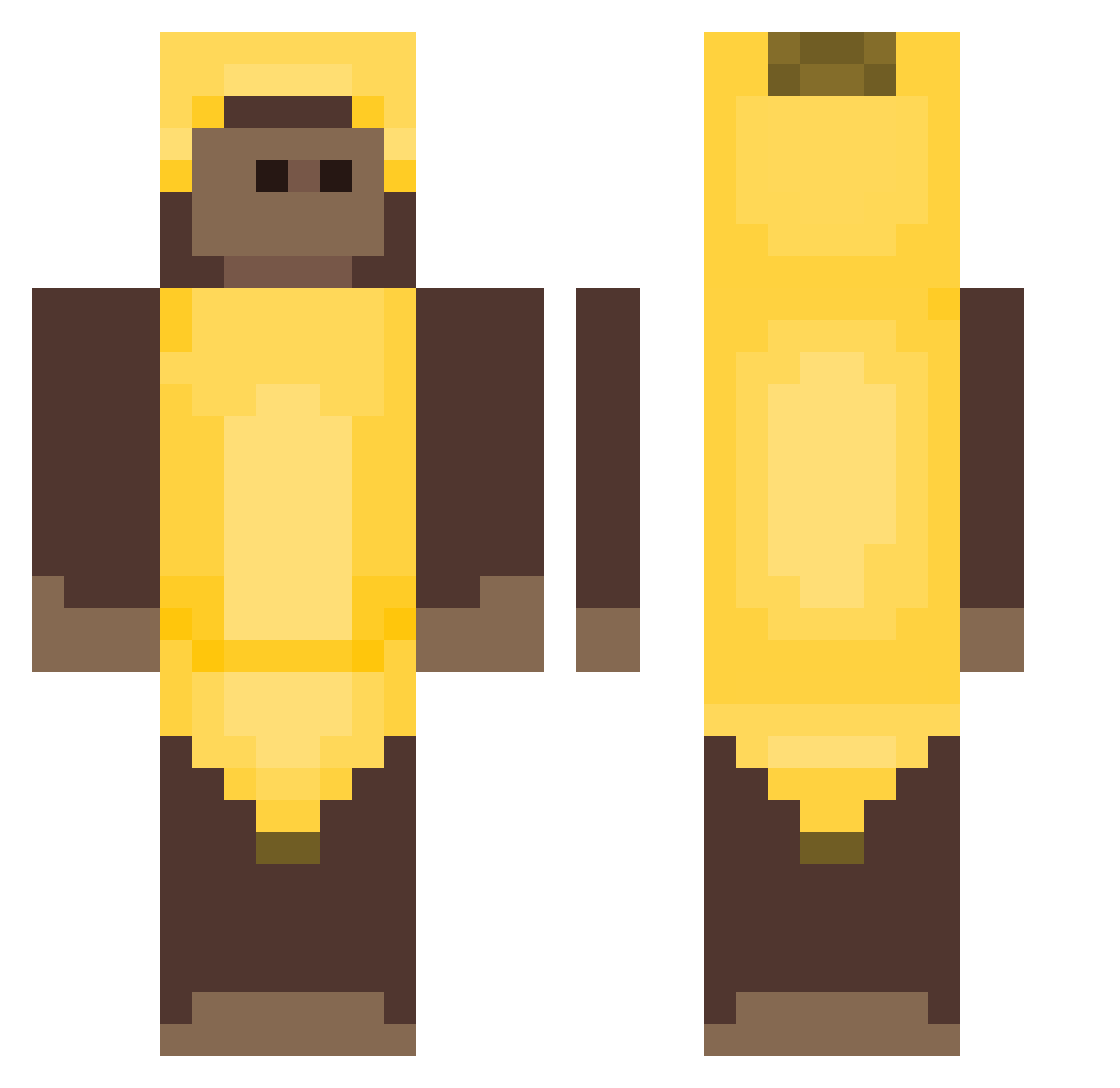
Current Minecraft skin of the player monkebanana123, loaded from the official Mojang API. Rotate the 3D model with your mouse or finger, then download the skin as a PNG file and use it in Minecraft: Bedrock Edition or Java Edition for free. When monkebanana123 changes their skin, this page updates automatically and the old skin stays in the history below.
Other players with this skin (405)
monkebanana123 was the 301st player we have seen with this skin, first spotted on 08.10.2026. The same skin was seen on these players. Open a nickname to see their current skin and skin history.
 jeremyslimesack pelaocalluleesin Luxury9 Vigge24 Krystek221 SimpArchie Eg0li Bwanlol MasonRussell0406 theyluvvmaddie Lisuzzaaa wekzouz zovha69 unlikelymar Oreolovesyou2 TherealOGPickle9 saialina foreal Cactus_McNoob carlvss SjefViste eeevgos Kubcix123 jjmin9352 zeewik PolloAsadoo DlnkWlnk ShootAllMonkeys despresso_ alirzay monkey222412 minerva_pooog 0Velv0 touringmonkey _1Pablo_ Winner_66 Natafan69 Sk1tZ Holse22 TheMonke0_0 Kodda666 ShavoNaic joeygonebananas notblu1 bityboydf nosoypablito13 mileymooon monjyyy Sonnybug Brmul Benjaamn junnlol CheexSolosSippin AndiPandi1334 shotsofdequilla Fluxxy2 ovo_pvq Dadde08 Ismapro223 teeuzq
More Banana Costume Minecraft skins
See all 52 Banana Costume skins
How to install the monkebanana123 skin
- Press the Download button above to save the skin as a PNG file.
- Minecraft: Bedrock Edition (PE): open the Dressing Room from the main menu (or tap your character → Edit Character), go to Classic Skins → Owned, press the + (new skin) button, choose the downloaded PNG and pick the Classic (Steve) model. Works on PC and mobile; consoles cannot import custom skins.
- Minecraft: Java Edition: open the Minecraft Launcher, go to the Skins tab, click New Skin, load the PNG, pick the Classic (Steve) model and press Save & Use. You can also upload it at minecraft.net → Profile → Change Skin.
The skin does not show up after import - what should I do?
Restart Minecraft and open the Dressing Room again - imported skins sometimes appear only after a restart. Also make sure you selected the imported skin and picked the Classic (Steve) model.
Which model should I choose, Classic or Slim?
This skin is designed for the Classic (Steve) model. If you pick the wrong model, the arms of the skin will look stretched or squeezed.
Is the skin of monkebanana123 free to download?
Yes. Press Download, save the PNG file and use it in Minecraft: Bedrock Edition or Java Edition - no payment or registration needed. The skin also works on multiplayer servers and Realms.
More skins
Looking for more? Go back to all Minecraft skins and check the top skins of the week, month and all time, or find any player's skin by nickname.