
mon830429 - Minecraft Skins & Skin History
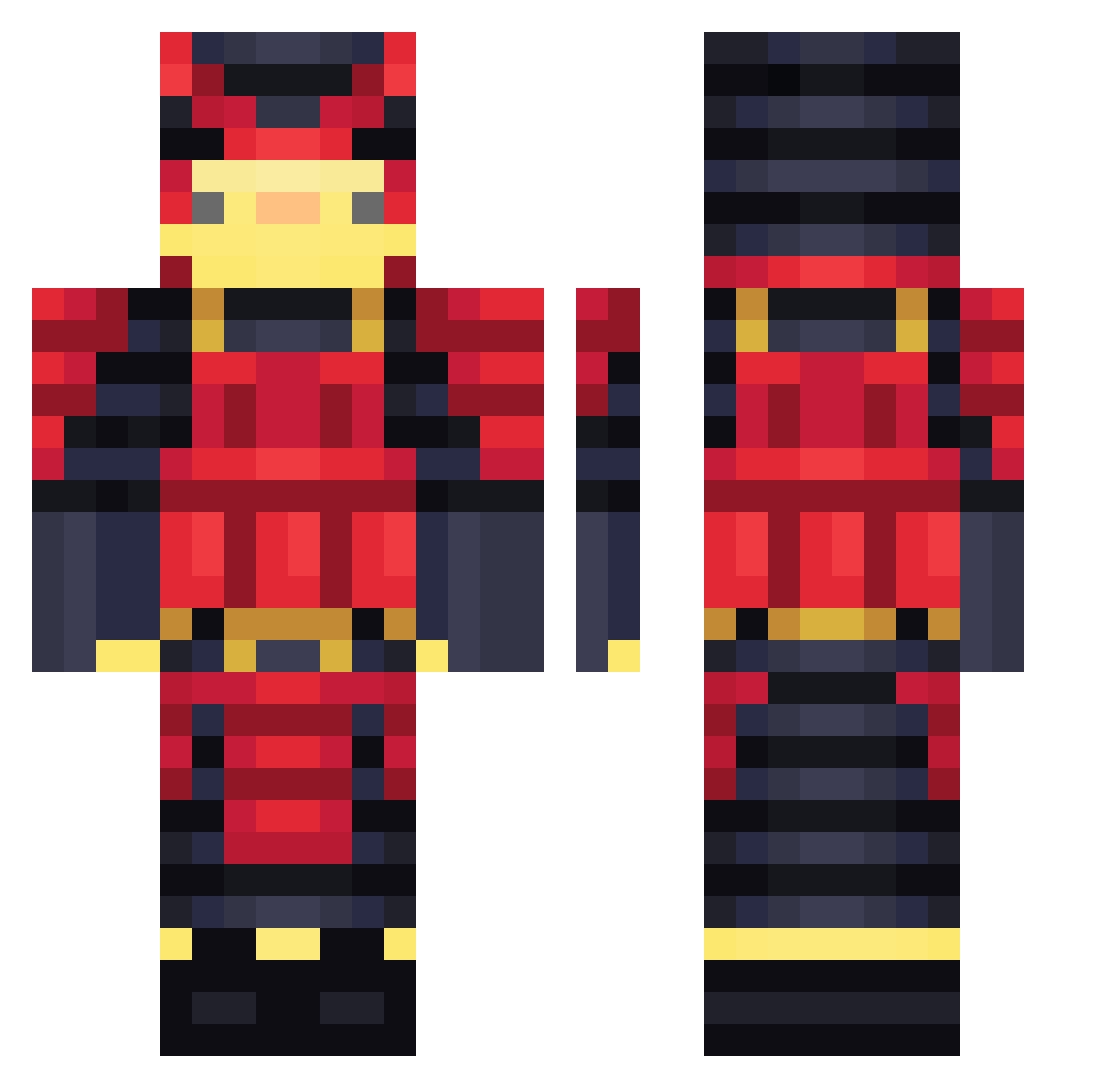
Current Minecraft skin of the player mon830429, loaded from the official Mojang API. Rotate the 3D model with your mouse or finger, then download the skin as a PNG file and use it in Minecraft: Bedrock Edition or Java Edition for free. When mon830429 changes their skin, this page updates automatically and the old skin stays in the history below.
Other players with this skin (460)
mon830429 was the 162nd player we have seen with this skin, first spotted on 02.09.2026. The same skin was seen on these players. Open a nickname to see their current skin and skin history.
 RoGamerUwU JoselixHD Bongo_Jaaj ShoGunrw EndemicRed fingfangfu Disader Mr_huuu DaedaLuss grimvan jiwoore MrJacketPotato PaninoX azufelle Frotox_ Snowfox7676
 YungCurse Rod_z s1ayerss Catchies DidierPoitou Killiour monobami satoshi4002 Michael_Lopataru www007 MatchingTitan93 MiuTai nicogam3r777 0305hankhihi DEATHAZ Keke1609 Hinterbob alexduenas2325 Bruseca Xxxmarsxx freshpotatoroll RVR_13 HAVING645 Samuraiz1n HAWKSKATING Garox29 Grayhate24 Prefocused Dempow812 Erdje haha0898 Anatrapippibau Elpatica BenjaminBlue101 UneOmlette Khorath DJPELIGRO26 drakunii DarkSat4nK Ducky_Wucky ISSA13013 Tricerex _tymonlolek_ NubMaisDe900
More Samurai Minecraft skins
How to install the mon830429 skin
- Press the Download button above to save the skin as a PNG file.
- Minecraft: Bedrock Edition (PE): open the Dressing Room from the main menu (or tap your character → Edit Character), go to Classic Skins → Owned, press the + (new skin) button, choose the downloaded PNG and pick the Classic (Steve) model. Works on PC and mobile; consoles cannot import custom skins.
- Minecraft: Java Edition: open the Minecraft Launcher, go to the Skins tab, click New Skin, load the PNG, pick the Classic (Steve) model and press Save & Use. You can also upload it at minecraft.net → Profile → Change Skin.
The skin does not show up after import - what should I do?
Restart Minecraft and open the Dressing Room again - imported skins sometimes appear only after a restart. Also make sure you selected the imported skin and picked the Classic (Steve) model.
Which model should I choose, Classic or Slim?
This skin is designed for the Classic (Steve) model. If you pick the wrong model, the arms of the skin will look stretched or squeezed.
Is the skin of mon830429 free to download?
Yes. Press Download, save the PNG file and use it in Minecraft: Bedrock Edition or Java Edition - no payment or registration needed. The skin also works on multiplayer servers and Realms.
More skins
Looking for more? Go back to all Minecraft skins and check the top skins of the week, month and all time, or find any player's skin by nickname.