
molee1213 - Minecraft Skins & Skin History
Current Minecraft skin of the player molee1213, loaded from the official Mojang API. Rotate the 3D model with your mouse or finger, then download the skin as a PNG file and use it in Minecraft: Bedrock Edition or Java Edition for free. When molee1213 changes their skin, this page updates automatically and the old skin stays in the history below.
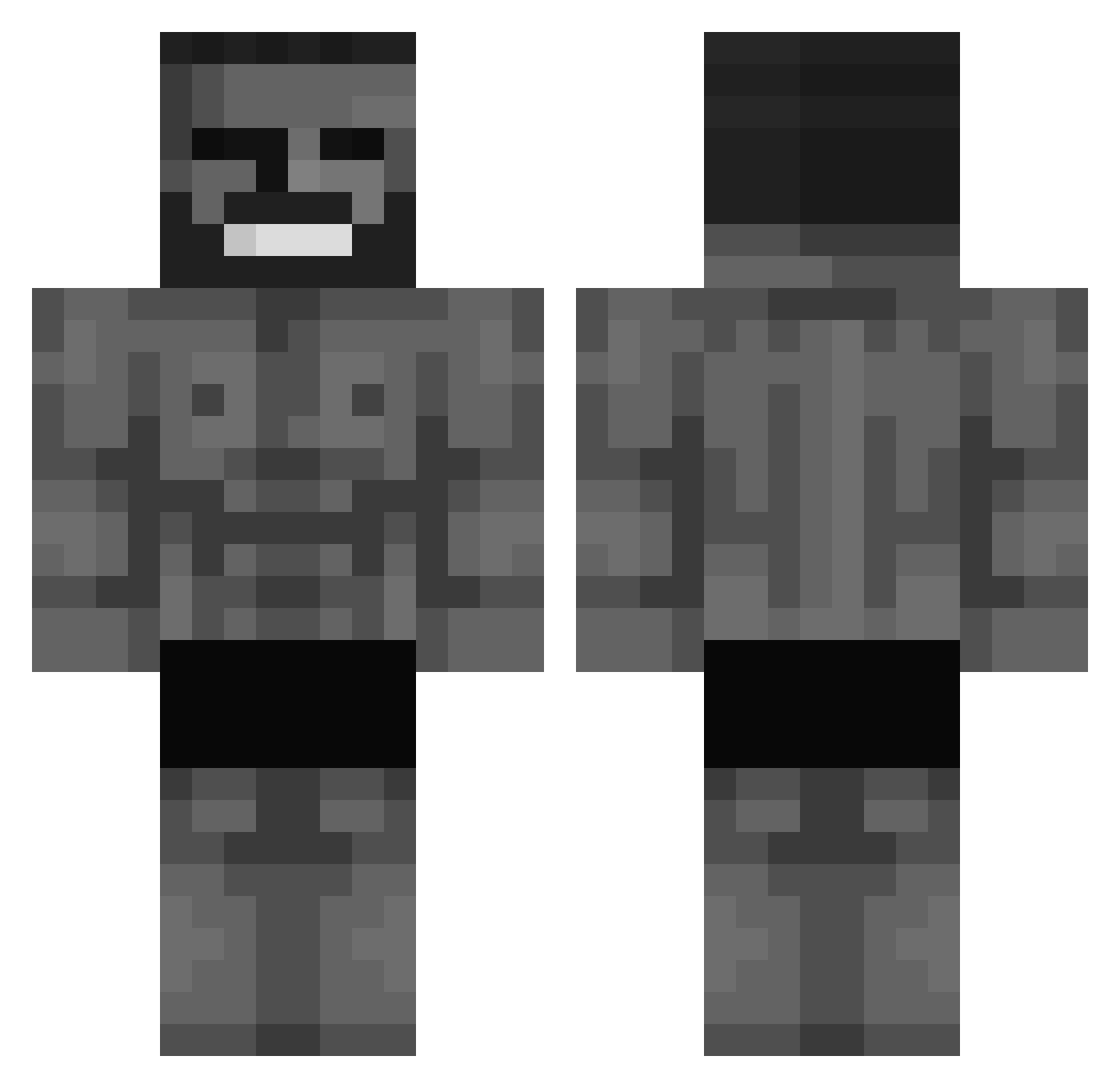
Other players with this skin (572)
molee1213 was the 55th player we have seen with this skin, first spotted on 04.08.2026. The same skin was seen on these players. Open a nickname to see their current skin and skin history.
 _AZART_ MuFFleR28 Infigar Cerezaoo Moski99 hudlink Rims918 XyarDdx SanguisDream juandragonhunter GingeG0rilla Dr4gT Fluryy16 Elijbomb keeeb_
 AugustKenshin FrauenarztDrDose booflxrd flexmert Zumidaboomie HexDash lisou_hd Kildryke
 jxlii7 _KerTo_ nvidiagtx1050ti Solid_Milk_boi tu1kto JustJack__ Sap8 BroadestPlot964 Lambodado_LP JingWingWick Bot_Minh huntyy____ araujo555 YSherbo2009 LeoRainer YuniGoo kapixen Jdam0xff Josh____ _User1_exe RaidenLine ojjunior guidinho_ Nandooooo J0juno
 SupehWilly hola_soy_mac jlreconv2 bennygoesoink Nekowl stormed_data minakku R1Van_ WRizz2 Jabaek09 kayser_85 Mercury5049
More Gigachad Minecraft skins
How to install the molee1213 skin
- Press the Download button above to save the skin as a PNG file.
- Minecraft: Bedrock Edition (PE): open the Dressing Room from the main menu (or tap your character → Edit Character), go to Classic Skins → Owned, press the + (new skin) button, choose the downloaded PNG and pick the Classic (Steve) model. Works on PC and mobile; consoles cannot import custom skins.
- Minecraft: Java Edition: open the Minecraft Launcher, go to the Skins tab, click New Skin, load the PNG, pick the Classic (Steve) model and press Save & Use. You can also upload it at minecraft.net → Profile → Change Skin.
The skin does not show up after import - what should I do?
Restart Minecraft and open the Dressing Room again - imported skins sometimes appear only after a restart. Also make sure you selected the imported skin and picked the Classic (Steve) model.
Which model should I choose, Classic or Slim?
This skin is designed for the Classic (Steve) model. If you pick the wrong model, the arms of the skin will look stretched or squeezed.
Is the skin of molee1213 free to download?
Yes. Press Download, save the PNG file and use it in Minecraft: Bedrock Edition or Java Edition - no payment or registration needed. The skin also works on multiplayer servers and Realms.
More skins
Looking for more? Go back to all Minecraft skins and check the top skins of the week, month and all time, or find any player's skin by nickname.