
mnas16 - Minecraft Skins & Skin History
Current Minecraft skin of the player mnas16, loaded from the official Mojang API. Rotate the 3D model with your mouse or finger, then download the skin as a PNG file and use it in Minecraft: Bedrock Edition or Java Edition for free. When mnas16 changes their skin, this page updates automatically and the old skin stays in the history below.
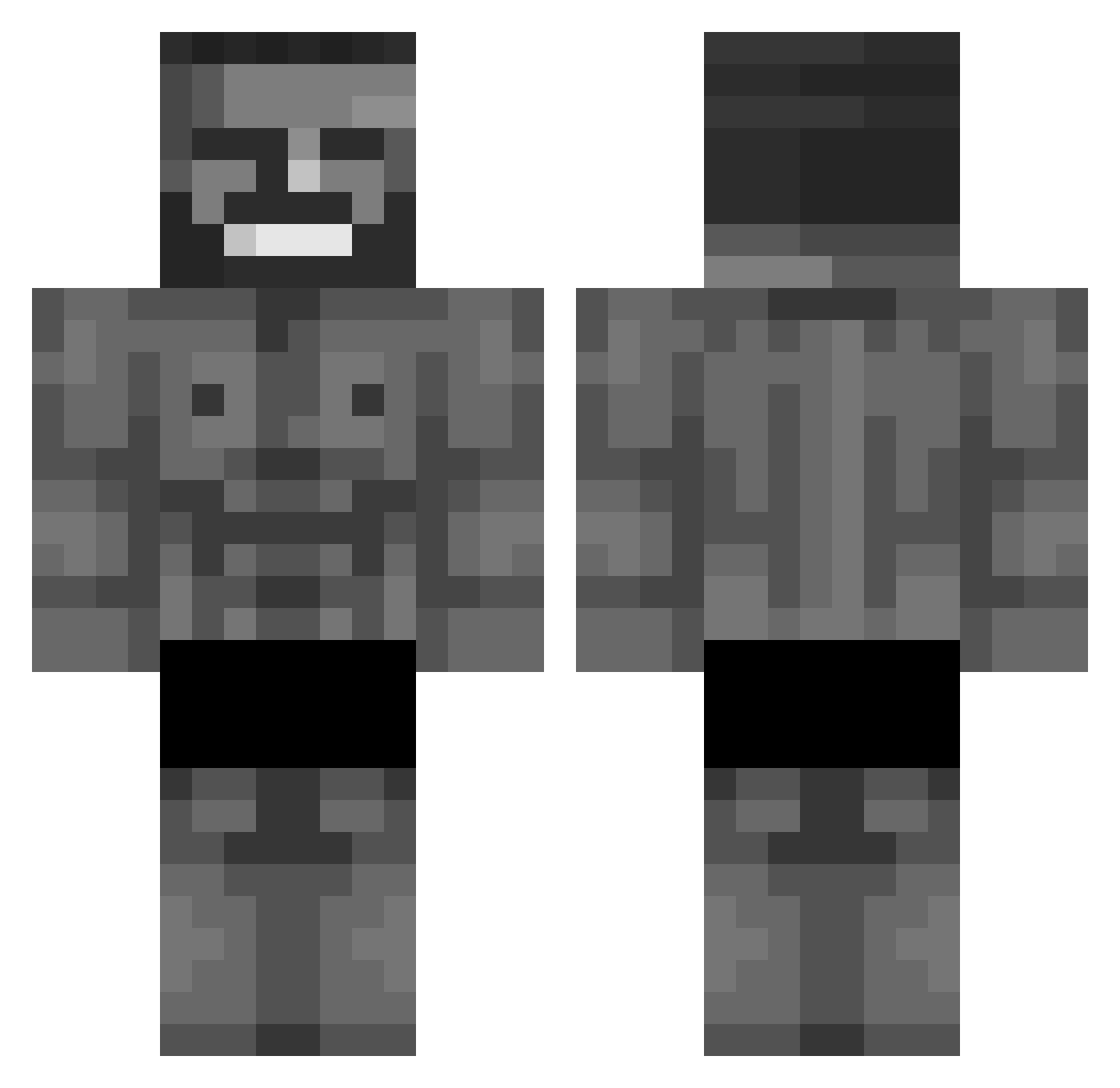
Other players with this skin (1072)
mnas16 was the 1020th player we have seen with this skin, first spotted on 14.11.2026. The same skin was seen on these players. Open a nickname to see their current skin and skin history.
 amel1amel EZMONEYCLAPPED janschlagnitweit MrpopularYT TheyWantBlood TheLokkus Kek_Master_ WkaWkaa Gilbertoni ihatemikepayroll Tazrk WildDawggies Skomis09 Solar514 Gamerager3 Mysteriocuz Melic0 AvilViwo Sedlo321 Bestkry herr_onkel_monk Colebybooger Seb_Patoche29 DiamondMan2675 Sweerzy Park_jh925 Gubinator Crazy_TDI Oscar2137 luxx302 Mr_McV Woffa_07 Codebreakercorbo MrDribbelKoenig HyperVex007 APPLASek LokiYgg FLNESSED AhmedOlen Xialyaa galag Benderslayer polizeineindanke S1NO_ DestructionMSM arsni2020 PolishNationalst chickendesu Deluxiio aimingthemilk Multiqn xd58 Satnam00 Zediferd1 n4bryy ninjabr2267 RadiantX_MC Not_hugo Mujinzera CaptainTime
More Gigachad Minecraft skins
How to install the mnas16 skin
- Press the Download button above to save the skin as a PNG file.
- Minecraft: Bedrock Edition (PE): open the Dressing Room from the main menu (or tap your character → Edit Character), go to Classic Skins → Owned, press the + (new skin) button, choose the downloaded PNG and pick the Classic (Steve) model. Works on PC and mobile; consoles cannot import custom skins.
- Minecraft: Java Edition: open the Minecraft Launcher, go to the Skins tab, click New Skin, load the PNG, pick the Classic (Steve) model and press Save & Use. You can also upload it at minecraft.net → Profile → Change Skin.
The skin does not show up after import - what should I do?
Restart Minecraft and open the Dressing Room again - imported skins sometimes appear only after a restart. Also make sure you selected the imported skin and picked the Classic (Steve) model.
Which model should I choose, Classic or Slim?
This skin is designed for the Classic (Steve) model. If you pick the wrong model, the arms of the skin will look stretched or squeezed.
Is the skin of mnas16 free to download?
Yes. Press Download, save the PNG file and use it in Minecraft: Bedrock Edition or Java Edition - no payment or registration needed. The skin also works on multiplayer servers and Realms.
More skins
Looking for more? Go back to all Minecraft skins and check the top skins of the week, month and all time, or find any player's skin by nickname.