
mixxxki - Minecraft Skins & Skin History
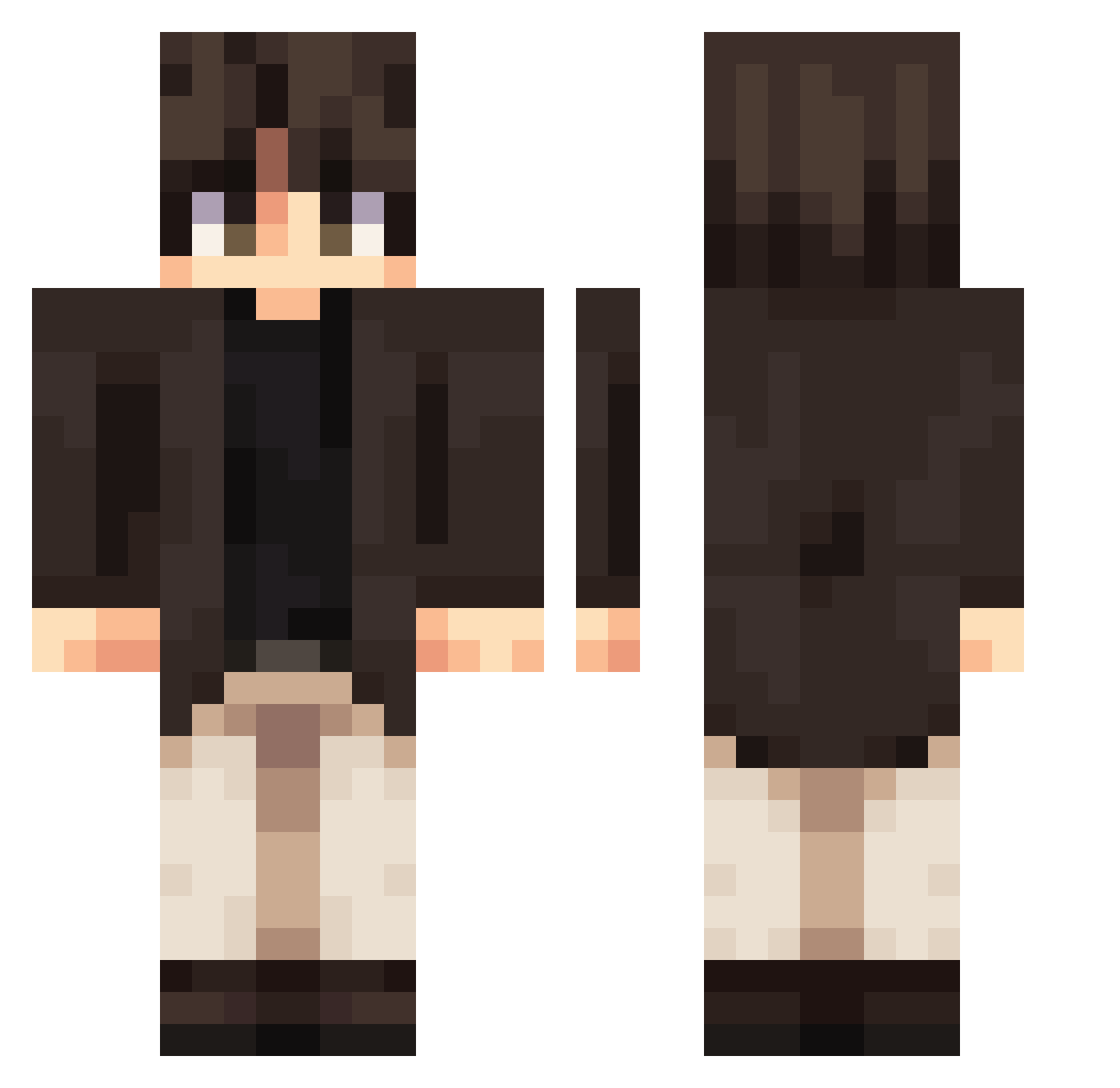
Current Minecraft skin of the player mixxxki, loaded from the official Mojang API. Rotate the 3D model with your mouse or finger, then download the skin as a PNG file and use it in Minecraft: Bedrock Edition or Java Edition for free. When mixxxki changes their skin, this page updates automatically and the old skin stays in the history below.
Other players with this skin (393)
mixxxki was the 262nd player we have seen with this skin, first spotted on 05.10.2026. The same skin was seen on these players. Open a nickname to see their current skin and skin history.
 Urszulkaa DoDuMon Turt1e16 ghost_far Chom_Py Jstynn YunusKGD Kingy_Gaming Rubberbalgoboing funcraft2290990 Tim2003Bas Nazodial BrokenVessel_ cest249 FlawedT dnzacx nkiuu Camqw KnightLobster15c MeowZoxii Coepa ckske CoolDreus Danch22 Eternal2yths_ frigyes24 hanbeen201 mikzzzzzzz noms1d YanJingZhai ombra_yt Notisa1 CLC31 MaceC23 Valkyrie309 liuxiawu IPlayViaSSH Razacas Kaitannn killerqueenas 810SS0M sheng1208 HanTayden MrLyron A_Bo_L DannyJay69 Vimerc Orange8766 bigmasterGP uutkuubey Toasty365 snugseal Sqab YQQFall Frank_Lin_0122 BetaBlower SirStick_ Sheies LukCl44S thslpaz
More Casual Minecraft skins
How to install the mixxxki skin
- Press the Download button above to save the skin as a PNG file.
- Minecraft: Bedrock Edition (PE): open the Dressing Room from the main menu (or tap your character → Edit Character), go to Classic Skins → Owned, press the + (new skin) button, choose the downloaded PNG and pick the Classic (Steve) model. Works on PC and mobile; consoles cannot import custom skins.
- Minecraft: Java Edition: open the Minecraft Launcher, go to the Skins tab, click New Skin, load the PNG, pick the Classic (Steve) model and press Save & Use. You can also upload it at minecraft.net → Profile → Change Skin.
The skin does not show up after import - what should I do?
Restart Minecraft and open the Dressing Room again - imported skins sometimes appear only after a restart. Also make sure you selected the imported skin and picked the Classic (Steve) model.
Which model should I choose, Classic or Slim?
This skin is designed for the Classic (Steve) model. If you pick the wrong model, the arms of the skin will look stretched or squeezed.
Is the skin of mixxxki free to download?
Yes. Press Download, save the PNG file and use it in Minecraft: Bedrock Edition or Java Edition - no payment or registration needed. The skin also works on multiplayer servers and Realms.
More skins
Looking for more? Go back to all Minecraft skins and check the top skins of the week, month and all time, or find any player's skin by nickname.