
mixiaotang - Minecraft Skins & Skin History
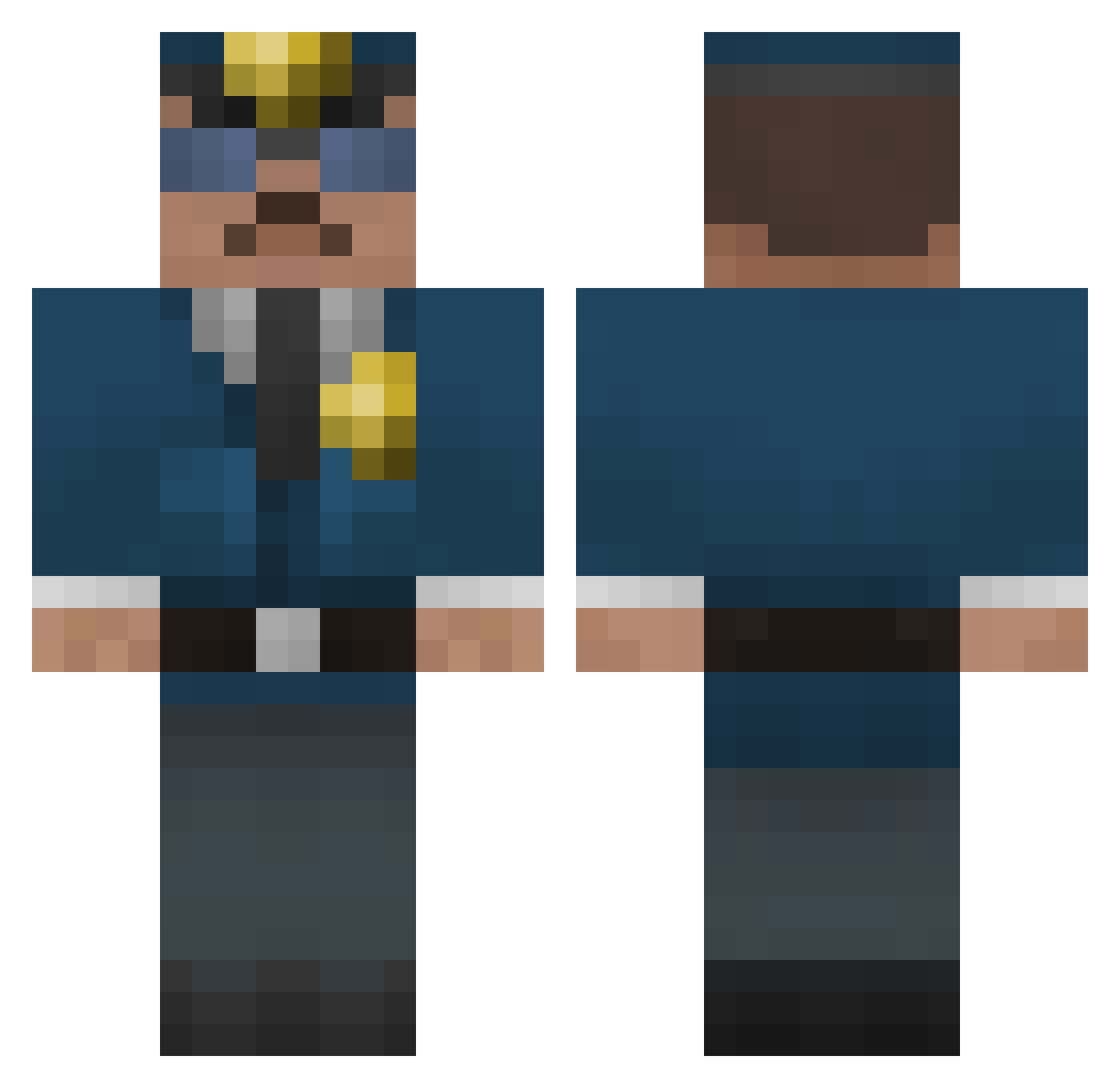
Current Minecraft skin of the player mixiaotang, loaded from the official Mojang API. Rotate the 3D model with your mouse or finger, then download the skin as a PNG file and use it in Minecraft: Bedrock Edition or Java Edition for free. When mixiaotang changes their skin, this page updates automatically and the old skin stays in the history below.
Other players with this skin (67)
mixiaotang was the 46th player we have seen with this skin, first spotted on 30.09.2026. The same skin was seen on these players. Open a nickname to see their current skin and skin history.
 CoCCoTTee FenixLight NidAaz HarrisJ65 dave_57 kontownik tydanosaurusrex SingleK9 Im_Winton abcdesteve tayamar john_50 steven53945 52yy LaBleusaille KrazyG36C DominikGLL Labradon2013 tyler72721 FreeBoulders nilsjeb szpo_ Dmac1020 BigDaddyKner23 2tkdwls Chewy526 toby8586 Youyoucong EllieTheDriver MiLaoShi Liverswag Limpkin tommie5765 Citadel_Bot gotie Elias999 poolin Dikiy71 policemanmax Bungus1 Srekaj mehdi_athek KukMadeleine PongsDad OfficerMahoney Hulkpop RadekMcGuire Frewdis B3rfsh Johnylover
 bassemus905 monster0314 moe2022 Cab_om Joker_131 Ladziii lauching Kilroy3094 PufarineXD mannipuliert_
More Cop Minecraft skins
How to install the mixiaotang skin
- Press the Download button above to save the skin as a PNG file.
- Minecraft: Bedrock Edition (PE): open the Dressing Room from the main menu (or tap your character → Edit Character), go to Classic Skins → Owned, press the + (new skin) button, choose the downloaded PNG and pick the Classic (Steve) model. Works on PC and mobile; consoles cannot import custom skins.
- Minecraft: Java Edition: open the Minecraft Launcher, go to the Skins tab, click New Skin, load the PNG, pick the Classic (Steve) model and press Save & Use. You can also upload it at minecraft.net → Profile → Change Skin.
The skin does not show up after import - what should I do?
Restart Minecraft and open the Dressing Room again - imported skins sometimes appear only after a restart. Also make sure you selected the imported skin and picked the Classic (Steve) model.
Which model should I choose, Classic or Slim?
This skin is designed for the Classic (Steve) model. If you pick the wrong model, the arms of the skin will look stretched or squeezed.
Is the skin of mixiaotang free to download?
Yes. Press Download, save the PNG file and use it in Minecraft: Bedrock Edition or Java Edition - no payment or registration needed. The skin also works on multiplayer servers and Realms.
More skins
Looking for more? Go back to all Minecraft skins and check the top skins of the week, month and all time, or find any player's skin by nickname.