
miso121117 - Minecraft Skins & Skin History
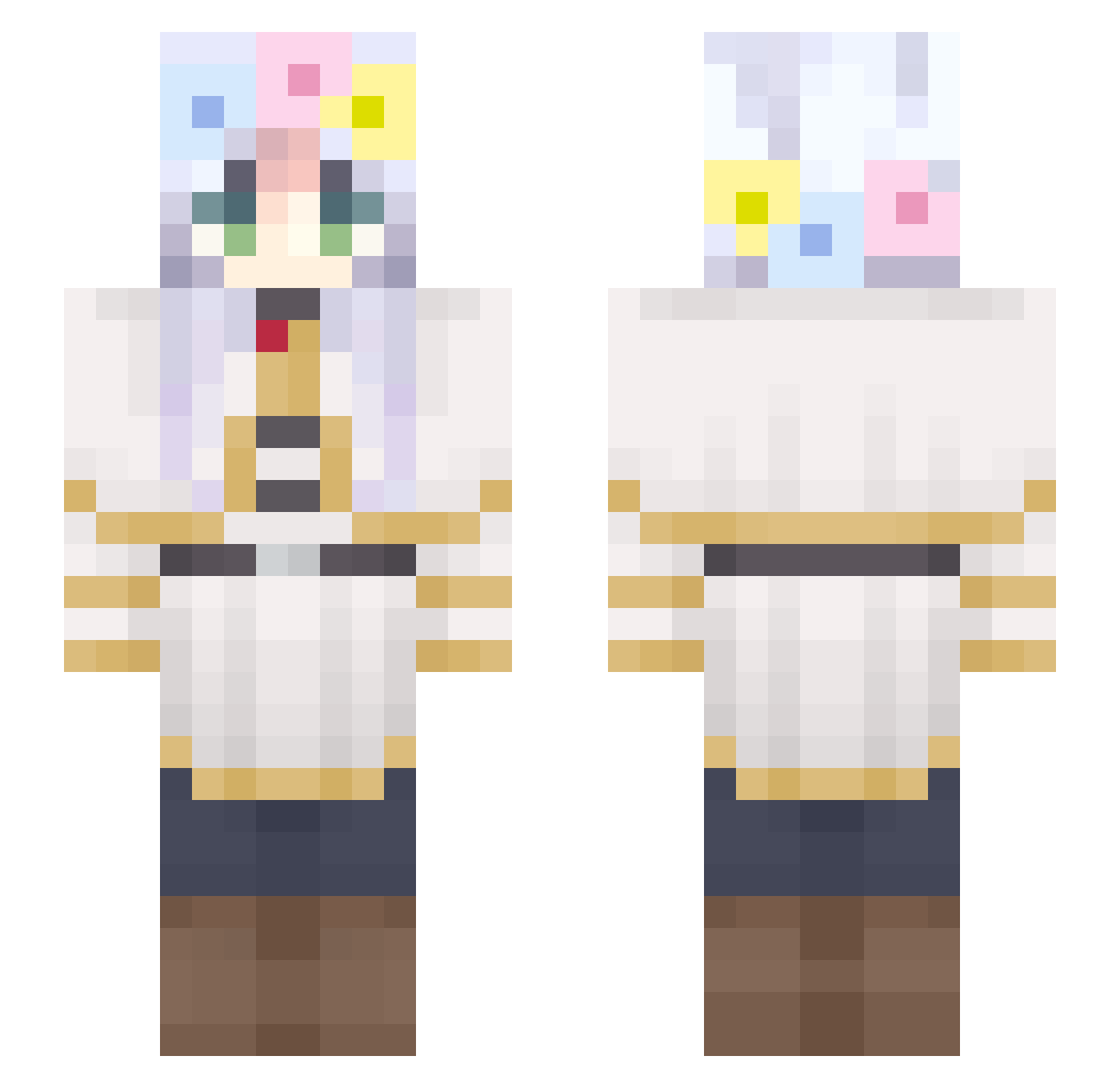
Current Minecraft skin of the player miso121117, loaded from the official Mojang API. Rotate the 3D model with your mouse or finger, then download the skin as a PNG file and use it in Minecraft: Bedrock Edition or Java Edition for free. When miso121117 changes their skin, this page updates automatically and the old skin stays in the history below.
Other players with this skin (302)
miso121117 was the 80th player we have seen with this skin, first spotted on 25.08.2026. The same skin was seen on these players. Open a nickname to see their current skin and skin history.
 Lukq0w0 Lilith821 Frosts Mappou RDII NekoFun
 eunji_11 Enuwa _Alaia SwordBearerS Myo_doong FleeverFlim donkaaaaa XocoQL SMDchopper0212_ StrongPunch_ hyojun_13 ell0l Mixy77 KawaiiPandy DingDing_MK 000leti AyrKira Hi_Zerito raise_your_glass Quinley_ Vic_Chen Mondmaske itnotthatdeepgng CraftR_ ulkemokur SwagaBrownie POVERSE Yoalz Nyaaven muninnnnnn vbur
 Rauannzin Smiffy_J Forbidden_Entity Soothsayer69 Mystikk302 Flash1780 Whyleaveme5 KlaynInMargo po0ndd ImZeRO__ Eavesdropper zhuaigenb SrberPrime Maromba0 you312s James8422 soldier8001 GothGirlFrieren nepuuw rotarybolt7 Godless30865 hearthstone239 Shakm_
More Flower Crown Minecraft skins
See all 3473 Flower Crown skins
How to install the miso121117 skin
- Press the Download button above to save the skin as a PNG file.
- Minecraft: Bedrock Edition (PE): open the Dressing Room from the main menu (or tap your character → Edit Character), go to Classic Skins → Owned, press the + (new skin) button, choose the downloaded PNG and pick the Slim (Alex) model. Works on PC and mobile; consoles cannot import custom skins.
- Minecraft: Java Edition: open the Minecraft Launcher, go to the Skins tab, click New Skin, load the PNG, pick the Slim (Alex) model and press Save & Use. You can also upload it at minecraft.net → Profile → Change Skin.
The skin does not show up after import - what should I do?
Restart Minecraft and open the Dressing Room again - imported skins sometimes appear only after a restart. Also make sure you selected the imported skin and picked the Slim (Alex) model.
Which model should I choose, Classic or Slim?
This skin is designed for the Slim (Alex) model. If you pick the wrong model, the arms of the skin will look stretched or squeezed.
Is the skin of miso121117 free to download?
Yes. Press Download, save the PNG file and use it in Minecraft: Bedrock Edition or Java Edition - no payment or registration needed. The skin also works on multiplayer servers and Realms.
More skins
Looking for more? Go back to all Minecraft skins and check the top skins of the week, month and all time, or find any player's skin by nickname.