
mirutanku7 - Minecraft Skins & Skin History
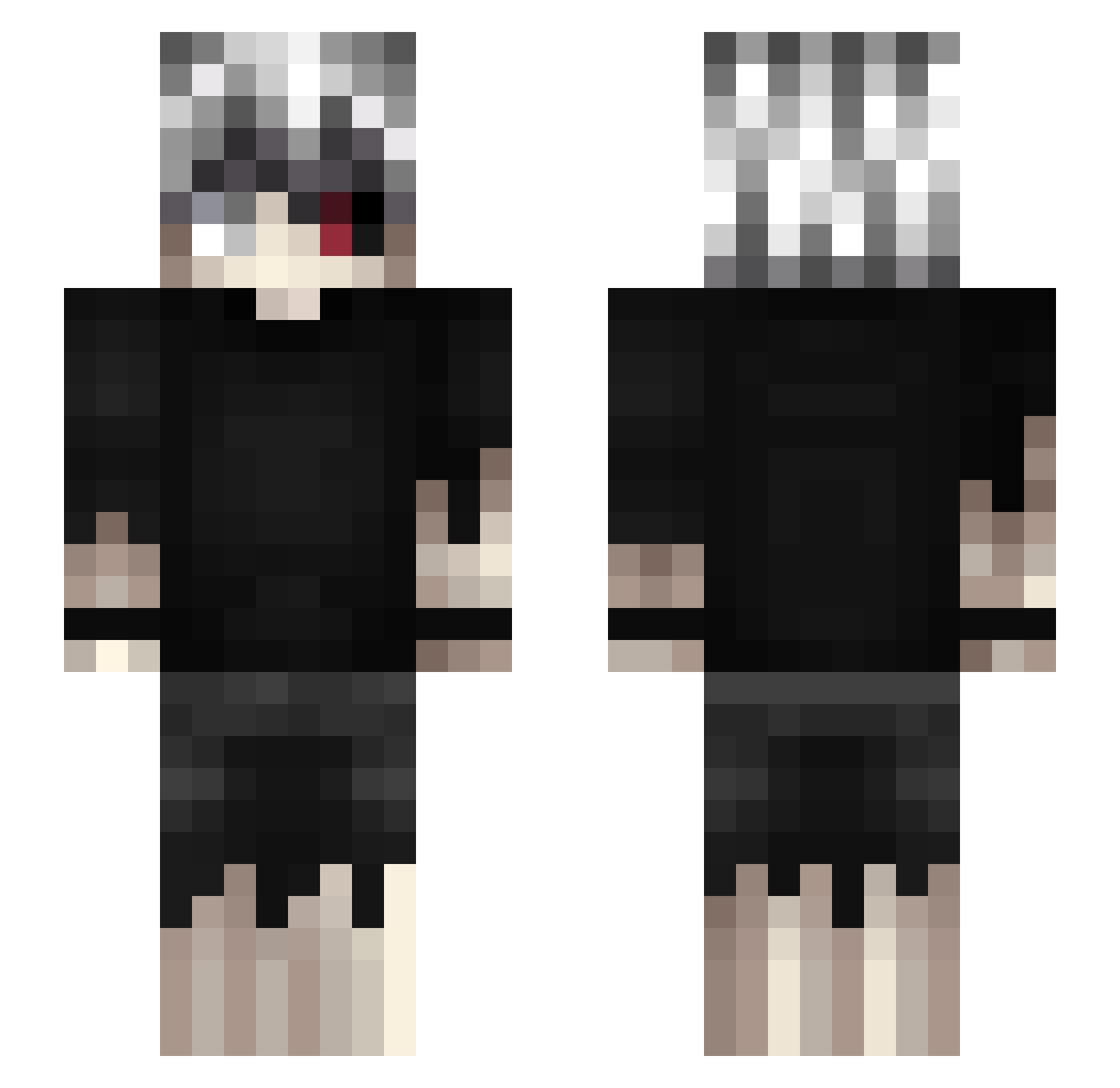
Current Minecraft skin of the player mirutanku7, loaded from the official Mojang API. Rotate the 3D model with your mouse or finger, then download the skin as a PNG file and use it in Minecraft: Bedrock Edition or Java Edition for free. When mirutanku7 changes their skin, this page updates automatically and the old skin stays in the history below.
Other players with this skin (462)
mirutanku7 was the 320th player we have seen with this skin, first spotted on 07.10.2026. The same skin was seen on these players. Open a nickname to see their current skin and skin history.
 syringge goldenpiggy87 Imnos_al Punk88 tongjue jealous7403 flutyq ItsVexxi AdiTheRipper TemikDirrol NovelKeys Mcpixel100 jky7066 JsemSnilek zakat99_1 Heroestime rodruwu LordMReinert MrOzanTR vwlowbug KubaRozpruwacz01 ilovefishing73 Scratx7 byakv Zockhart XtotheZ1 240ps Ukrokit amenotajikara 1adray Gonefisnin JohnBloodlines daldalhoney CowardlyRuok iTsuk4Tak3ru ColdRiver__ shengwang2077 RimuruTempest295 mWyde Killjoyjr20 Xeuso Kaizenxrdd Habad_09 Gr8Greeen None_matt Sen_Off massygame morhuhn suitchi101 jaramun DukeOfCupCakes Dima1000_7 KaanLuiz Red_Snapple Deiserr Kaelneki ZhaXir offyne Tzeion bigSVLOL
More Kaneki Ken Minecraft skins
How to install the mirutanku7 skin
- Press the Download button above to save the skin as a PNG file.
- Minecraft: Bedrock Edition (PE): open the Dressing Room from the main menu (or tap your character → Edit Character), go to Classic Skins → Owned, press the + (new skin) button, choose the downloaded PNG and pick the Slim (Alex) model. Works on PC and mobile; consoles cannot import custom skins.
- Minecraft: Java Edition: open the Minecraft Launcher, go to the Skins tab, click New Skin, load the PNG, pick the Slim (Alex) model and press Save & Use. You can also upload it at minecraft.net → Profile → Change Skin.
The skin does not show up after import - what should I do?
Restart Minecraft and open the Dressing Room again - imported skins sometimes appear only after a restart. Also make sure you selected the imported skin and picked the Slim (Alex) model.
Which model should I choose, Classic or Slim?
This skin is designed for the Slim (Alex) model. If you pick the wrong model, the arms of the skin will look stretched or squeezed.
Is the skin of mirutanku7 free to download?
Yes. Press Download, save the PNG file and use it in Minecraft: Bedrock Edition or Java Edition - no payment or registration needed. The skin also works on multiplayer servers and Realms.
More skins
Looking for more? Go back to all Minecraft skins and check the top skins of the week, month and all time, or find any player's skin by nickname.