
mirc97 - Minecraft Skins & Skin History
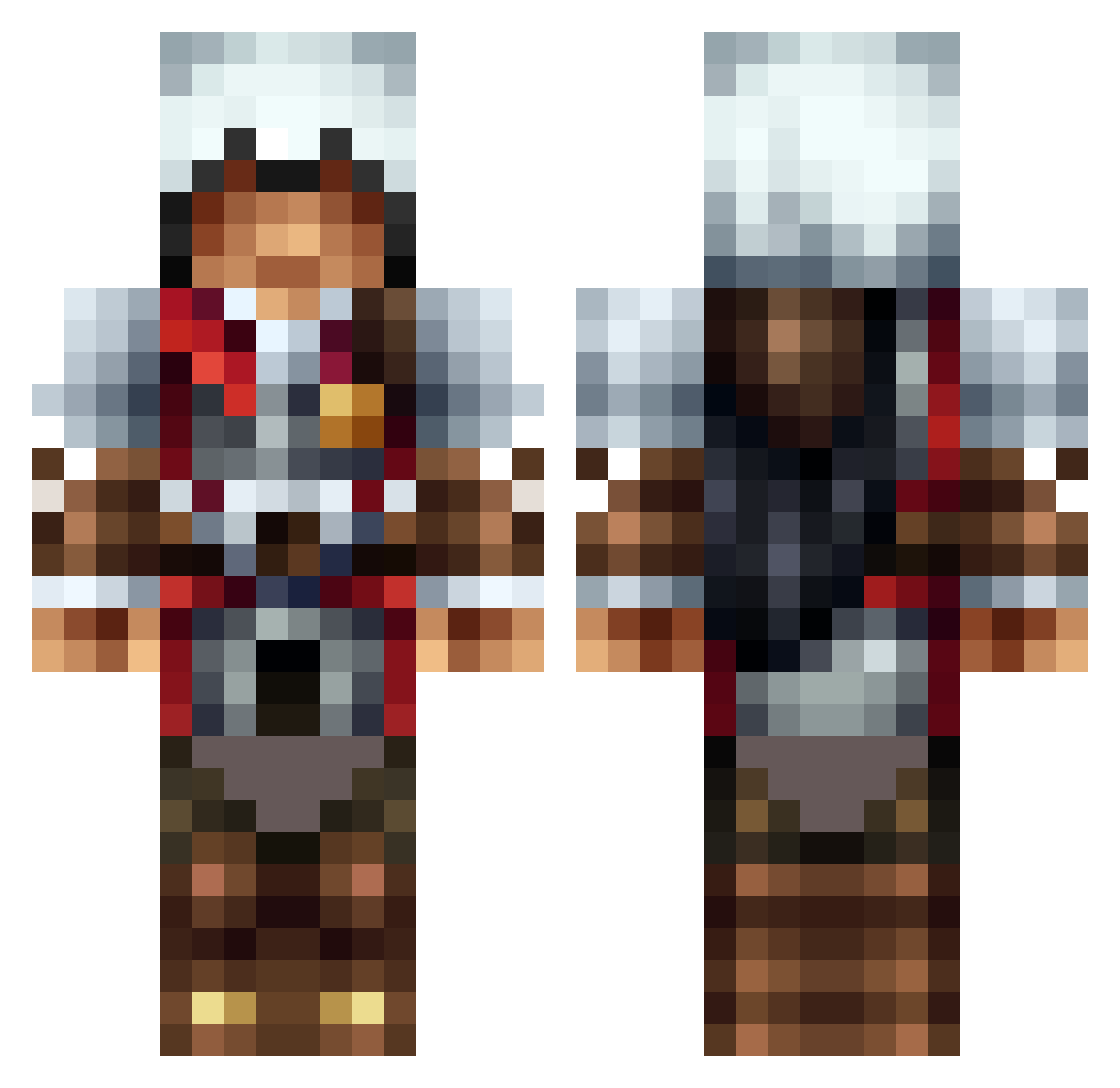
Current Minecraft skin of the player mirc97, loaded from the official Mojang API. Rotate the 3D model with your mouse or finger, then download the skin as a PNG file and use it in Minecraft: Bedrock Edition or Java Edition for free. When mirc97 changes their skin, this page updates automatically and the old skin stays in the history below.
Other players with this skin (1314)
mirc97 was the 492nd player we have seen with this skin, first spotted on 05.09.2026. The same skin was seen on these players. Open a nickname to see their current skin and skin history.
 akhotshot Ramon_Garcia127 koda67 busterdemon Munyow BlackMast228 Oliv110 YourNanSquared Kingo2403 AP_Wumbology 7melon mattspyder _jp_1234 Endrawolt ScorpionMatt8 11v11s Acker Murias XxdumbshotzxX FoxCandy Yakuzano franks_by hmwm_420 metalsword00 BOBEYERSthehobo Rypto93 kevinbarry Seed0929 Patrik_166 Agi173 dragonslayer0513 NomNom777 Goodolchippy i3boodi1x1 TurtleLord100 davidhorses francescobuon Mr_Excalibur paolo97229 N3roassassin Razzmitazz Gtrfan318 cabbelito123 perseus560 xXAttendingXx xKayle100 maor344 M1necraft__Sbeve megaops C1st14n Criketo miniminecraft97 K34N3N hikariZN mrcanttouchthis0 Silent_Oath cawa114 Scrublax LeoKers mreyn99
More Altair Minecraft skins
How to install the mirc97 skin
- Press the Download button above to save the skin as a PNG file.
- Minecraft: Bedrock Edition (PE): open the Dressing Room from the main menu (or tap your character → Edit Character), go to Classic Skins → Owned, press the + (new skin) button, choose the downloaded PNG and pick the Classic (Steve) model. Works on PC and mobile; consoles cannot import custom skins.
- Minecraft: Java Edition: open the Minecraft Launcher, go to the Skins tab, click New Skin, load the PNG, pick the Classic (Steve) model and press Save & Use. You can also upload it at minecraft.net → Profile → Change Skin.
The skin does not show up after import - what should I do?
Restart Minecraft and open the Dressing Room again - imported skins sometimes appear only after a restart. Also make sure you selected the imported skin and picked the Classic (Steve) model.
Which model should I choose, Classic or Slim?
This skin is designed for the Classic (Steve) model. If you pick the wrong model, the arms of the skin will look stretched or squeezed.
Is the skin of mirc97 free to download?
Yes. Press Download, save the PNG file and use it in Minecraft: Bedrock Edition or Java Edition - no payment or registration needed. The skin also works on multiplayer servers and Realms.
More skins
Looking for more? Go back to all Minecraft skins and check the top skins of the week, month and all time, or find any player's skin by nickname.