
miraiyosu - Minecraft Skins & Skin History
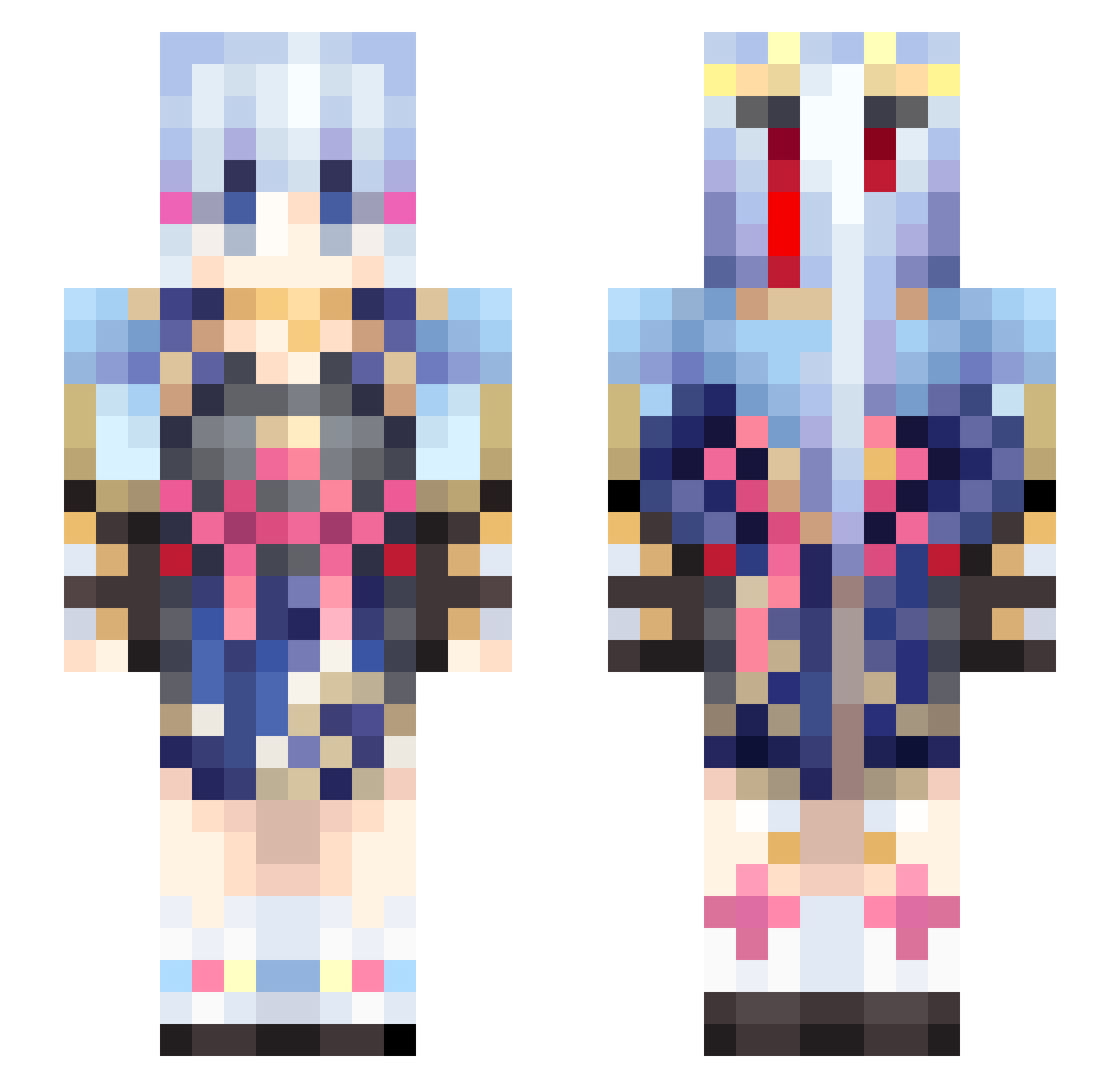
Current Minecraft skin of the player miraiyosu, loaded from the official Mojang API. Rotate the 3D model with your mouse or finger, then download the skin as a PNG file and use it in Minecraft: Bedrock Edition or Java Edition for free. When miraiyosu changes their skin, this page updates automatically and the old skin stays in the history below.
Other players with this skin (460)
miraiyosu was the 151st player we have seen with this skin, first spotted on 25.08.2026. The same skin was seen on these players. Open a nickname to see their current skin and skin history.
 MaBokSing MoLing77 Dee24x Kevinnz04 Linzhongjiang ArcaNeSenpai avehumuhumu Leather_GG qkrrydms DoDo_Ghost AUminus Azeron0620 KanaeSasaki rukapin Angelaaax bawangxijiaoshui TycooJune ayutan
 Kai01270 beelzebub14 Qiewe NanamiShin kaku1204 ShuYun1 liellla Options5850 Modachi_0617 eric4516 Felix2915 match1206 HAuCl_4 ZHYX3423 Arpsa Mochi415 BosonTao tknk1625 purenature2 java0498 0o_Ayaka_o0 HJle jakeWu HardGraphite Kinsey_TV Kris1127 KamisatoAyaka928 Grassr HoodMoments SSRpro Kamisato_Ayaka33 anjunhyung69 KevinXu_2002 Umi_Official mackerel5 xxXiaoRanxx S1mpleWu H2S_256 Bypass_Watchdog whoiskodzuken ZKPSP MadMike2023
More Kimono Minecraft skins
How to install the miraiyosu skin
- Press the Download button above to save the skin as a PNG file.
- Minecraft: Bedrock Edition (PE): open the Dressing Room from the main menu (or tap your character → Edit Character), go to Classic Skins → Owned, press the + (new skin) button, choose the downloaded PNG and pick the Slim (Alex) model. Works on PC and mobile; consoles cannot import custom skins.
- Minecraft: Java Edition: open the Minecraft Launcher, go to the Skins tab, click New Skin, load the PNG, pick the Slim (Alex) model and press Save & Use. You can also upload it at minecraft.net → Profile → Change Skin.
The skin does not show up after import - what should I do?
Restart Minecraft and open the Dressing Room again - imported skins sometimes appear only after a restart. Also make sure you selected the imported skin and picked the Slim (Alex) model.
Which model should I choose, Classic or Slim?
This skin is designed for the Slim (Alex) model. If you pick the wrong model, the arms of the skin will look stretched or squeezed.
Is the skin of miraiyosu free to download?
Yes. Press Download, save the PNG file and use it in Minecraft: Bedrock Edition or Java Edition - no payment or registration needed. The skin also works on multiplayer servers and Realms.
More skins
Looking for more? Go back to all Minecraft skins and check the top skins of the week, month and all time, or find any player's skin by nickname.