
minisu - Minecraft Skins & Skin History
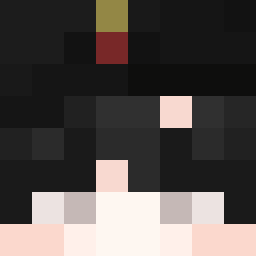
Current Minecraft skin of the player minisu, loaded from the official Mojang API. Rotate the 3D model with your mouse or finger, then download the skin as a PNG file and use it in Minecraft: Bedrock Edition or Java Edition for free. When minisu changes their skin, this page updates automatically and the old skin stays in the history below.

Other players with this skin (782)
minisu was the 32nd player we have seen with this skin, first spotted on 26.07.2026. The same skin was seen on these players. Open a nickname to see their current skin and skin history.
 nsoCo Whereee RicardoFJ PulseEa Vipex123YT JustDiv RX7_Nand 0nlyF3ns Thebeastboy2008 Sukeo_ ljensen1991
 godlygamer Gripun7 dorakumaa koreanhyuk Yaoza77 tereiku berserga4000 hong338 Aron_0721 Rick0305 PiBanG_1213 patitobrandon
 NyxerX Teebsaur EXELOLXD PurelyJoy omihunter Widjiwagan Fasthousez ingides d0HwT5C7g4zm1HZu Majosita11 Uranium240 ZenSer011 Kamz_ KlaysHero CxlledFlow _Chronium wal_t3r SergeantTax87 Faust666 santiio DB9753 Aluin13 BiteFight123 CarloMere Doror0 kongchi ogunu03 Cornichon_Gaming DipolarCorgi995 Kage_Termia Dark_Prim3 d0reah DandaDany2004 jialanhhh scobydoo Maradona_RIP Yourmom9308
How to install the minisu skin
- Press the Download button above to save the skin as a PNG file.
- Minecraft: Bedrock Edition (PE): open the Dressing Room from the main menu (or tap your character → Edit Character), go to Classic Skins → Owned, press the + (new skin) button, choose the downloaded PNG and pick the Classic (Steve) model. Works on PC and mobile; consoles cannot import custom skins.
- Minecraft: Java Edition: open the Minecraft Launcher, go to the Skins tab, click New Skin, load the PNG, pick the Classic (Steve) model and press Save & Use. You can also upload it at minecraft.net → Profile → Change Skin.
The skin does not show up after import - what should I do?
Restart Minecraft and open the Dressing Room again - imported skins sometimes appear only after a restart. Also make sure you selected the imported skin and picked the Classic (Steve) model.
Which model should I choose, Classic or Slim?
This skin is designed for the Classic (Steve) model. If you pick the wrong model, the arms of the skin will look stretched or squeezed.
Is the skin of minisu free to download?
Yes. Press Download, save the PNG file and use it in Minecraft: Bedrock Edition or Java Edition - no payment or registration needed. The skin also works on multiplayer servers and Realms.
More skins
Looking for more? Go back to all Minecraft skins and check the top skins of the week, month and all time, or find any player's skin by nickname.