
minecraftplaye53 - Minecraft Skins & Skin History
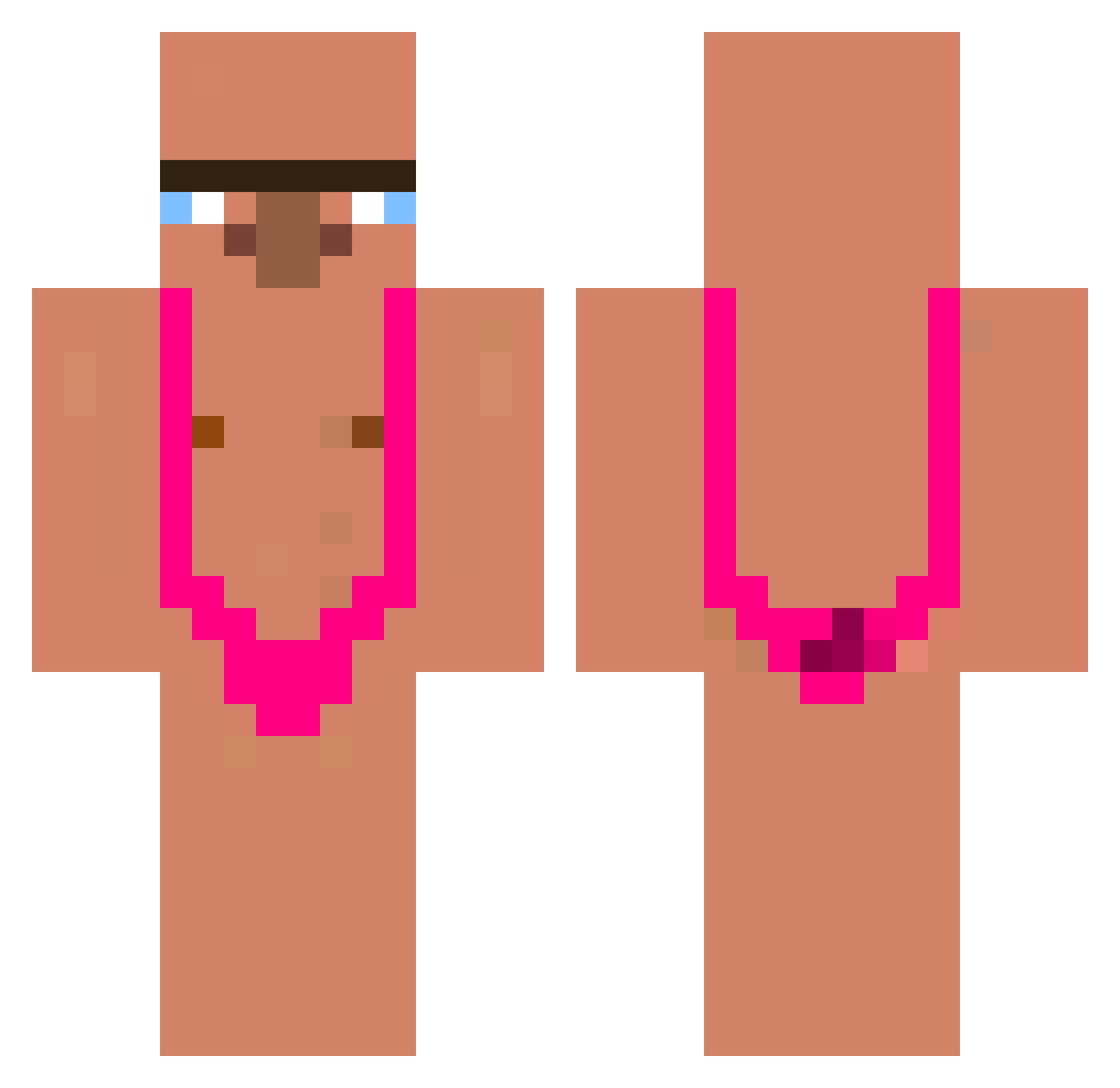
Current Minecraft skin of the player minecraftplaye53, loaded from the official Mojang API. Rotate the 3D model with your mouse or finger, then download the skin as a PNG file and use it in Minecraft: Bedrock Edition or Java Edition for free. When minecraftplaye53 changes their skin, this page updates automatically and the old skin stays in the history below.
Other players with this skin (413)
minecraftplaye53 was the 381st player we have seen with this skin, first spotted on 12.11.2026. The same skin was seen on these players. Open a nickname to see their current skin and skin history.
 Kairon_11 xKactus leitmotiv Krabby01213 ojciectrapu OMRE_ Obyzin MDPlay ElitaJ4nush haoyu668 kanyewestlover1 xd_jonaged Br0ckT YourNewDaddy KarlLindo Gruftify GrikenSheyS youking4 Meksans Moonph lozipact arepo__ Umudo61 MADjohny harry0519 lochooo_ folksyprism SketchBBL q_snyxs nwmBrajan aoEjr99 dark_ddong Seungwook2 hetzerr Deno42 Matuex06 alxuchiwa maciekess12 dirtyman12 The69king6294 ChippieCau IchSammelDosen pocobipolare Chalge sionn1 crater_409 CoZamer Z0MBEAR ChefeGi JohnnyBiaco abuj3frrr myuah emoslayerrrr marcoalvaro GwenoUwU NCTR 15461544 burger_miam_miam BeGenius07 ok_dong
More Mankini Minecraft skins
How to install the minecraftplaye53 skin
- Press the Download button above to save the skin as a PNG file.
- Minecraft: Bedrock Edition (PE): open the Dressing Room from the main menu (or tap your character → Edit Character), go to Classic Skins → Owned, press the + (new skin) button, choose the downloaded PNG and pick the Classic (Steve) model. Works on PC and mobile; consoles cannot import custom skins.
- Minecraft: Java Edition: open the Minecraft Launcher, go to the Skins tab, click New Skin, load the PNG, pick the Classic (Steve) model and press Save & Use. You can also upload it at minecraft.net → Profile → Change Skin.
The skin does not show up after import - what should I do?
Restart Minecraft and open the Dressing Room again - imported skins sometimes appear only after a restart. Also make sure you selected the imported skin and picked the Classic (Steve) model.
Which model should I choose, Classic or Slim?
This skin is designed for the Classic (Steve) model. If you pick the wrong model, the arms of the skin will look stretched or squeezed.
Is the skin of minecraftplaye53 free to download?
Yes. Press Download, save the PNG file and use it in Minecraft: Bedrock Edition or Java Edition - no payment or registration needed. The skin also works on multiplayer servers and Realms.
More skins
Looking for more? Go back to all Minecraft skins and check the top skins of the week, month and all time, or find any player's skin by nickname.