
miles7890 - Minecraft Skins & Skin History
Current Minecraft skin of the player miles7890, loaded from the official Mojang API. Rotate the 3D model with your mouse or finger, then download the skin as a PNG file and use it in Minecraft: Bedrock Edition or Java Edition for free. When miles7890 changes their skin, this page updates automatically and the old skin stays in the history below.
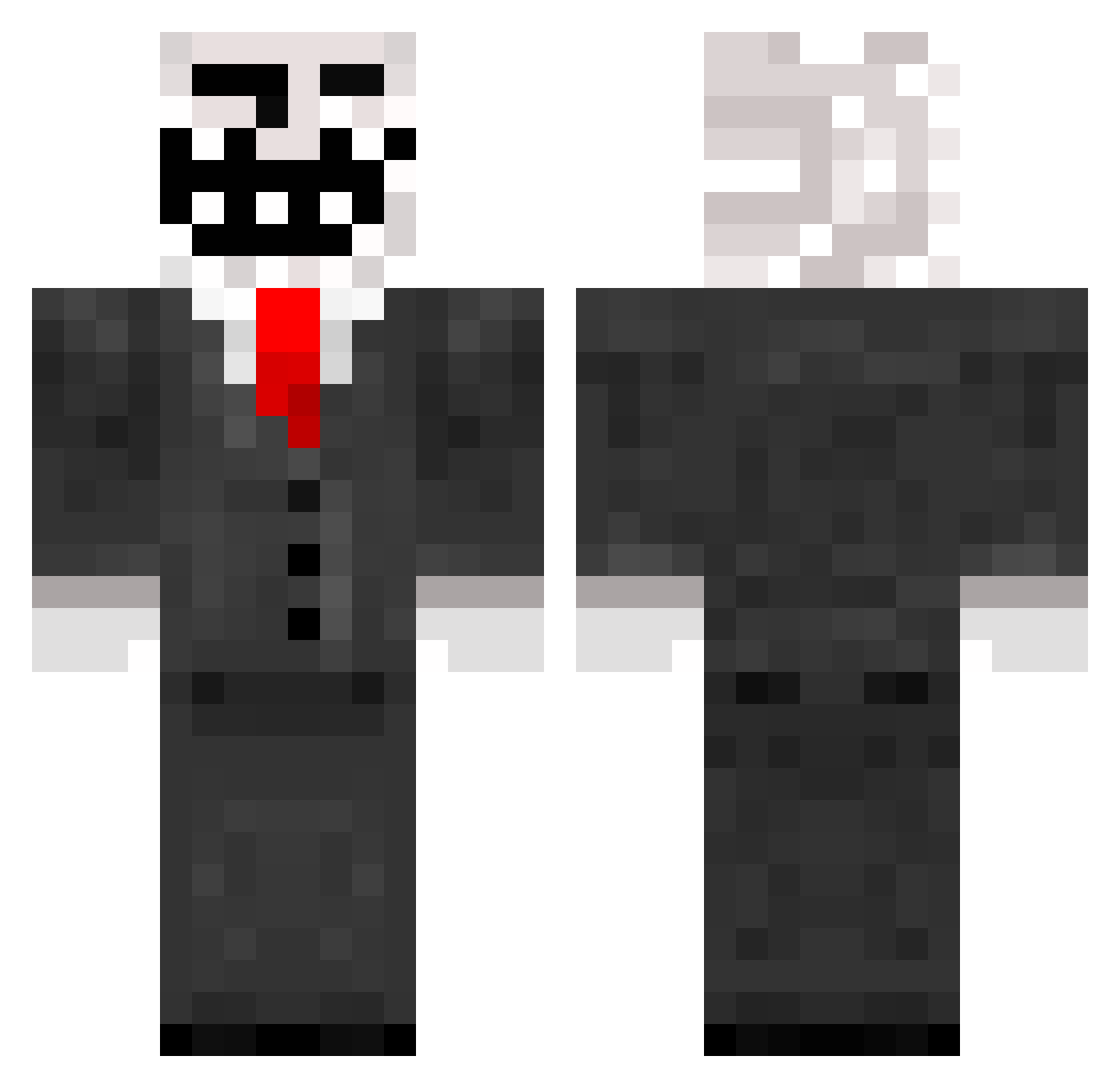
Other players with this skin (788)
miles7890 was the 348th player we have seen with this skin, first spotted on 10.09.2026. The same skin was seen on these players. Open a nickname to see their current skin and skin history.
 xiphias8 ajzrzv12 Isak33 Manstor magicpig725 __Sebwoo__ thetrollking678 jarrettbooth66 zmoney10 Jepperp3000 donut40 DariusWong ShakoBoss prnked ST6Viper crazysexybear Op3n7ux DaNgL3R_33 123mo30 FussyMonster JackFucik BRawst lucasstella Boss_der_LdG BewareTotalKhaos mathiastese BenBB7 le_juif Calebinho0o Gleebag123 Chapster999 Mr_Gameur KampfKartoffelAG blackopsmonster TheOWCA SeesCthulhu Terminator39457 Rustyhole Derpington724 aussierage noahceven tobe08 alexcorbu12 lolminecraft29 KDST60 Hemold buttes111 Brickmasterkids curlysharapov Ladymagnet05 WilliamCCAP MrBendu12 jaco233b dolij5 Iryu2000 Orrubin VidalBR mucki32002 tobaway campack1999
More Trollface Minecraft skins
How to install the miles7890 skin
- Press the Download button above to save the skin as a PNG file.
- Minecraft: Bedrock Edition (PE): open the Dressing Room from the main menu (or tap your character → Edit Character), go to Classic Skins → Owned, press the + (new skin) button, choose the downloaded PNG and pick the Classic (Steve) model. Works on PC and mobile; consoles cannot import custom skins.
- Minecraft: Java Edition: open the Minecraft Launcher, go to the Skins tab, click New Skin, load the PNG, pick the Classic (Steve) model and press Save & Use. You can also upload it at minecraft.net → Profile → Change Skin.
The skin does not show up after import - what should I do?
Restart Minecraft and open the Dressing Room again - imported skins sometimes appear only after a restart. Also make sure you selected the imported skin and picked the Classic (Steve) model.
Which model should I choose, Classic or Slim?
This skin is designed for the Classic (Steve) model. If you pick the wrong model, the arms of the skin will look stretched or squeezed.
Is the skin of miles7890 free to download?
Yes. Press Download, save the PNG file and use it in Minecraft: Bedrock Edition or Java Edition - no payment or registration needed. The skin also works on multiplayer servers and Realms.
More skins
Looking for more? Go back to all Minecraft skins and check the top skins of the week, month and all time, or find any player's skin by nickname.