
mike747883 - Minecraft Skins & Skin History
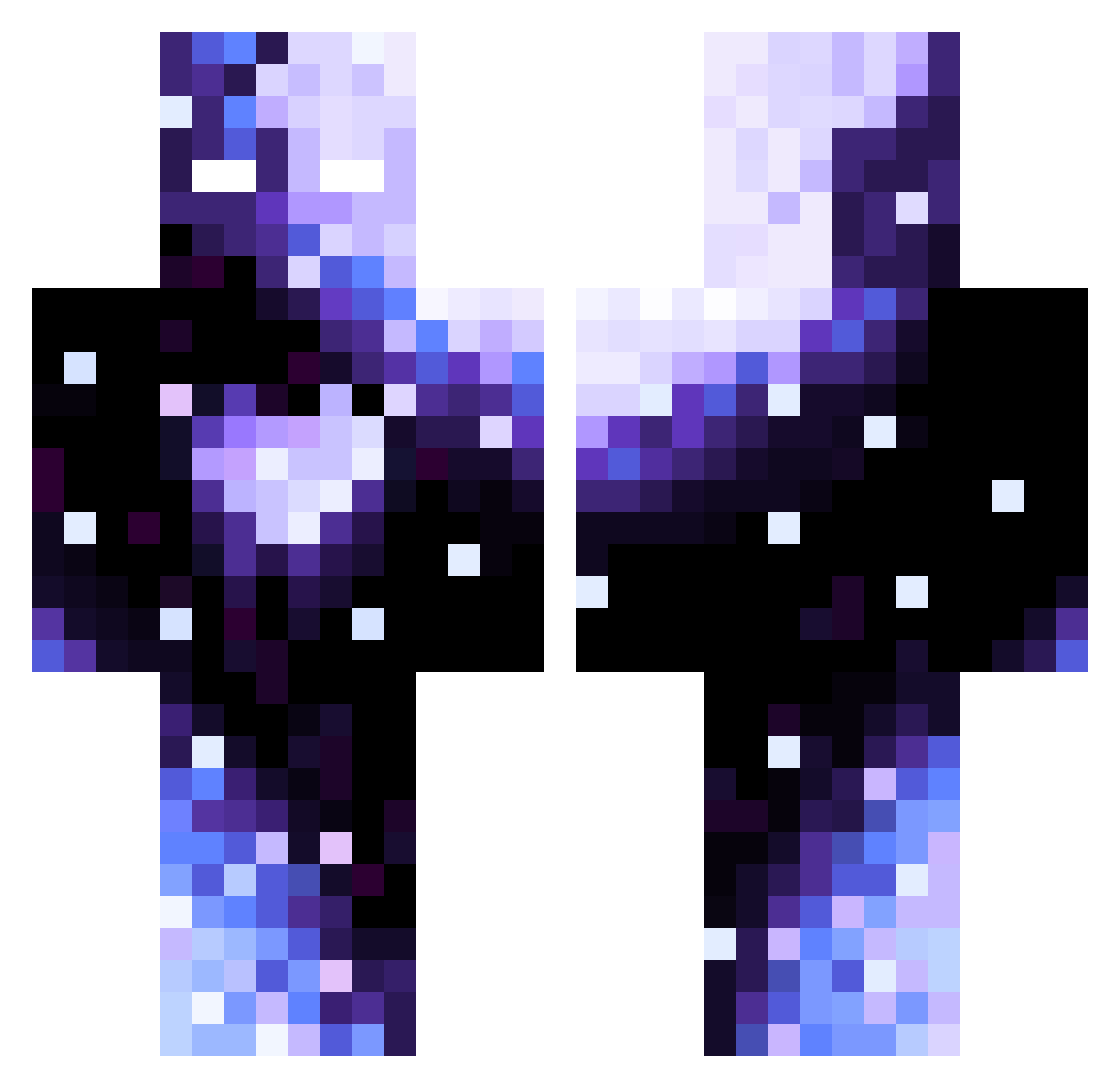
Current Minecraft skin of the player mike747883, loaded from the official Mojang API. Rotate the 3D model with your mouse or finger, then download the skin as a PNG file and use it in Minecraft: Bedrock Edition or Java Edition for free. When mike747883 changes their skin, this page updates automatically and the old skin stays in the history below.
Other players with this skin (96)
mike747883 was the 72nd player we have seen with this skin, first spotted on 08.10.2026. The same skin was seen on these players. Open a nickname to see their current skin and skin history.
 phuddles bonesmoth icedragon2412 saughome v3sprr AmirIlLampione juacool env3lope Mikolaj2002M PackinGod Aaren221 zachtaryus Shin_enHai MAR898TIN1 Casaib Randomico Spider3116 TaiBaihhh Specter_____ BoobooBearzzz zoroking2 secr3t_2016 Tsumugsmuugs PinkScarf finalbudz Evangameplayz Ghorilita328 SolarisZA Crazy_Forever ColbyKerr Kittyjelly0 Niunia331 Chheech TPRC14 DeFlits001 filipello08 Mistaken_Kuiken2 EuiEui88 Turtlyyy VelsAra DaBest_Winner7 CrackMadeMe LuminousCape831 Ka00ol333 Dejjay13 Zipinho Hurricane_rage Tsukiyuo skibidzioszek LEO665 SpiderMeowww Oreo_001 Redlog SinisterDollx supra_mk_4 night_skull Monte345 Z0RTY jpkk_ Ph0cuxx
How to install the mike747883 skin
- Press the Download button above to save the skin as a PNG file.
- Minecraft: Bedrock Edition (PE): open the Dressing Room from the main menu (or tap your character → Edit Character), go to Classic Skins → Owned, press the + (new skin) button, choose the downloaded PNG and pick the Classic (Steve) model. Works on PC and mobile; consoles cannot import custom skins.
- Minecraft: Java Edition: open the Minecraft Launcher, go to the Skins tab, click New Skin, load the PNG, pick the Classic (Steve) model and press Save & Use. You can also upload it at minecraft.net → Profile → Change Skin.
The skin does not show up after import - what should I do?
Restart Minecraft and open the Dressing Room again - imported skins sometimes appear only after a restart. Also make sure you selected the imported skin and picked the Classic (Steve) model.
Which model should I choose, Classic or Slim?
This skin is designed for the Classic (Steve) model. If you pick the wrong model, the arms of the skin will look stretched or squeezed.
Is the skin of mike747883 free to download?
Yes. Press Download, save the PNG file and use it in Minecraft: Bedrock Edition or Java Edition - no payment or registration needed. The skin also works on multiplayer servers and Realms.
More skins
Looking for more? Go back to all Minecraft skins and check the top skins of the week, month and all time, or find any player's skin by nickname.