
mike23348 - Minecraft Skins & Skin History
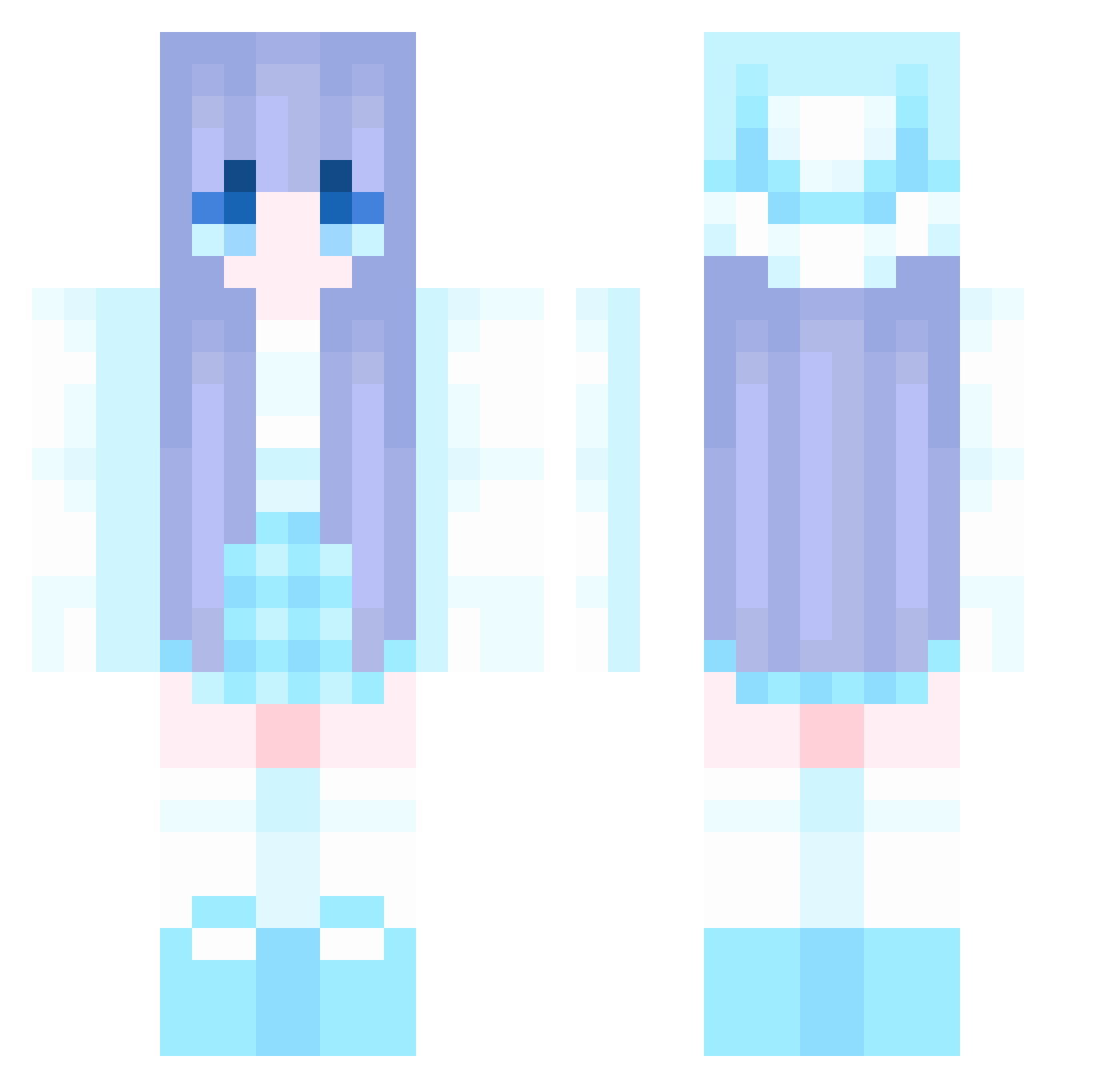
Current Minecraft skin of the player mike23348, loaded from the official Mojang API. Rotate the 3D model with your mouse or finger, then download the skin as a PNG file and use it in Minecraft: Bedrock Edition or Java Edition for free. When mike23348 changes their skin, this page updates automatically and the old skin stays in the history below.
Other players with this skin (1142)
mike23348 was the 1115th player we have seen with this skin, first spotted on 07.11.2026. The same skin was seen on these players. Open a nickname to see their current skin and skin history.
 _Galaxy_Stars_ Ryeong01 IZZY_BIRUTA tuotter_3434 Jubho Pucala BrookiexMonster jun8822 lin1039 Lemter Belle_42 N1ghTw1nd WSH2003 lonelyheart181 Nargonm _Blue_Phoenix_64 CJYoung rena310 LuxiTT lelehaha Flora_x hanoipho zhiaiaila1 ovoblack SnowGirlme CarolineChoi yu66613 Fork233 amnesia37 Grande1993 jeIqer mtpfyc afuu88 Kieran_Leah LEIGONV AAAhsZC Omoshiroi233 yongyong54 L_J_J Shilu17 hanghang321 Blingsss Ruy0412 Law2F t0rtillassss AstralDream2 BOMBASTICAIRLINE woduwotianxiadyi perrydeplatypus Aitoron AkkXyy MingYue_qingFeng Hemebllt Alexabtd Y0ung_ana qinjiu113 sujunyu fuwafuwaaaaaaaaa wsj11 MDQAQ
More Winter Minecraft skins
How to install the mike23348 skin
- Press the Download button above to save the skin as a PNG file.
- Minecraft: Bedrock Edition (PE): open the Dressing Room from the main menu (or tap your character → Edit Character), go to Classic Skins → Owned, press the + (new skin) button, choose the downloaded PNG and pick the Classic (Steve) model. Works on PC and mobile; consoles cannot import custom skins.
- Minecraft: Java Edition: open the Minecraft Launcher, go to the Skins tab, click New Skin, load the PNG, pick the Classic (Steve) model and press Save & Use. You can also upload it at minecraft.net → Profile → Change Skin.
The skin does not show up after import - what should I do?
Restart Minecraft and open the Dressing Room again - imported skins sometimes appear only after a restart. Also make sure you selected the imported skin and picked the Classic (Steve) model.
Which model should I choose, Classic or Slim?
This skin is designed for the Classic (Steve) model. If you pick the wrong model, the arms of the skin will look stretched or squeezed.
Is the skin of mike23348 free to download?
Yes. Press Download, save the PNG file and use it in Minecraft: Bedrock Edition or Java Edition - no payment or registration needed. The skin also works on multiplayer servers and Realms.
More skins
Looking for more? Go back to all Minecraft skins and check the top skins of the week, month and all time, or find any player's skin by nickname.