
mihnea43555 - Minecraft Skins & Skin History
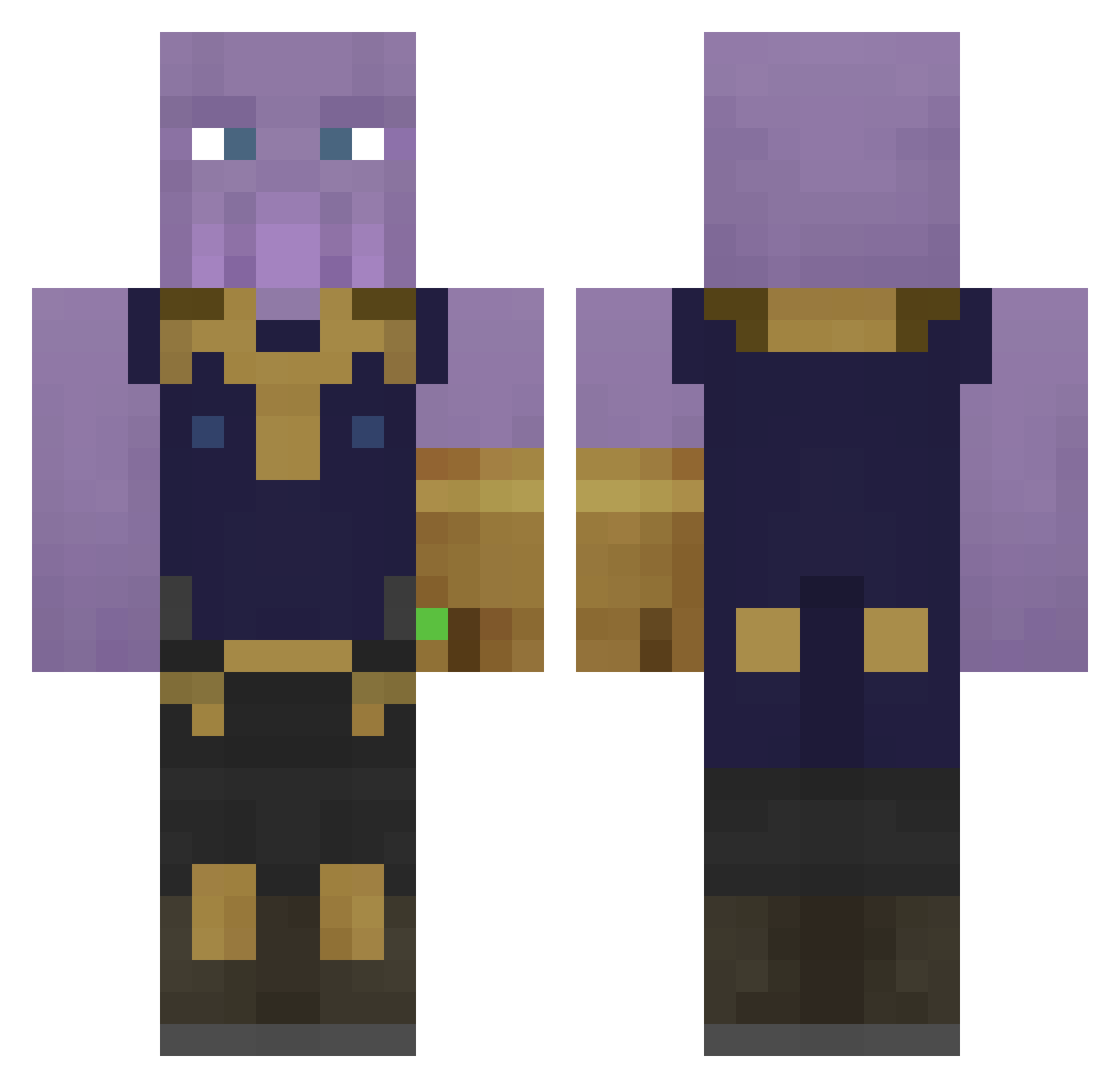
Current Minecraft skin of the player mihnea43555, loaded from the official Mojang API. Rotate the 3D model with your mouse or finger, then download the skin as a PNG file and use it in Minecraft: Bedrock Edition or Java Edition for free. When mihnea43555 changes their skin, this page updates automatically and the old skin stays in the history below.
Other players with this skin (323)
mihnea43555 was the 122nd player we have seen with this skin, first spotted on 02.09.2026. The same skin was seen on these players. Open a nickname to see their current skin and skin history.
 KTAE0 Tiberiusjesus TrSlayer10 Zathurix Marlon1452 i8em IsaacSterk JeremyB221 _NetiX_ ShadowFury_99 BigShlongWarmth Flankigames Shinegai PlayHeOS MaNerpz Anoobis23 Mad_Titan_ JimmyBoyXD Guaiire KATUV AtomicToast42 AlexIsABigDog Peonyy1 RagingVet YT_TYPICAL_YT Hitts1 cubecaribou Sw1necraft BruceU oruckenan Lanodrika MadonnaStaph Mazzasm Javihara Spinn666 MatthewSmith69 ardastc k4reel Dusquene doctor566 RatexCS fras_ Budzik21 Viaforce kody61121 kevinka999 SandroAlt26 Dr_Bilbo_Beutlin willie33436 xcDior DragFury Hahalolman TrentTheHammer Captain_Rusher AceTagzz Twixbarmp4 PanzerPhil Aerm PentryanKing Super_Mage
More Thanos Minecraft skins
How to install the mihnea43555 skin
- Press the Download button above to save the skin as a PNG file.
- Minecraft: Bedrock Edition (PE): open the Dressing Room from the main menu (or tap your character → Edit Character), go to Classic Skins → Owned, press the + (new skin) button, choose the downloaded PNG and pick the Classic (Steve) model. Works on PC and mobile; consoles cannot import custom skins.
- Minecraft: Java Edition: open the Minecraft Launcher, go to the Skins tab, click New Skin, load the PNG, pick the Classic (Steve) model and press Save & Use. You can also upload it at minecraft.net → Profile → Change Skin.
The skin does not show up after import - what should I do?
Restart Minecraft and open the Dressing Room again - imported skins sometimes appear only after a restart. Also make sure you selected the imported skin and picked the Classic (Steve) model.
Which model should I choose, Classic or Slim?
This skin is designed for the Classic (Steve) model. If you pick the wrong model, the arms of the skin will look stretched or squeezed.
Is the skin of mihnea43555 free to download?
Yes. Press Download, save the PNG file and use it in Minecraft: Bedrock Edition or Java Edition - no payment or registration needed. The skin also works on multiplayer servers and Realms.
More skins
Looking for more? Go back to all Minecraft skins and check the top skins of the week, month and all time, or find any player's skin by nickname.