
miguelitin - Minecraft Skins & Skin History
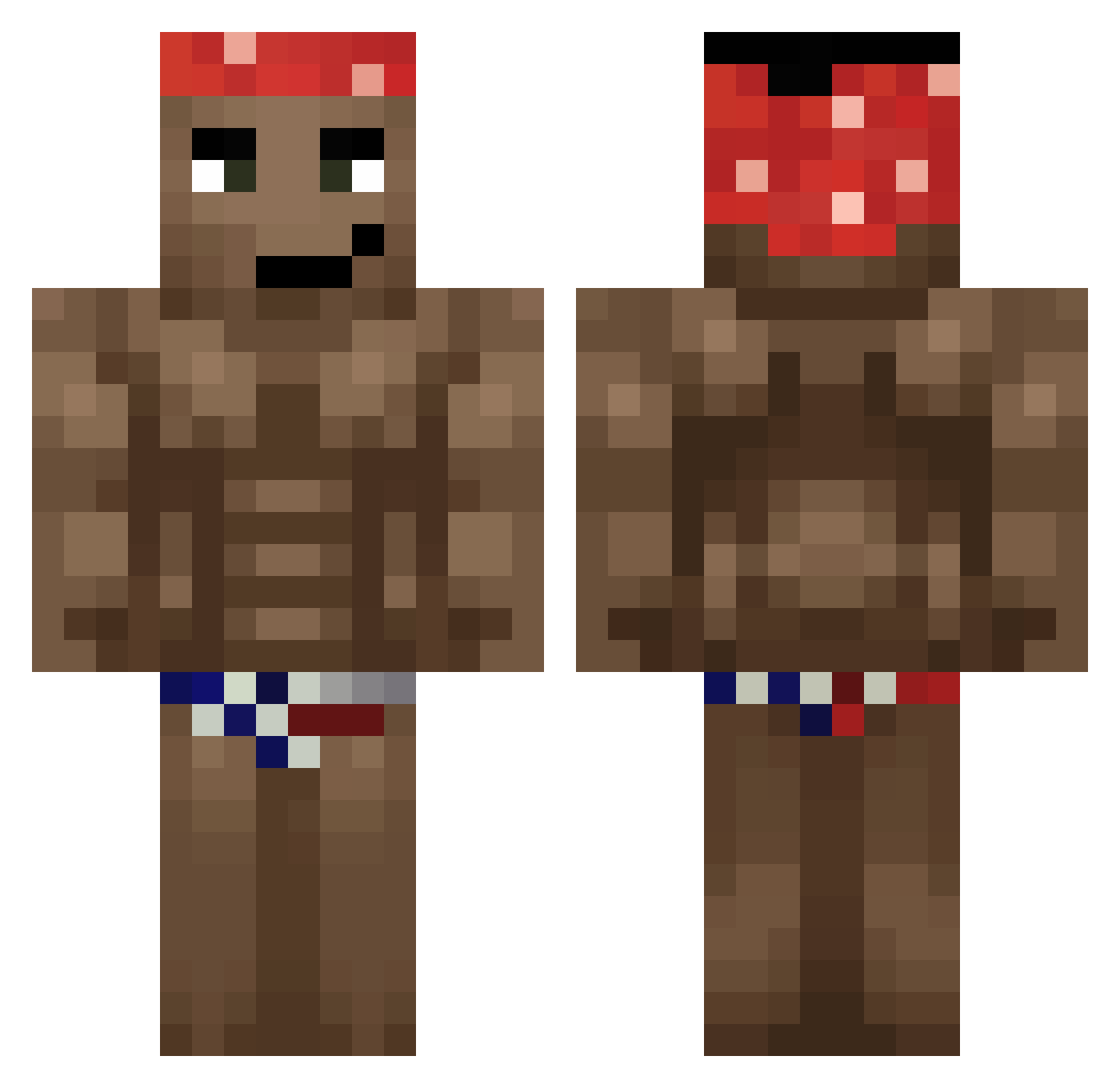
Current Minecraft skin of the player miguelitin, loaded from the official Mojang API. Rotate the 3D model with your mouse or finger, then download the skin as a PNG file and use it in Minecraft: Bedrock Edition or Java Edition for free. When miguelitin changes their skin, this page updates automatically and the old skin stays in the history below.
Other players with this skin (680)
miguelitin was the 615th player we have seen with this skin, first spotted on 30.10.2026. The same skin was seen on these players. Open a nickname to see their current skin and skin history.
 JokerJos AllPrimal MrSchwifty_ Gawron9821 Jawe5om3 Cryptorchide Auri0k Errmon Polda16 godman3869 LuffyLuLu RASKILLS12 Staalkuk DAL_REDMOON Flexskiii fluuKas Marhock8 CallMeJithro IntoTheNight0 Avnicuk frostyb0tu aadeeoos led_55 TwigTreat Rena_Ryugu07 steini2809 Phystros0 WalterOrwhite RoseH2 CJdoSuel Mientowka Tigamiano cricri667 ukermaus Pawelki Kaltruba MrChristmasss SMURFNHO zencigotuprobaba yTRZIN saihtam5 Morikate BDE_olle_nyman Selphirion DraGLQ aykon123 Asydyx Garlex Voltorinio yusufkldr26 UHE1R Ratamahatta123 Dosennnn Wojtynk Babuay Chiwei_ bigranddy VariableGem hycller efesyersen
More Dancer Minecraft skins
How to install the miguelitin skin
- Press the Download button above to save the skin as a PNG file.
- Minecraft: Bedrock Edition (PE): open the Dressing Room from the main menu (or tap your character → Edit Character), go to Classic Skins → Owned, press the + (new skin) button, choose the downloaded PNG and pick the Classic (Steve) model. Works on PC and mobile; consoles cannot import custom skins.
- Minecraft: Java Edition: open the Minecraft Launcher, go to the Skins tab, click New Skin, load the PNG, pick the Classic (Steve) model and press Save & Use. You can also upload it at minecraft.net → Profile → Change Skin.
The skin does not show up after import - what should I do?
Restart Minecraft and open the Dressing Room again - imported skins sometimes appear only after a restart. Also make sure you selected the imported skin and picked the Classic (Steve) model.
Which model should I choose, Classic or Slim?
This skin is designed for the Classic (Steve) model. If you pick the wrong model, the arms of the skin will look stretched or squeezed.
Is the skin of miguelitin free to download?
Yes. Press Download, save the PNG file and use it in Minecraft: Bedrock Edition or Java Edition - no payment or registration needed. The skin also works on multiplayer servers and Realms.
More skins
Looking for more? Go back to all Minecraft skins and check the top skins of the week, month and all time, or find any player's skin by nickname.