
mide_o - Minecraft Skins & Skin History
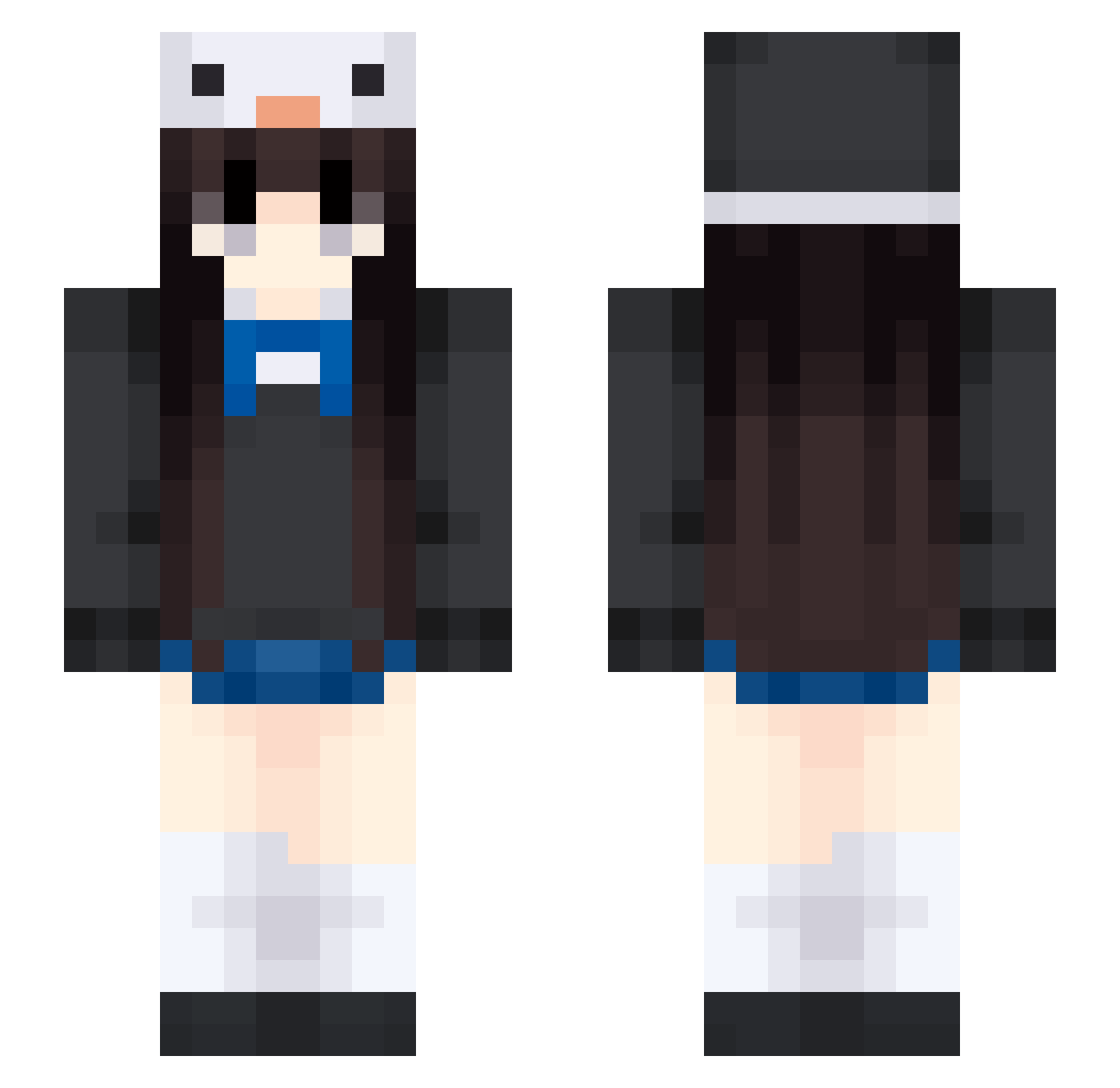
Current Minecraft skin of the player mide_o, loaded from the official Mojang API. Rotate the 3D model with your mouse or finger, then download the skin as a PNG file and use it in Minecraft: Bedrock Edition or Java Edition for free. When mide_o changes their skin, this page updates automatically and the old skin stays in the history below.
Other players with this skin (559)
mide_o was the 475th player we have seen with this skin, first spotted on 04.11.2026. The same skin was seen on these players. Open a nickname to see their current skin and skin history.
 HeighDay Penguified alaraay Yani_xd xiaoze00 Ms_Hana bbyvenus_ fearl7 Julyt2000 jud0814 Abstract_ing meiikko aileenl17 LoveForToday ovonos KI4 Smz19 jixiangpingan Gupi77 yannnnn21 Cherry_Pie789 tzi_qrBIC_0719 54515 nomunee xiaolu123123 LaSusan Buj55 uyo_puyo Rayyine Barski1 Mooxi111107 lisa110213 ninetailfox_j Qiiyun bevybo K_Mus yangyangzi1 Natashe KitaUA yweewy SKYis2 coconut305 Spidi7119 Disuh ink921 freshlobotomy 4everLuvYou Mayawer Tevat_ shi541 lunlun_oOuOo natsume1314 FluorescentChoc shesfaye Cyb3rAn9el pia7109 xiaoguo1202 Gyo_0 egirl12344 hurNiiii
More Penguin Hat Minecraft skins
How to install the mide_o skin
- Press the Download button above to save the skin as a PNG file.
- Minecraft: Bedrock Edition (PE): open the Dressing Room from the main menu (or tap your character → Edit Character), go to Classic Skins → Owned, press the + (new skin) button, choose the downloaded PNG and pick the Slim (Alex) model. Works on PC and mobile; consoles cannot import custom skins.
- Minecraft: Java Edition: open the Minecraft Launcher, go to the Skins tab, click New Skin, load the PNG, pick the Slim (Alex) model and press Save & Use. You can also upload it at minecraft.net → Profile → Change Skin.
The skin does not show up after import - what should I do?
Restart Minecraft and open the Dressing Room again - imported skins sometimes appear only after a restart. Also make sure you selected the imported skin and picked the Slim (Alex) model.
Which model should I choose, Classic or Slim?
This skin is designed for the Slim (Alex) model. If you pick the wrong model, the arms of the skin will look stretched or squeezed.
Is the skin of mide_o free to download?
Yes. Press Download, save the PNG file and use it in Minecraft: Bedrock Edition or Java Edition - no payment or registration needed. The skin also works on multiplayer servers and Realms.
More skins
Looking for more? Go back to all Minecraft skins and check the top skins of the week, month and all time, or find any player's skin by nickname.