
mic_pic123 - Minecraft Skins & Skin History
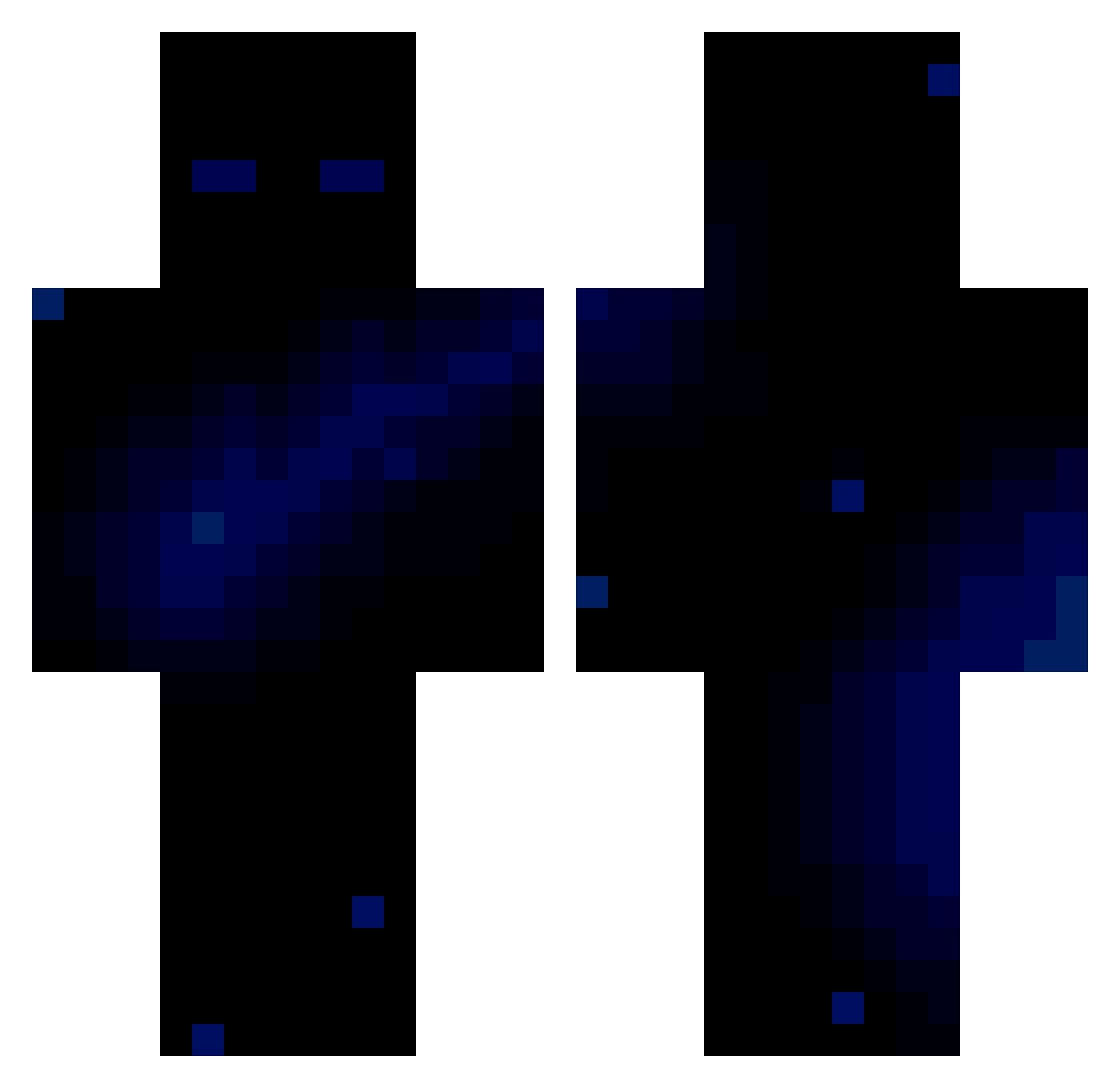
Current Minecraft skin of the player mic_pic123, loaded from the official Mojang API. Rotate the 3D model with your mouse or finger, then download the skin as a PNG file and use it in Minecraft: Bedrock Edition or Java Edition for free. When mic_pic123 changes their skin, this page updates automatically and the old skin stays in the history below.
Other players with this skin (64)
mic_pic123 was the 6th player we have seen with this skin, first spotted on 30.07.2026. The same skin was seen on these players. Open a nickname to see their current skin and skin history.
 Itz_TITVS Tgricyy sexad25 Zyrox2208 Larpestone67 PHEONIX15471523 poronteurastaja
 RUSTY_074 b45e
 NightFuryArise
 TheKarolWojtyla PhilpGames Facupro99898 CrocJose SocietyThreat Michal_2050 Mitar12836 euphoria842 K0pacz69 NQ1max Giuing369 Astrxl_x DooHund Mak0_13
 Robi0608
 61arza54 ramboom99 CharleyHamster PEPITO_Sacha dkk_abyss elevenmint Uvl _Czaja36_ Tsuki87 Tanner214 PERSONALSKILLZ alyonidel Dinastry Janula505 Blake0fps Schwungi68 DreamySprout waterbucketcluch Fejx_144HZ bagchasinn SpaceTiger72 MatSamMatt hhtpa FabsFabFab M1SAS SecretiveJK Bltooth LuisGUlosiador Hypesi BaziZeddd ss_qs gamertommi12 FlayrFX kevin_7250 SoaRR07
More Night Sky Minecraft skins
How to install the mic_pic123 skin
- Press the Download button above to save the skin as a PNG file.
- Minecraft: Bedrock Edition (PE): open the Dressing Room from the main menu (or tap your character → Edit Character), go to Classic Skins → Owned, press the + (new skin) button, choose the downloaded PNG and pick the Classic (Steve) model. Works on PC and mobile; consoles cannot import custom skins.
- Minecraft: Java Edition: open the Minecraft Launcher, go to the Skins tab, click New Skin, load the PNG, pick the Classic (Steve) model and press Save & Use. You can also upload it at minecraft.net → Profile → Change Skin.
The skin does not show up after import - what should I do?
Restart Minecraft and open the Dressing Room again - imported skins sometimes appear only after a restart. Also make sure you selected the imported skin and picked the Classic (Steve) model.
Which model should I choose, Classic or Slim?
This skin is designed for the Classic (Steve) model. If you pick the wrong model, the arms of the skin will look stretched or squeezed.
Is the skin of mic_pic123 free to download?
Yes. Press Download, save the PNG file and use it in Minecraft: Bedrock Edition or Java Edition - no payment or registration needed. The skin also works on multiplayer servers and Realms.
More skins
Looking for more? Go back to all Minecraft skins and check the top skins of the week, month and all time, or find any player's skin by nickname.