
mibomba - Minecraft Skins & Skin History
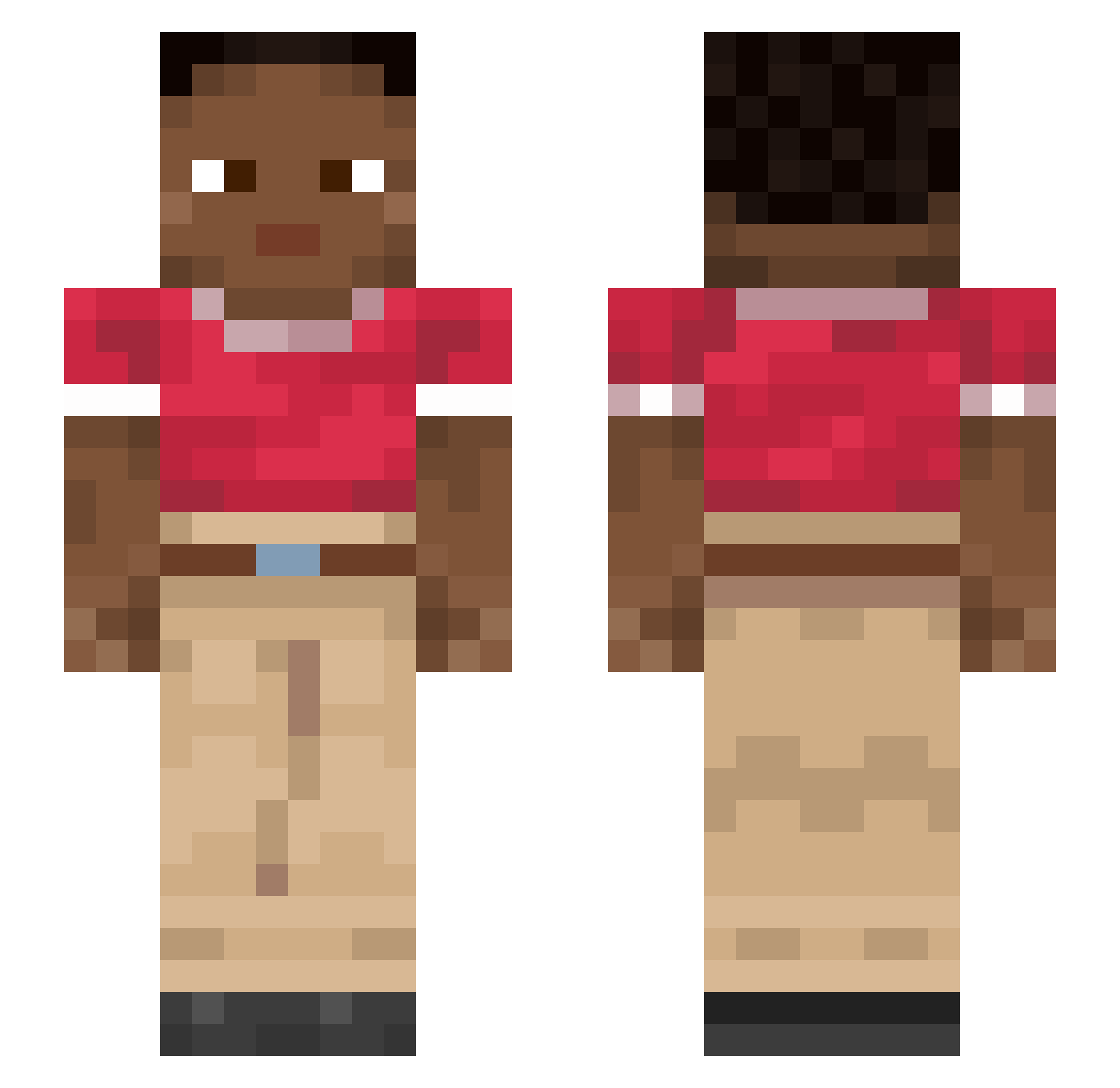
Current Minecraft skin of the player mibomba, loaded from the official Mojang API. Rotate the 3D model with your mouse or finger, then download the skin as a PNG file and use it in Minecraft: Bedrock Edition or Java Edition for free. When mibomba changes their skin, this page updates automatically and the old skin stays in the history below.
Other players with this skin (1117)
mibomba was the 908th player we have seen with this skin, first spotted on 02.11.2026. The same skin was seen on these players. Open a nickname to see their current skin and skin history.
 dysrhythmia porato CrypticBoot92 Kanciafka cestrum priding typps mentisobscura Floundered BlueBloood _YuVi_ m1nr ambisinister Reunionist DolphinLord vivisect Part sculptress 6r4y 100konmywrist Ryuriku Proctoscope cOmUnIdAd Designation Subparagraph Y0NuMbEr Dhurna Timothy_Mac lorine Yurxzinn_ Suk Smudged tipit cinematographer Neglectfully Undeniability kaliba96 Ostino xxjan26 aZoTDydy Sesquialtera Cabezon Bluee02 Kacpir spectrometer cyprinids chaniy Smoothbore OzScorp skillaura_22 Platysma florianauer antedate NoHomo9000 PlayBoiNeth_ boza ayham1 KOLONAN Bilateral Lacca
How to install the mibomba skin
- Press the Download button above to save the skin as a PNG file.
- Minecraft: Bedrock Edition (PE): open the Dressing Room from the main menu (or tap your character → Edit Character), go to Classic Skins → Owned, press the + (new skin) button, choose the downloaded PNG and pick the Slim (Alex) model. Works on PC and mobile; consoles cannot import custom skins.
- Minecraft: Java Edition: open the Minecraft Launcher, go to the Skins tab, click New Skin, load the PNG, pick the Slim (Alex) model and press Save & Use. You can also upload it at minecraft.net → Profile → Change Skin.
The skin does not show up after import - what should I do?
Restart Minecraft and open the Dressing Room again - imported skins sometimes appear only after a restart. Also make sure you selected the imported skin and picked the Slim (Alex) model.
Which model should I choose, Classic or Slim?
This skin is designed for the Slim (Alex) model. If you pick the wrong model, the arms of the skin will look stretched or squeezed.
Is the skin of mibomba free to download?
Yes. Press Download, save the PNG file and use it in Minecraft: Bedrock Edition or Java Edition - no payment or registration needed. The skin also works on multiplayer servers and Realms.
More skins
Looking for more? Go back to all Minecraft skins and check the top skins of the week, month and all time, or find any player's skin by nickname.