
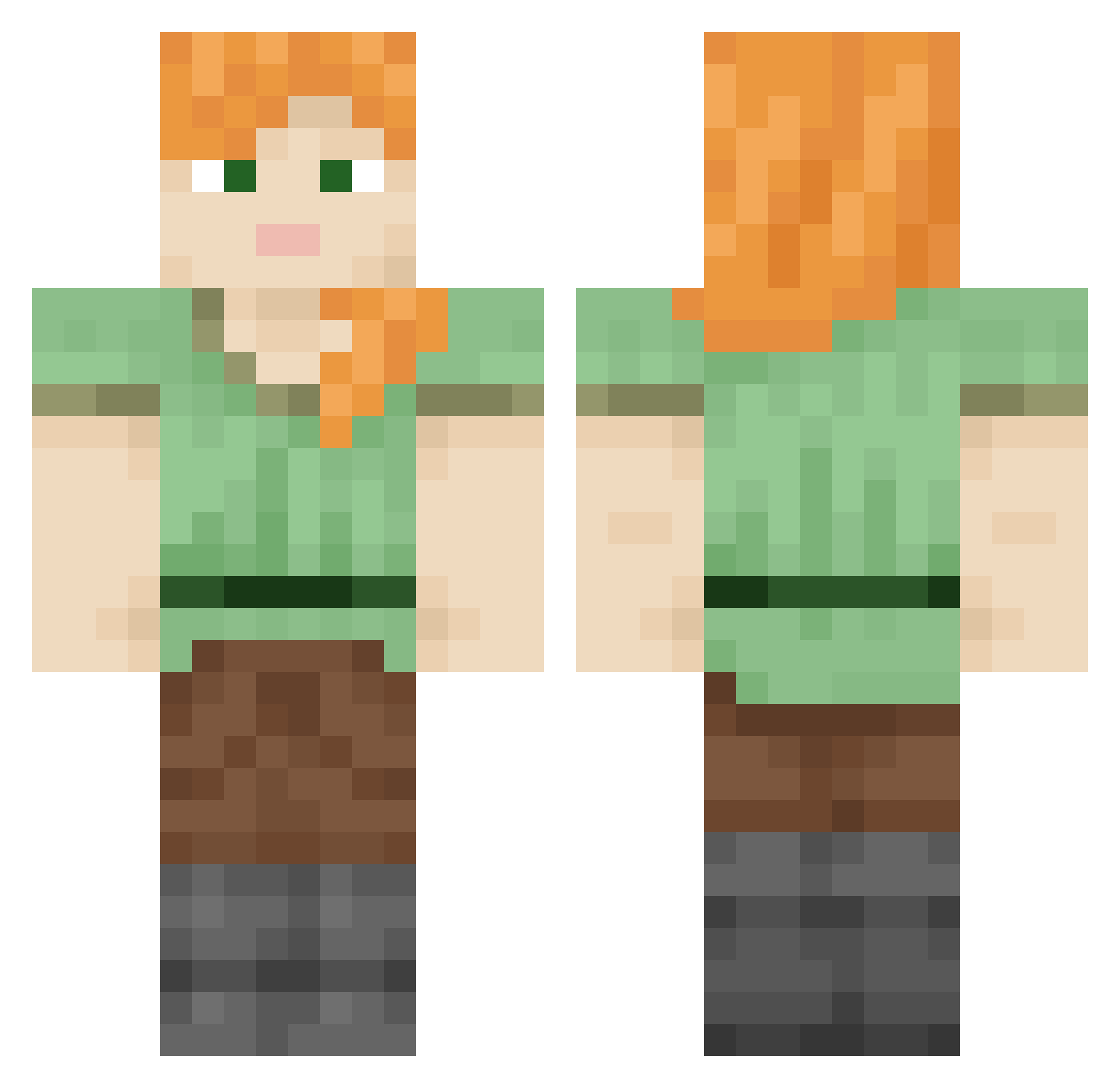
Current Minecraft skin of the player meruit, loaded from the official Mojang API. Rotate the 3D model with your mouse or finger, then download the skin as a PNG file and use it in Minecraft: Bedrock Edition or Java Edition for free. When meruit changes their skin, this page updates automatically and the old skin stays in the history below.
Other players with this skin (709)
meruit was the 254th player we have seen with this skin, first spotted on 30.08.2026. The same skin was seen on these players. Open a nickname to see their current skin and skin history.
 Memoir BBLISAWESOME DDOJUGI CudiKid12 Clydee zebrafish Boti4ko depravers Canislu rlatjdbf11 t4n Aplysia Felonious Pum_Pum Diggings W4rr10rC4t Crusailder Cathartically Stuprum Franix98 Intersector MouthPart terpinolene Kurumi S647 crazies Backie liukiu Pachas LethimSmoke caters sadye Flooey AcridOne Muang Calkestis48 Schoolmarm Antinomic slowworms testcle makooz_ Sv2M2hdE5RUdzSv2 Chiasm Glomus sxtti29 TropiCube unwaverable Stoop TheMagicCondom Anybodies DaddyClang Tarasco glis stadia Zirconian epagoge eer adam860 Pinchfist RPmaster123
How to install the meruit skin
- Press the Download button above to save the skin as a PNG file.
- Minecraft: Bedrock Edition (PE): open the Dressing Room from the main menu (or tap your character → Edit Character), go to Classic Skins → Owned, press the + (new skin) button, choose the downloaded PNG and pick the Classic (Steve) model. Works on PC and mobile; consoles cannot import custom skins.
- Minecraft: Java Edition: open the Minecraft Launcher, go to the Skins tab, click New Skin, load the PNG, pick the Classic (Steve) model and press Save & Use. You can also upload it at minecraft.net → Profile → Change Skin.
The skin does not show up after import - what should I do?
Restart Minecraft and open the Dressing Room again - imported skins sometimes appear only after a restart. Also make sure you selected the imported skin and picked the Classic (Steve) model.
Which model should I choose, Classic or Slim?
This skin is designed for the Classic (Steve) model. If you pick the wrong model, the arms of the skin will look stretched or squeezed.
Is the skin of meruit free to download?
Yes. Press Download, save the PNG file and use it in Minecraft: Bedrock Edition or Java Edition - no payment or registration needed. The skin also works on multiplayer servers and Realms.
More skins
Looking for more? Go back to all Minecraft skins and check the top skins of the week, month and all time, or find any player's skin by nickname.