
mertmertmert3131 - Minecraft Skins & Skin History
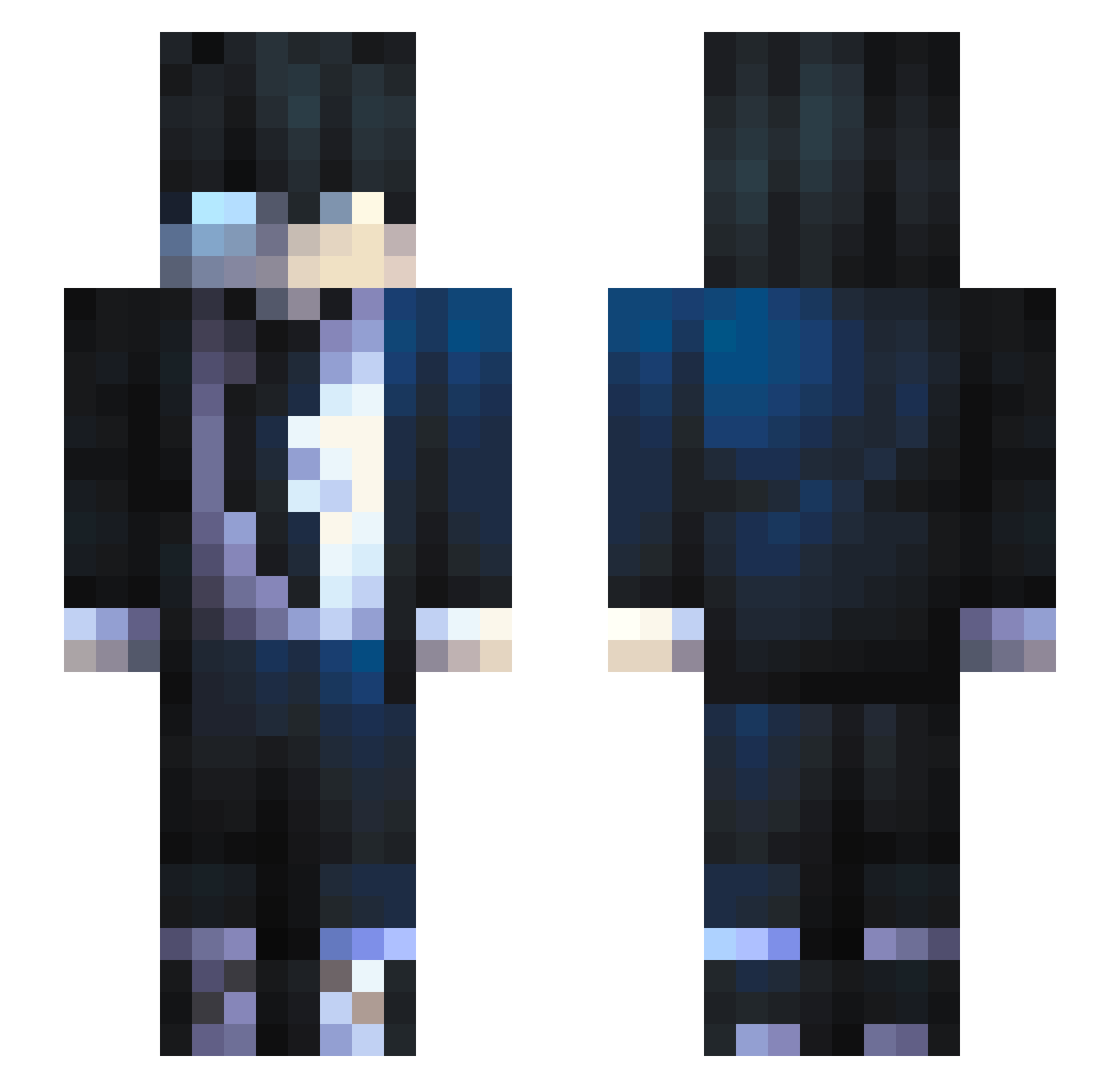
Current Minecraft skin of the player mertmertmert3131, loaded from the official Mojang API. Rotate the 3D model with your mouse or finger, then download the skin as a PNG file and use it in Minecraft: Bedrock Edition or Java Edition for free. When mertmertmert3131 changes their skin, this page updates automatically and the old skin stays in the history below.
Other players with this skin (557)
mertmertmert3131 was the 216th player we have seen with this skin, first spotted on 30.08.2026. The same skin was seen on these players. Open a nickname to see their current skin and skin history.
 DiaPixel Spoonforce saxseedter Sergio2136 UltimaAaron53 queijinhoo Sportl Nx7yw AomineDraiki gusrhks07 NghtMonarch StartTheReckless Hronolog sindeq rzlv Zarakivlr Ralsito Viiper2 xXBockwurs H_Born DeUGzY It4x SrRoman01 Noha0523 ezos69 ThunderDeus Jar_of_Meat Ajar_DragonYT Gamba97 Ruansjj GxdNxck Vheygar BIG147 Gregory2k60 PrattZ tgSteam52 Quantum100 riverrock102441 BlamedSalt71 sniffeur2baida perroviejo97 yDOKA singgjingg siekierkajp eduardoFTW SPINOTARIF ZypherFPS Yao_Qin tannersage OriionGaming onurkop Takashi997 SoojinWOO lYuulPii ja0c0bik Yuukipuog YUHCAIRO __OSHU KFConsole99 domi1803
How to install the mertmertmert3131 skin
- Press the Download button above to save the skin as a PNG file.
- Minecraft: Bedrock Edition (PE): open the Dressing Room from the main menu (or tap your character → Edit Character), go to Classic Skins → Owned, press the + (new skin) button, choose the downloaded PNG and pick the Slim (Alex) model. Works on PC and mobile; consoles cannot import custom skins.
- Minecraft: Java Edition: open the Minecraft Launcher, go to the Skins tab, click New Skin, load the PNG, pick the Slim (Alex) model and press Save & Use. You can also upload it at minecraft.net → Profile → Change Skin.
The skin does not show up after import - what should I do?
Restart Minecraft and open the Dressing Room again - imported skins sometimes appear only after a restart. Also make sure you selected the imported skin and picked the Slim (Alex) model.
Which model should I choose, Classic or Slim?
This skin is designed for the Slim (Alex) model. If you pick the wrong model, the arms of the skin will look stretched or squeezed.
Is the skin of mertmertmert3131 free to download?
Yes. Press Download, save the PNG file and use it in Minecraft: Bedrock Edition or Java Edition - no payment or registration needed. The skin also works on multiplayer servers and Realms.
More skins
Looking for more? Go back to all Minecraft skins and check the top skins of the week, month and all time, or find any player's skin by nickname.