
merstaikaa - Minecraft Skins & Skin History
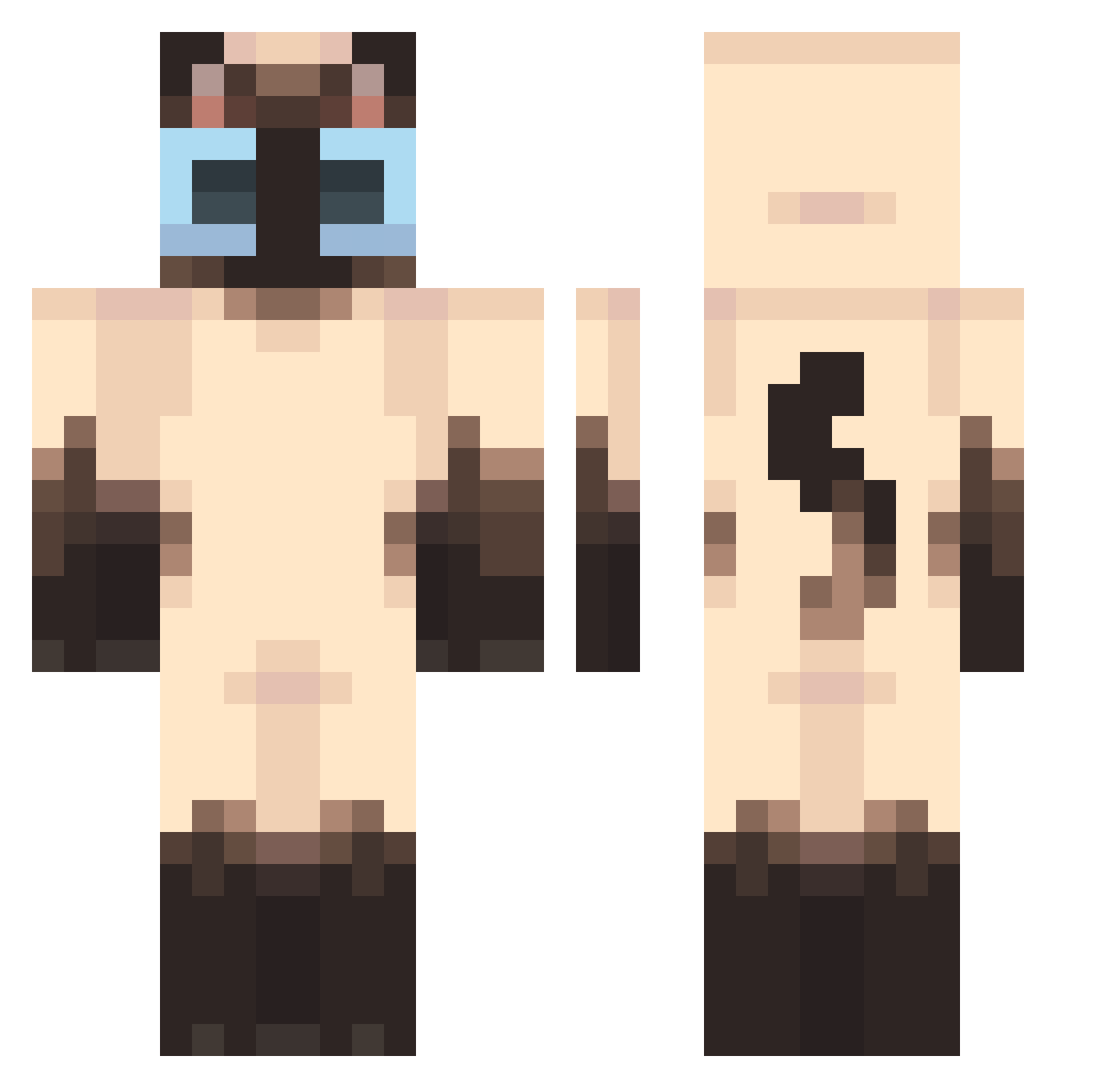
Current Minecraft skin of the player merstaikaa, loaded from the official Mojang API. Rotate the 3D model with your mouse or finger, then download the skin as a PNG file and use it in Minecraft: Bedrock Edition or Java Edition for free. When merstaikaa changes their skin, this page updates automatically and the old skin stays in the history below.
Other players with this skin (440)
merstaikaa was the 265th player we have seen with this skin, first spotted on 25.09.2026. The same skin was seen on these players. Open a nickname to see their current skin and skin history.
 dicman007 NubA22 dappermeows Holte_65 MAHRkos DUBU1122 DLEE_ HUNSHENMAOBING Koluniczka tarmacthebunbun daisyxc xqqq7 lsj_709 catgod5544 zKamata_ dr_chips SuperCatFarts22 Insomnio134 hachiva Rakukunay xmascheerio Fusheh 2001mg laurenha7510 z0mbbb1e tuareej KilianTe6 suniiko_ bylethiez BrilliantYu Baennah Andre202020xd chslewy Russelul Stanhotdog Lio4ciona Yibbyy Mewtzs Rufusto SevenSheep27 ninananani dippy_stick juumin Sardine2626 rahdezz LUCHOMATICO saaerans Vangoulard CrazyLifers ManuelDaSilva FriedShrimp3833 emmamam Spoconymarek4206 scruffyspirals Docobubs PAYTOWIN_1160 ZeroTwo69_TV MocreiaImunda bunnyhugsx GanjaLaMenace
More Siamese Cat Minecraft skins
How to install the merstaikaa skin
- Press the Download button above to save the skin as a PNG file.
- Minecraft: Bedrock Edition (PE): open the Dressing Room from the main menu (or tap your character → Edit Character), go to Classic Skins → Owned, press the + (new skin) button, choose the downloaded PNG and pick the Classic (Steve) model. Works on PC and mobile; consoles cannot import custom skins.
- Minecraft: Java Edition: open the Minecraft Launcher, go to the Skins tab, click New Skin, load the PNG, pick the Classic (Steve) model and press Save & Use. You can also upload it at minecraft.net → Profile → Change Skin.
The skin does not show up after import - what should I do?
Restart Minecraft and open the Dressing Room again - imported skins sometimes appear only after a restart. Also make sure you selected the imported skin and picked the Classic (Steve) model.
Which model should I choose, Classic or Slim?
This skin is designed for the Classic (Steve) model. If you pick the wrong model, the arms of the skin will look stretched or squeezed.
Is the skin of merstaikaa free to download?
Yes. Press Download, save the PNG file and use it in Minecraft: Bedrock Edition or Java Edition - no payment or registration needed. The skin also works on multiplayer servers and Realms.
More skins
Looking for more? Go back to all Minecraft skins and check the top skins of the week, month and all time, or find any player's skin by nickname.