
merccreepers101 - Minecraft Skins & Skin History
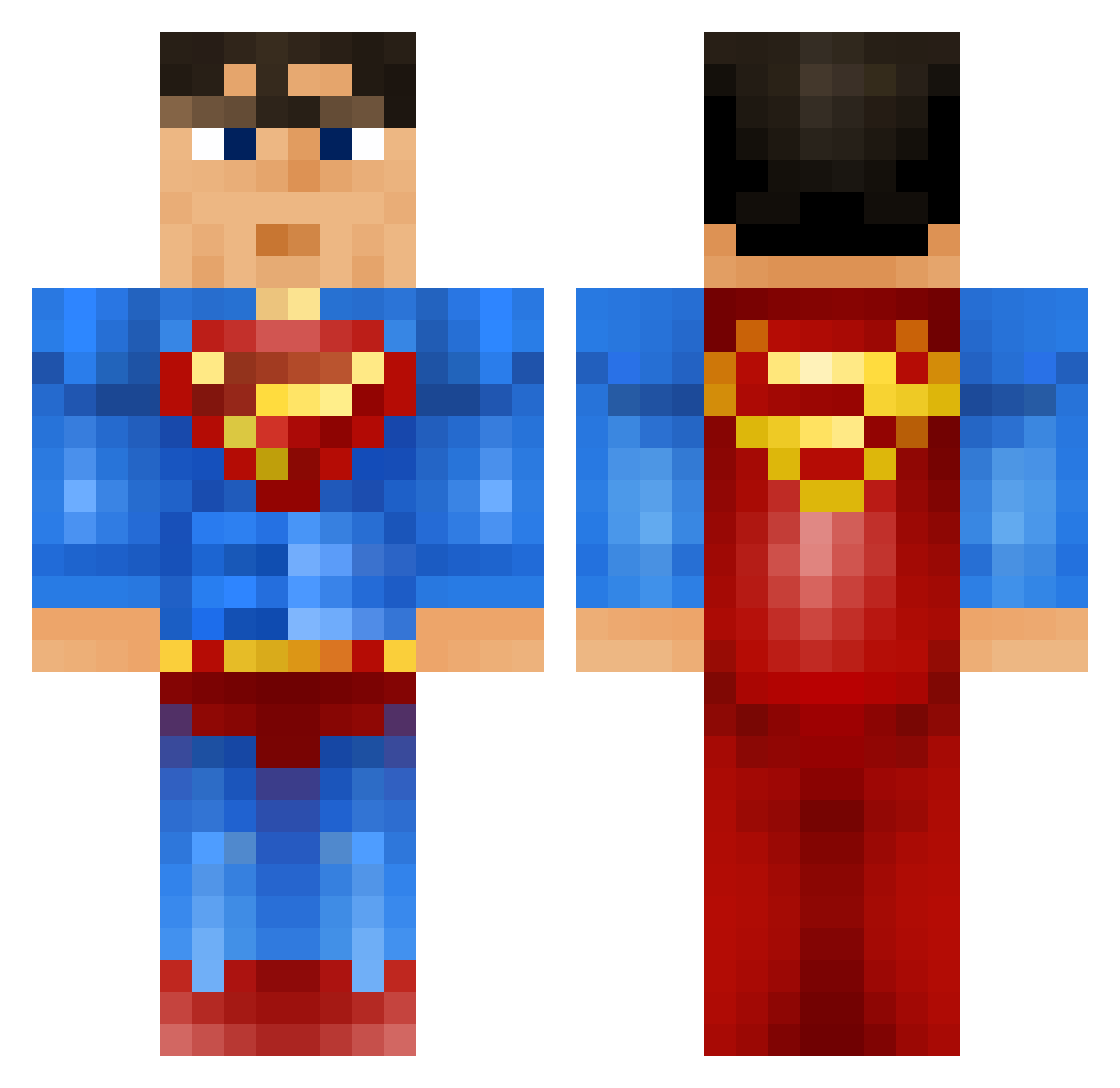
Current Minecraft skin of the player merccreepers101, loaded from the official Mojang API. Rotate the 3D model with your mouse or finger, then download the skin as a PNG file and use it in Minecraft: Bedrock Edition or Java Edition for free. When merccreepers101 changes their skin, this page updates automatically and the old skin stays in the history below.
Other players with this skin (917)
merccreepers101 was the 647th player we have seen with this skin, first spotted on 08.10.2026. The same skin was seen on these players. Open a nickname to see their current skin and skin history.
 BeastModeBJ ANDONATOR27 the_mole_rat crusty_BALLS OllieHume Daniel22609 NitroDennis99 Strimp awesomenemo3000 TheSkipper2004 Omnomnomivore123 Zuusha waterfiredirt tyspiderman Suupermann epsical FutureVizions mindcreek MooseBae oyvindw AnthonyHoller herojacob2010 THE_BLOCK_SLAYER SirPedobaer SneakyNutz99 samsta007 DiamondStealth WiredBear thejamjam1100 afrohockey Nautixxx lamaboom1 ciaomane26 KnightPVP mcjuggernugets TheEnd69 zeboost andybob456 Fynnlybob matiasmiet Superman51_ DoctorDiv gin_roll Superman0907 coleblue3 Flieger08 nathan0007 gmano3271 InSaN1Ty_ReApEr ickyarna WalkingOnGold Ore_Mason xmagicx besstanator WPL_Minecraft_20 BlackMambaBallZZ rasmusbruun Vlane Fweezer TwoSocks2014
More Superman Minecraft skins
How to install the merccreepers101 skin
- Press the Download button above to save the skin as a PNG file.
- Minecraft: Bedrock Edition (PE): open the Dressing Room from the main menu (or tap your character → Edit Character), go to Classic Skins → Owned, press the + (new skin) button, choose the downloaded PNG and pick the Classic (Steve) model. Works on PC and mobile; consoles cannot import custom skins.
- Minecraft: Java Edition: open the Minecraft Launcher, go to the Skins tab, click New Skin, load the PNG, pick the Classic (Steve) model and press Save & Use. You can also upload it at minecraft.net → Profile → Change Skin.
The skin does not show up after import - what should I do?
Restart Minecraft and open the Dressing Room again - imported skins sometimes appear only after a restart. Also make sure you selected the imported skin and picked the Classic (Steve) model.
Which model should I choose, Classic or Slim?
This skin is designed for the Classic (Steve) model. If you pick the wrong model, the arms of the skin will look stretched or squeezed.
Is the skin of merccreepers101 free to download?
Yes. Press Download, save the PNG file and use it in Minecraft: Bedrock Edition or Java Edition - no payment or registration needed. The skin also works on multiplayer servers and Realms.
More skins
Looking for more? Go back to all Minecraft skins and check the top skins of the week, month and all time, or find any player's skin by nickname.