
memnen0414 - Minecraft Skins & Skin History
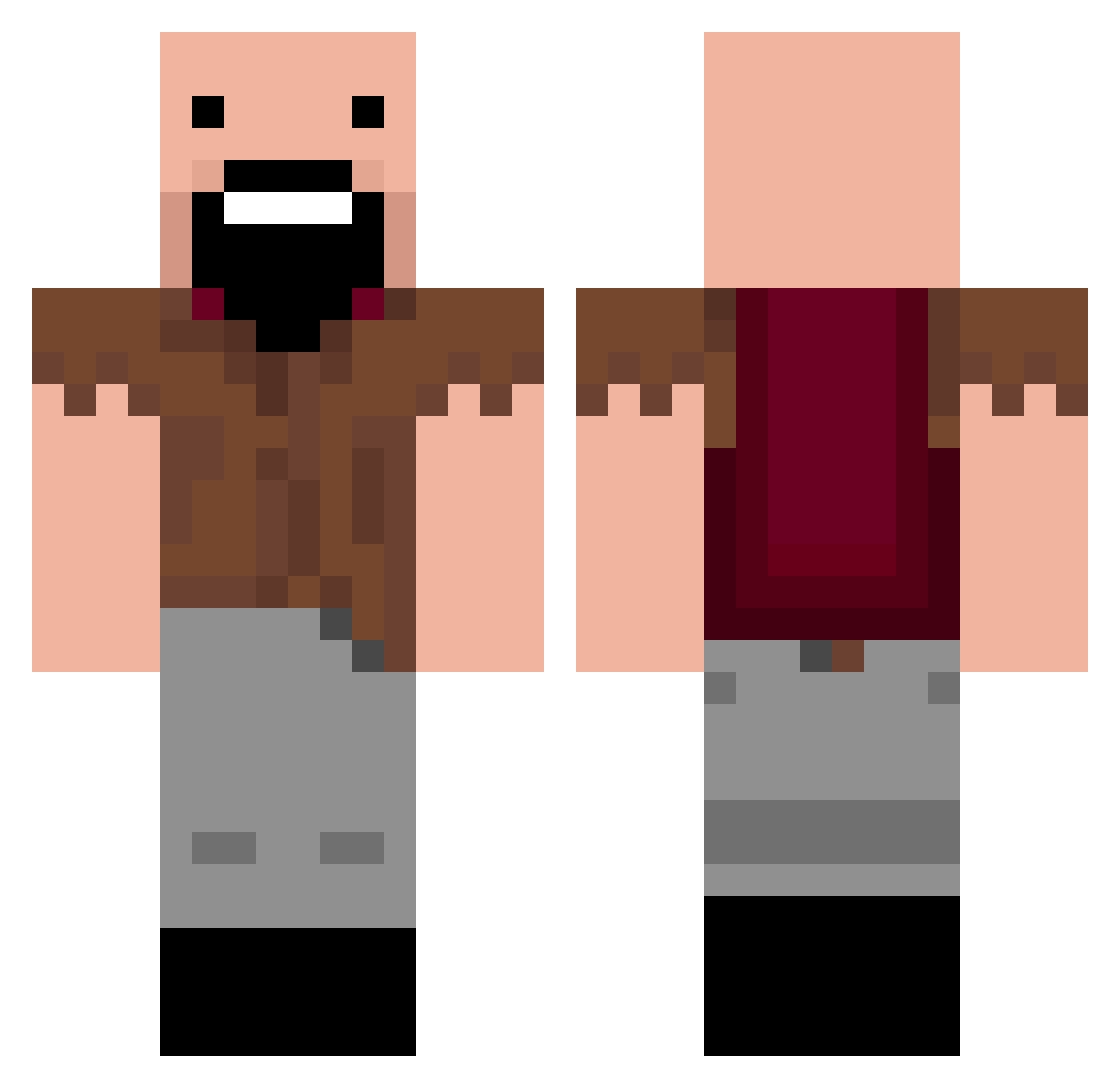
Current Minecraft skin of the player memnen0414, loaded from the official Mojang API. Rotate the 3D model with your mouse or finger, then download the skin as a PNG file and use it in Minecraft: Bedrock Edition or Java Edition for free. When memnen0414 changes their skin, this page updates automatically and the old skin stays in the history below.
Other players with this skin (202)
memnen0414 was the 36th player we have seen with this skin, first spotted on 12.08.2026. The same skin was seen on these players. Open a nickname to see their current skin and skin history.
 Drewbear123 locomexican2 bensmith3131 INDFINDE serik4242 lamone05 ChrisCap7725 EvanbotX Cael13 EvanWick Moonless Entaille Jimbonitto VreYesV Kirk_Moody BubbaCerda Gogol21 manglos Bigfootlover88 Blakew7 Artarious asysspawner macpen1 CODdude4123 rbeal123456789 James_Rush Cherrybmb Scrat49 CodyMan71801 alexis1709 Zach5567 Binksy01 DumpyTrump IzaGlo meh1001 2138008 Siddharth08 dylan7154 otch talonlee cebas5 Skydoes100 FaicuYoutube ybot01 Notch3678 isaac0622 Gqpeff Zachvanw1 RadexH michaelmyers92 matster321 lindagreenwood utopiaman66 Happymeal2009 mrafro1 Indamenkiller Aj99_ ryandennis121902 __apple219__ EightWanderer
More Notch Minecraft skins
How to install the memnen0414 skin
- Press the Download button above to save the skin as a PNG file.
- Minecraft: Bedrock Edition (PE): open the Dressing Room from the main menu (or tap your character → Edit Character), go to Classic Skins → Owned, press the + (new skin) button, choose the downloaded PNG and pick the Classic (Steve) model. Works on PC and mobile; consoles cannot import custom skins.
- Minecraft: Java Edition: open the Minecraft Launcher, go to the Skins tab, click New Skin, load the PNG, pick the Classic (Steve) model and press Save & Use. You can also upload it at minecraft.net → Profile → Change Skin.
The skin does not show up after import - what should I do?
Restart Minecraft and open the Dressing Room again - imported skins sometimes appear only after a restart. Also make sure you selected the imported skin and picked the Classic (Steve) model.
Which model should I choose, Classic or Slim?
This skin is designed for the Classic (Steve) model. If you pick the wrong model, the arms of the skin will look stretched or squeezed.
Is the skin of memnen0414 free to download?
Yes. Press Download, save the PNG file and use it in Minecraft: Bedrock Edition or Java Edition - no payment or registration needed. The skin also works on multiplayer servers and Realms.
More skins
Looking for more? Go back to all Minecraft skins and check the top skins of the week, month and all time, or find any player's skin by nickname.