
memimamo - Minecraft Skins & Skin History
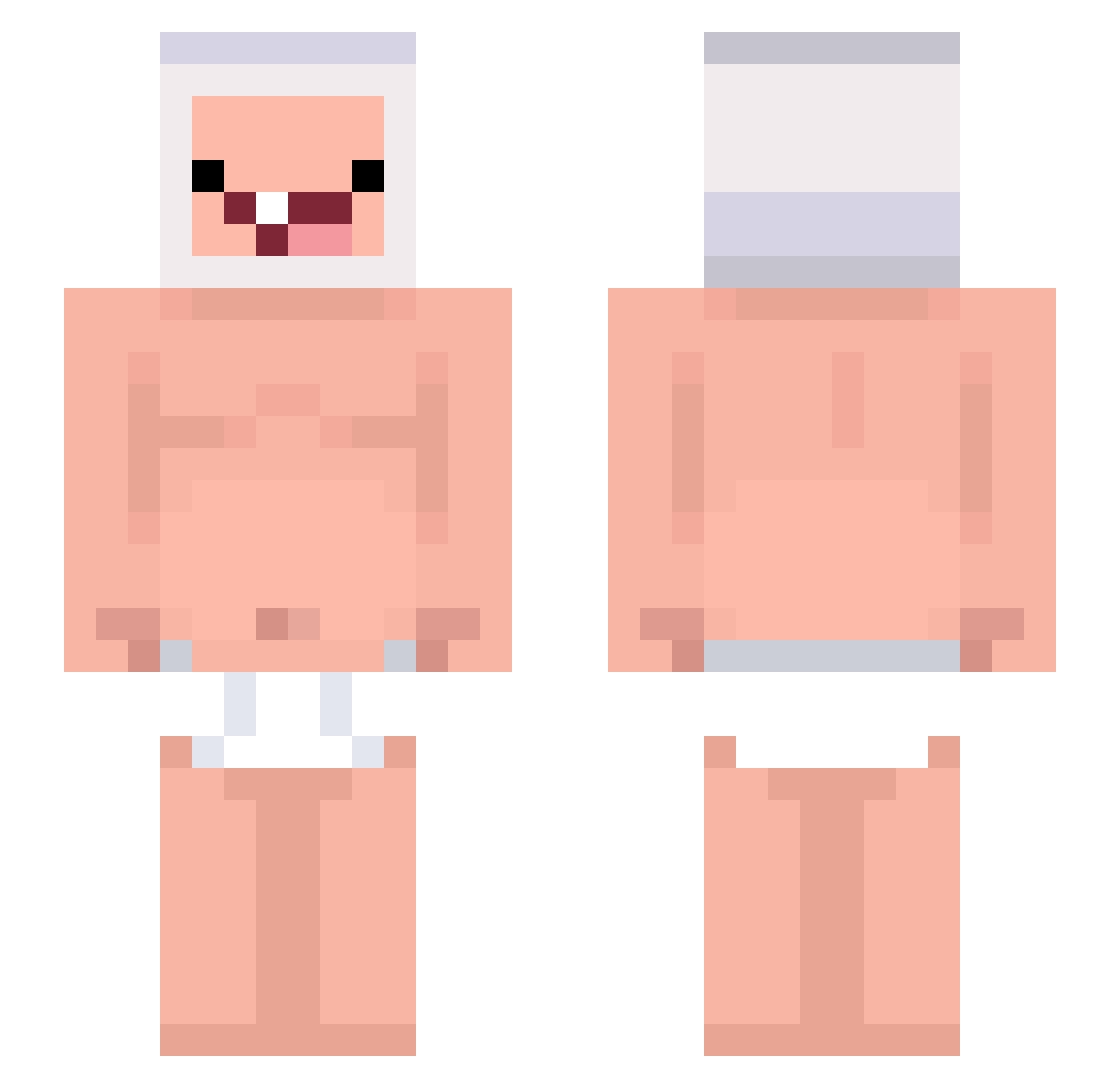
Current Minecraft skin of the player memimamo, loaded from the official Mojang API. Rotate the 3D model with your mouse or finger, then download the skin as a PNG file and use it in Minecraft: Bedrock Edition or Java Edition for free. When memimamo changes their skin, this page updates automatically and the old skin stays in the history below.
Other players with this skin (243)
memimamo was the 203rd player we have seen with this skin, first spotted on 18.10.2026. The same skin was seen on these players. Open a nickname to see their current skin and skin history.
 floreslautti robusteenfrance HelloKittyGirlXD HelloKads YahiaG1 Tokyo_Cro Qeur____________ Tayron01 9seol Iwnat2moveonher gochudandanman _G_M_A_ Flerbzy FIESTAVULCAN Coldams Maxmilian2000 kuccing SectMaster YGTHAMZA40 ssugarhill ramramne Pollin121 Gragon05 OnlyAngus_TW LowKeyKute Azat918 Mercian04 pishoko DarmEntleerer GranPapaHakimi BrodyRocks13 khaxto0 ffhxx resetdeus Asger608 ttanthuann _Rayou rium23114 whocares11g hirakoji Yezukas Weto48 81ha Matiaah ryanlin96 God_Berny xAyri RAIFEEINS jsijs SONIL2015 MXIndustries abc_lv Chrxllxx vvyak SirSherk unbekant Schr0d1nger00 HoneyVig maddog1029 EOSPdiddy
More Finn The Human Minecraft skins
See all 444 Finn The Human skins
How to install the memimamo skin
- Press the Download button above to save the skin as a PNG file.
- Minecraft: Bedrock Edition (PE): open the Dressing Room from the main menu (or tap your character → Edit Character), go to Classic Skins → Owned, press the + (new skin) button, choose the downloaded PNG and pick the Slim (Alex) model. Works on PC and mobile; consoles cannot import custom skins.
- Minecraft: Java Edition: open the Minecraft Launcher, go to the Skins tab, click New Skin, load the PNG, pick the Slim (Alex) model and press Save & Use. You can also upload it at minecraft.net → Profile → Change Skin.
The skin does not show up after import - what should I do?
Restart Minecraft and open the Dressing Room again - imported skins sometimes appear only after a restart. Also make sure you selected the imported skin and picked the Slim (Alex) model.
Which model should I choose, Classic or Slim?
This skin is designed for the Slim (Alex) model. If you pick the wrong model, the arms of the skin will look stretched or squeezed.
Is the skin of memimamo free to download?
Yes. Press Download, save the PNG file and use it in Minecraft: Bedrock Edition or Java Edition - no payment or registration needed. The skin also works on multiplayer servers and Realms.
More skins
Looking for more? Go back to all Minecraft skins and check the top skins of the week, month and all time, or find any player's skin by nickname.