
meltedlobby - Minecraft Skins & Skin History
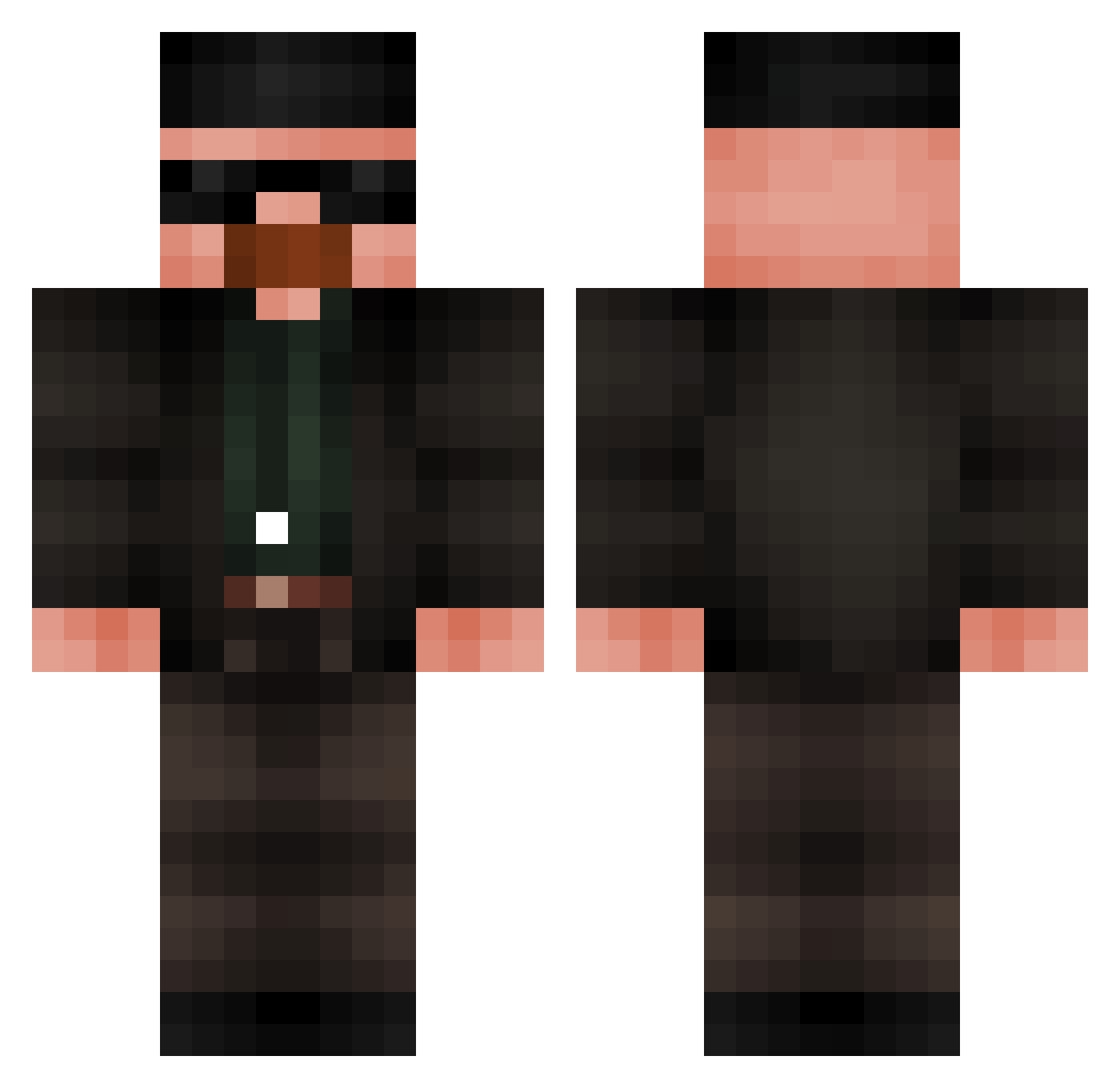
Current Minecraft skin of the player meltedlobby, loaded from the official Mojang API. Rotate the 3D model with your mouse or finger, then download the skin as a PNG file and use it in Minecraft: Bedrock Edition or Java Edition for free. When meltedlobby changes their skin, this page updates automatically and the old skin stays in the history below.
Other players with this skin (686)
meltedlobby was the 432nd player we have seen with this skin, first spotted on 02.10.2026. The same skin was seen on these players. Open a nickname to see their current skin and skin history.
 Willie_19 jvgods Senseronio Sardinesalhuile lenodas623 Drkidfidler Rizzoop LiBron_James oliveiraa1 Lrak01 LETHIMC00K gyenei_ Daniel_Recinos JKamke Alexthekid789 __BAX__ Josh_jefe nikolasinho VictiniPepsi furkanboz2k Coiote14 Nodjox JustSelfDefense crazyminininja muratscu henry4styles Kablindo Deekk T0T3M FlashBart RadicalCarton61 Showme_the_monke sirrobster PBnJamm wjhay gigajaja 1_Krzychu_1 Janjghi nkrf GigaFlofy giga_kox2012 pludd Hrtttt Koekjeerbij SirAatrox223 Kangster1986 Crimewave77 isWLT PonchoTheMan Andrewar mamuelin ed3ntor tanzin_ THA_SURGE aplll Banana_King098 HatchedAcorn635 ArticViper1 Bl4ckSebas ImJustDevi
More Heisenberg Minecraft skins
How to install the meltedlobby skin
- Press the Download button above to save the skin as a PNG file.
- Minecraft: Bedrock Edition (PE): open the Dressing Room from the main menu (or tap your character → Edit Character), go to Classic Skins → Owned, press the + (new skin) button, choose the downloaded PNG and pick the Classic (Steve) model. Works on PC and mobile; consoles cannot import custom skins.
- Minecraft: Java Edition: open the Minecraft Launcher, go to the Skins tab, click New Skin, load the PNG, pick the Classic (Steve) model and press Save & Use. You can also upload it at minecraft.net → Profile → Change Skin.
The skin does not show up after import - what should I do?
Restart Minecraft and open the Dressing Room again - imported skins sometimes appear only after a restart. Also make sure you selected the imported skin and picked the Classic (Steve) model.
Which model should I choose, Classic or Slim?
This skin is designed for the Classic (Steve) model. If you pick the wrong model, the arms of the skin will look stretched or squeezed.
Is the skin of meltedlobby free to download?
Yes. Press Download, save the PNG file and use it in Minecraft: Bedrock Edition or Java Edition - no payment or registration needed. The skin also works on multiplayer servers and Realms.
More skins
Looking for more? Go back to all Minecraft skins and check the top skins of the week, month and all time, or find any player's skin by nickname.