
melqss - Minecraft Skins & Skin History
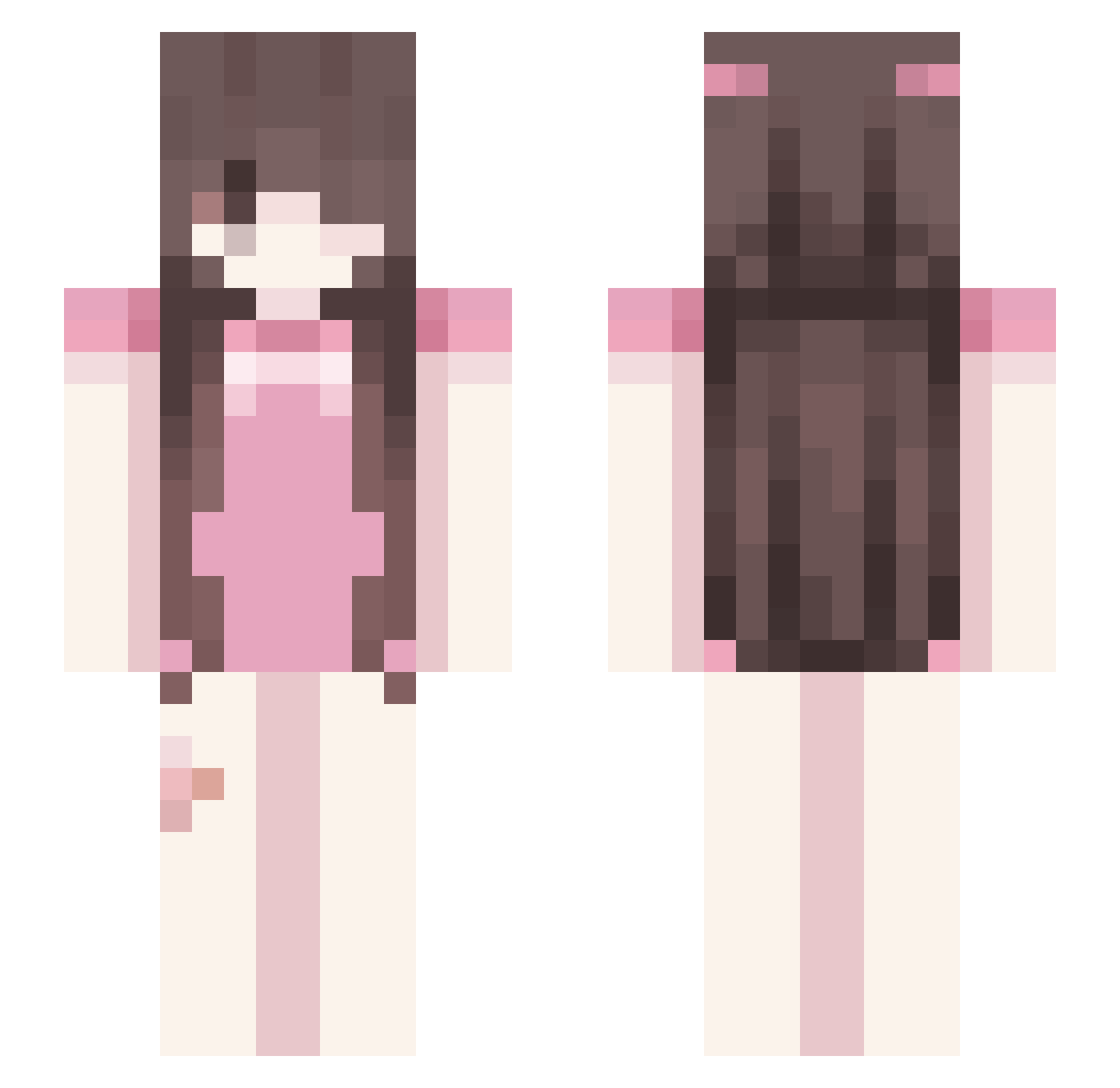
Current Minecraft skin of the player melqss, loaded from the official Mojang API. Rotate the 3D model with your mouse or finger, then download the skin as a PNG file and use it in Minecraft: Bedrock Edition or Java Edition for free. When melqss changes their skin, this page updates automatically and the old skin stays in the history below.
Other players with this skin (57)
melqss was the 28th player we have seen with this skin, first spotted on 25.08.2026. The same skin was seen on these players. Open a nickname to see their current skin and skin history.
 Mis5aelCx cat6666_my sepultaram Not_a_Ghost Qiuncy meowmeow9777 i_om
 NewClapsy Underunion YukieLife POGATRY Brian_Moser_Elo
 xxwi rlyweird Bestlinker InspirationHQ tjadieI
 chobiscit R1P7 Dimpy456 madiibaee gfsdf Flwutter
 Danxsitap Jaengee YoYoYaYaCyCyNoNo itlpet Ailiz arii101 c3rrent Hyuho_ AnnaRobbie
 Naisa3 riquexv yuanamc
 fmyzl CookieGaming bedews perculatedd pawsie91 Izzie3105 littwgirl Kuixote icy_F09 hisneko Cindra miax5 gabrielBLUELOCK aethxxxr duykhanh2012 mmp66 devirhe teenagelovenotes miellounette TaCya7 okiraly Tharil_
More Cute Minecraft skins
How to install the melqss skin
- Press the Download button above to save the skin as a PNG file.
- Minecraft: Bedrock Edition (PE): open the Dressing Room from the main menu (or tap your character → Edit Character), go to Classic Skins → Owned, press the + (new skin) button, choose the downloaded PNG and pick the Slim (Alex) model. Works on PC and mobile; consoles cannot import custom skins.
- Minecraft: Java Edition: open the Minecraft Launcher, go to the Skins tab, click New Skin, load the PNG, pick the Slim (Alex) model and press Save & Use. You can also upload it at minecraft.net → Profile → Change Skin.
The skin does not show up after import - what should I do?
Restart Minecraft and open the Dressing Room again - imported skins sometimes appear only after a restart. Also make sure you selected the imported skin and picked the Slim (Alex) model.
Which model should I choose, Classic or Slim?
This skin is designed for the Slim (Alex) model. If you pick the wrong model, the arms of the skin will look stretched or squeezed.
Is the skin of melqss free to download?
Yes. Press Download, save the PNG file and use it in Minecraft: Bedrock Edition or Java Edition - no payment or registration needed. The skin also works on multiplayer servers and Realms.
More skins
Looking for more? Go back to all Minecraft skins and check the top skins of the week, month and all time, or find any player's skin by nickname.