
melhur_ - Minecraft Skins & Skin History
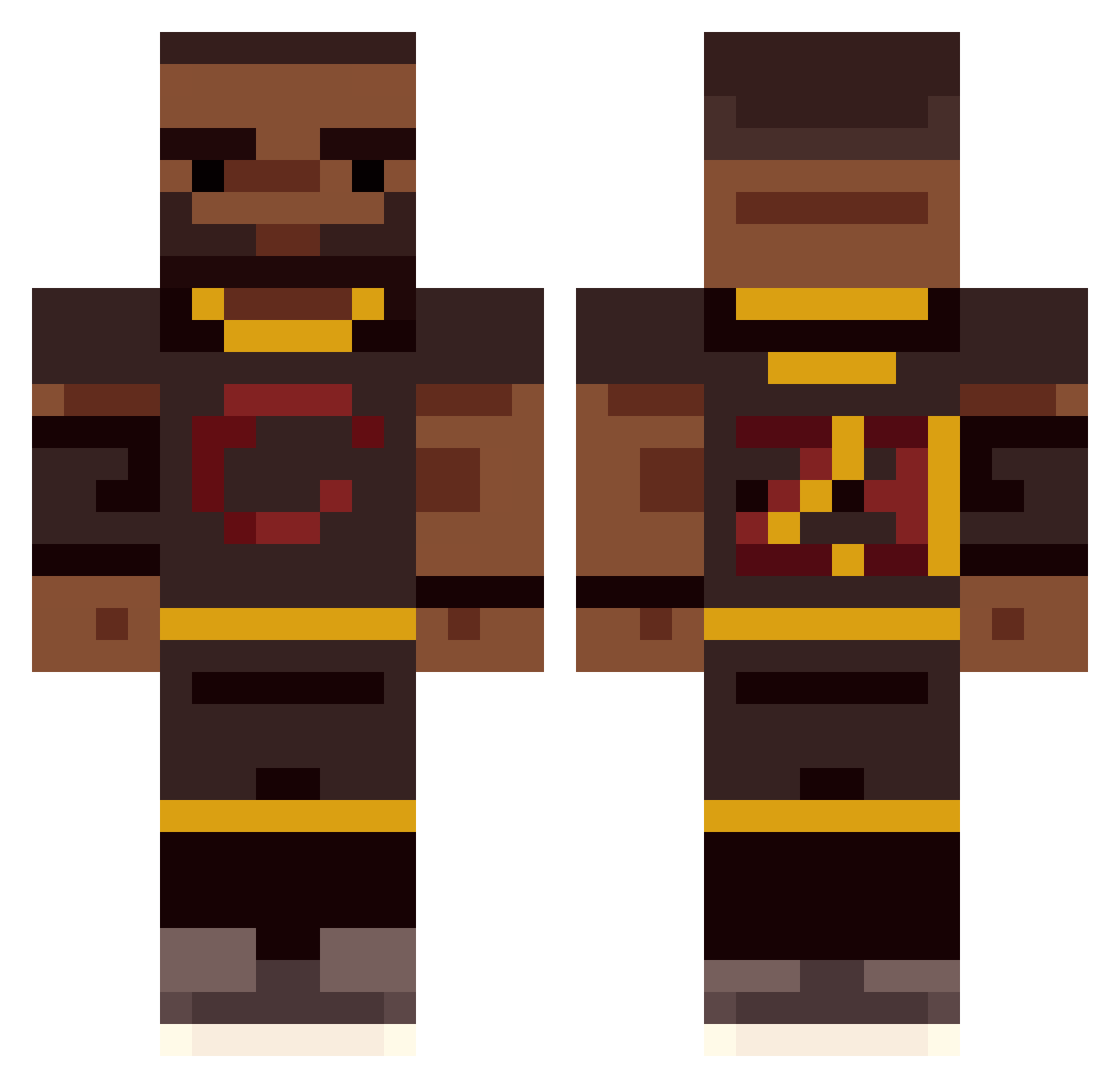
Current Minecraft skin of the player melhur_, loaded from the official Mojang API. Rotate the 3D model with your mouse or finger, then download the skin as a PNG file and use it in Minecraft: Bedrock Edition or Java Edition for free. When melhur_ changes their skin, this page updates automatically and the old skin stays in the history below.
Other players with this skin (45)
melhur_ was the 31st player we have seen with this skin, first spotted on 10.10.2026. The same skin was seen on these players. Open a nickname to see their current skin and skin history.
 Walawida Jujupea ItsRabe OsamahBeenBoomin specvest R4andom_ _KTG_ sebbynag Roi_88 Lim0nAdas Sitryx superkrzyss bluearrow9090 X_Steam ChickpyTheBest JumpedSlice Emers8n Mrfishyw _stero Minatowo MysticBoomer DirtConsumption PartyPandaPHD TheKidFromAkron chanequius JdubWaffles Drazzoo_ Dannnielod GunnerB_ Dziedziej Buraphon Ryuteimaru frannsssis JUBB0 Wrothful 3562 piesio85 Kenodik ShadowKoya Lebrizzy AaronStalder MemLord1 TomasCF07 Shork18_ VerqivWasLost
More Basketballer Minecraft skins
See all 200 Basketballer skins
How to install the melhur_ skin
- Press the Download button above to save the skin as a PNG file.
- Minecraft: Bedrock Edition (PE): open the Dressing Room from the main menu (or tap your character → Edit Character), go to Classic Skins → Owned, press the + (new skin) button, choose the downloaded PNG and pick the Classic (Steve) model. Works on PC and mobile; consoles cannot import custom skins.
- Minecraft: Java Edition: open the Minecraft Launcher, go to the Skins tab, click New Skin, load the PNG, pick the Classic (Steve) model and press Save & Use. You can also upload it at minecraft.net → Profile → Change Skin.
The skin does not show up after import - what should I do?
Restart Minecraft and open the Dressing Room again - imported skins sometimes appear only after a restart. Also make sure you selected the imported skin and picked the Classic (Steve) model.
Which model should I choose, Classic or Slim?
This skin is designed for the Classic (Steve) model. If you pick the wrong model, the arms of the skin will look stretched or squeezed.
Is the skin of melhur_ free to download?
Yes. Press Download, save the PNG file and use it in Minecraft: Bedrock Edition or Java Edition - no payment or registration needed. The skin also works on multiplayer servers and Realms.
More skins
Looking for more? Go back to all Minecraft skins and check the top skins of the week, month and all time, or find any player's skin by nickname.