
megumi2306 - Minecraft Skins & Skin History
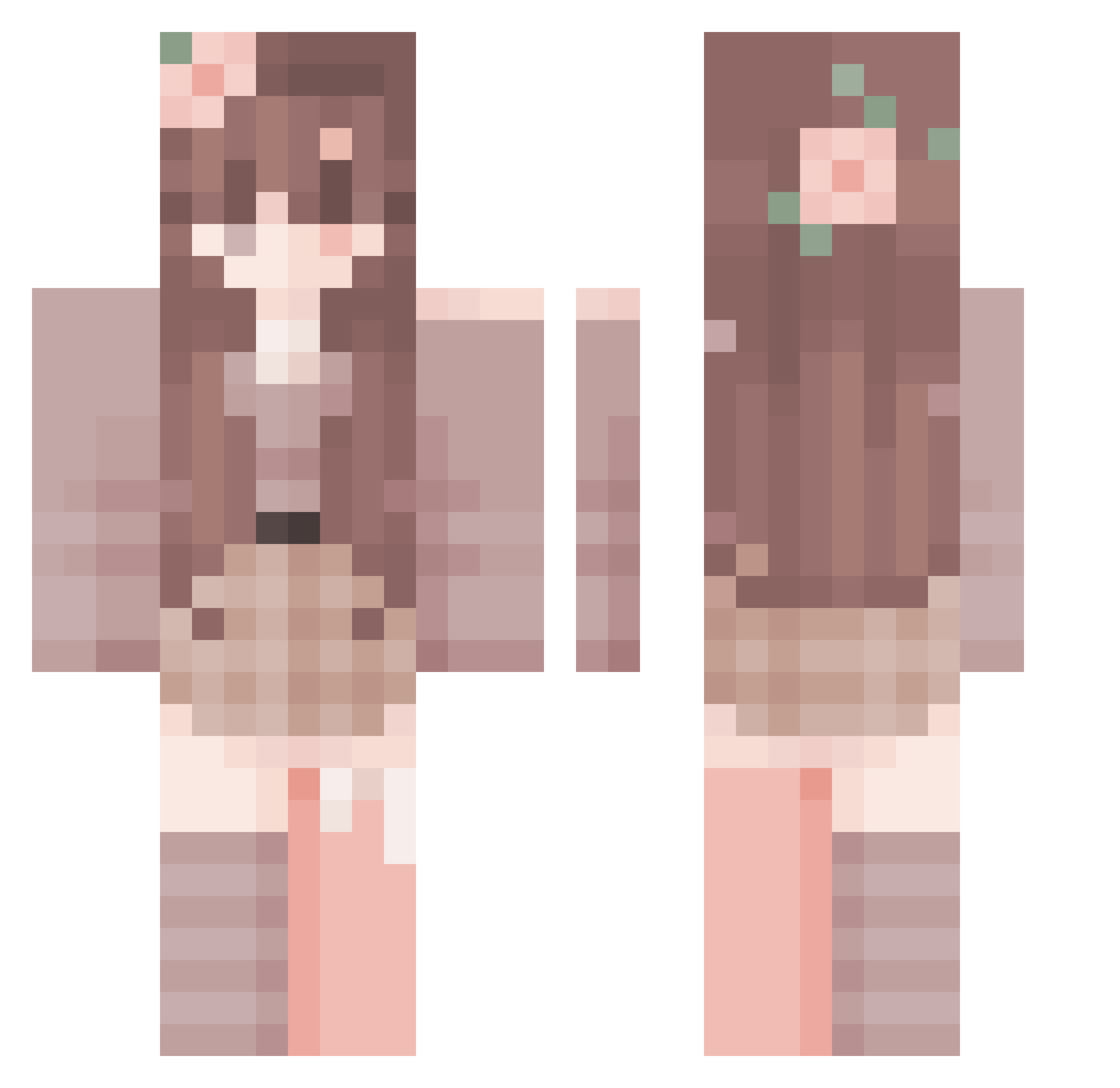
Current Minecraft skin of the player megumi2306, loaded from the official Mojang API. Rotate the 3D model with your mouse or finger, then download the skin as a PNG file and use it in Minecraft: Bedrock Edition or Java Edition for free. When megumi2306 changes their skin, this page updates automatically and the old skin stays in the history below.
Other players with this skin (349)
megumi2306 was the 283rd player we have seen with this skin, first spotted on 31.10.2026. The same skin was seen on these players. Open a nickname to see their current skin and skin history.
 li_ying _nepoxl_ Lxuaaa sluishy PROBIGNOOB995 Kitni Fox_Happiness Mary_yaa ACBHJBIK flying_poney on1ylove relixv1 Ariel0719 ZBHIJYT Mercyyyy EMF99 Rosarl BuddyIsabel Nachtyyy QueenieOwO_ itsAshlyyyy Appoind ying_haiyan ashleyissad Linntee Selini_s santereorooss Hydrazeen NotN1hachu MomTB Markinhos23 porymon JNoee Gray_233 demon2006919 HYronek FearedWolves gecebekcisi07 matias044 ferxie23 cherry_ki11er I_Kiil_You shuishui123 haeyoung_ oop1qu3 alittlefoxna Meeriooli falsePink BashfulWolf042 5sls Rin_yt Zuri_215 Maddkidd soryegeton010 G1NG3RG4M3RYT123 SaTur1_ HarpyQueen2010 Drakan998 codnjs_59 Im_not_funneeeee
More Flower Crown Minecraft skins
See all 4086 Flower Crown skins
How to install the megumi2306 skin
- Press the Download button above to save the skin as a PNG file.
- Minecraft: Bedrock Edition (PE): open the Dressing Room from the main menu (or tap your character → Edit Character), go to Classic Skins → Owned, press the + (new skin) button, choose the downloaded PNG and pick the Classic (Steve) model. Works on PC and mobile; consoles cannot import custom skins.
- Minecraft: Java Edition: open the Minecraft Launcher, go to the Skins tab, click New Skin, load the PNG, pick the Classic (Steve) model and press Save & Use. You can also upload it at minecraft.net → Profile → Change Skin.
The skin does not show up after import - what should I do?
Restart Minecraft and open the Dressing Room again - imported skins sometimes appear only after a restart. Also make sure you selected the imported skin and picked the Classic (Steve) model.
Which model should I choose, Classic or Slim?
This skin is designed for the Classic (Steve) model. If you pick the wrong model, the arms of the skin will look stretched or squeezed.
Is the skin of megumi2306 free to download?
Yes. Press Download, save the PNG file and use it in Minecraft: Bedrock Edition or Java Edition - no payment or registration needed. The skin also works on multiplayer servers and Realms.
More skins
Looking for more? Go back to all Minecraft skins and check the top skins of the week, month and all time, or find any player's skin by nickname.